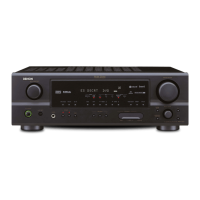
EasyManua.ls Logo

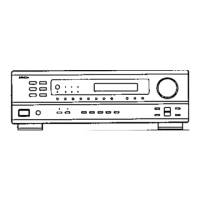
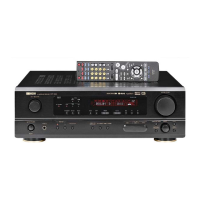
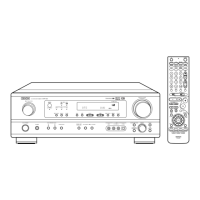
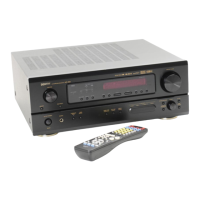
Denon AVR-1612 - Service Manual

Denon AVR-1612
146 pages
Print Icon
To Next Page IconTo Next Page
Loading...
D&M Holdings Inc.
SERVICE MANUAL
e
e
MODEL JP E3 E2 EK EA E1 E1K E1C
AVR-1612
P P P P
AVR-1622
P
AV SURROUND RECEIVER
Ver. 1
S0233-1V01DM/DG1104
Some illustrations using in this service manual are slightly different from the actual set.
Please use this service manual with referring to the operating instructions without fail.
• For purposes of improvement, specications and design are subject to change without notice.

Table of Contents

Other manuals for Denon AVR-1612

Questions and Answers

  • W
    wrightangelSep 14, 2025
    Why does my Denon Stereo Receiver turn on and the power indicator blinks red?
    • P
      Peter YoungSep 14, 2025
      If, after turning on the power, the power indicator blinks red approximately every 0.5 seconds, the unit's amplifier circuit may have failed. Turn off the power and contact a DENON service advisor.
  • R
    Robert DawsonAug 25, 2025
    Why can't I select Dolby PLg or DTS NEO:6 mode on my Denon AVR-1612 Stereo Receiver?
    • S
      Sandra MillsAug 25, 2025
      If you can't select Dolby PLg or DTS NEO:6 mode on your Denon Stereo Receiver: * Make sure that “Speaker Config.” – “Center” or “Surround” is set to something other than “None”. This mode is unavailable for 2.0/2.1ch speaker systems. * These modes cannot be selected when headphones are in use.
  • C
    chelseahernandezAug 25, 2025
    Why is there no audio output with HDMI connection on my Denon AVR-1612 Stereo Receiver?
    • S
      Shawn FarleyAug 26, 2025
      If you're not getting any sound via HDMI, first, ensure the HDMI connectors are properly connected. Then, depending on where you want the sound, go to the menu and set “HDMI Audio Out” to either “AMP” for speaker output or “TV” to output sound from your TV.
  • S
    Susan WrightAug 26, 2025
    How to fix no audio output on Denon AVR-1612?
    • J
      johnfletcherAug 27, 2025
      If there's no audio, go through these checks: * Verify all device connections. * Check speaker connections and configurations. * Ensure the audio device is powered on. * Adjust the master volume. * Deactivate mute mode. * Select the correct input source and mode. * Disconnect headphones, as they may disable speaker output.
  • E
    ericbaileySep 15, 2025
    How to fix Denon AVR-1612 Stereo Receiver when the display is off?
    • T
      tanya87Sep 15, 2025
      If the display is off, adjust the “Dimmer” setting in the menu to a setting other than “OFF”.
  • W
    Willie WalkerSep 23, 2025
    Why are file names not displayed properly on my Denon AVR-1612 Stereo Receiver?
    • H
      Hunter LawrenceSep 23, 2025
      If file names aren't displayed correctly (showing “...”, etc.), it's because the file names contain characters that the unit can't display. These characters are replaced with a period (“.”). This is normal.
  • T
    Thomas TurnerSep 7, 2025
    What to do if my Denon AVR-1612 is not working properly?
    • J
      Joshua JenkinsSep 7, 2025
      If your Denon Stereo Receiver isn't operating properly, reset the microprocessor.
  • C
    Carrie TerrySep 8, 2025
    How do I enable DTS sound output on my Denon Stereo Receiver?
    • D
      Drew WelchSep 8, 2025
      If DTS sound isn't being output on your Denon Stereo Receiver, set “Decode Mode” on the menu to “Auto” or “DTS.”
  • A
    Aaron ButlerSep 2, 2025
    What to do if there is no video output with HDMI connection on Denon AVR-1612?
    • S
      Scott MartinezSep 2, 2025
      If you're not getting video output via HDMI on your Denon Stereo Receiver: * First, check that the HDMI connectors are securely connected. * Then, make sure the input source matches the HDMI connector you're using. * Also, verify that your TV supports HDCP (copyright protection). If it doesn't, video might not display correctly.
  • A
    Andrew MurphyAug 31, 2025
    Why is DTS sound not output on my Denon AVR-1612?
    • S
      Stephanie KimAug 31, 2025
      If DTS sound isn't being output, set “Decode Mode” in the menu to either “Auto” or “DTS”.

Summary

Safety Precautions

Leakage Current Check

Check leakage current or line to chassis resistance before returning the set.

Cautions in Servicing and Inspection

Cautions for servicing, electric shock, disassembly, designated parts, and post-service checks.

Caution Concerning Important Safety Parts

Properties of electric and structural parts are critical; use designated part numbers.

Technical Specifications

Cautions in Servicing

Initializing AV Surround Receiver

Procedure for initializing the receiver when the microprocessor or Digital PWB is replaced.

Disassembly

Special Mode

Special Mode Setting Button

Details the button combinations to access various special modes.

1. µcom;DSP Version Display Mode

1.3. Error Display

2. Errors Checking Mode (Displaying the Protection History)

2.3. Clearing the Protection History

Warning Indication by the Power LED

4. Diagnostic Mode (Video;Audio (Signal) Path Confirmation Mode)

When the Microprocessor is Replaced with a New One

Procedure for Upgrading the Version of the Firmware

1.5. Communication Check

1.7. Complete the Firmware Updating

1.8. Notice

Adjustment

Audio Section

Adjusting the idling current for the audio section.

Surround Modes and Parameters

Surround

Trouble Shooting

1. Power

Troubleshooting steps for power-related issues.

1.2. Fuse is Blown

Steps to check and replace blown fuses.

2. Analog Video

A

B

3. HDMI;DVI

3.1. No Picture or Sound is Output

Troubleshooting flowchart for no picture or sound output from HDMI/DVI.

3.2. HDMI Test Point and Waveforms

4. Audio

4.1. Audio Check

Troubleshooting flowchart for audio output issues.

4.2. Power Amp (Main Unit)

4.3. Analog Audio

5. USB

5.1. USB Device is Not Recognized

Troubleshooting steps when a USB device is not recognized.

6. SMPS

Schematic Diagrams (1;16)

HDMI Part

Schematic diagrams for the HDMI part.

Schematic Diagrams (2;16)

Digital Supply Part

Schematic diagrams for the digital supply part.

Schematic Diagrams (3;16)

MCU Part

Schematic diagrams for the MCU part.

Schematic Diagrams (4;16)

MCU_Level_Chg Part

Schematic diagrams for the MCU level charge part.

Exploded View

Warning:

Critical parts indicated by a symbol require specific replacement parts.

Parts List of Exploded View

Semiconductors

1. ICs

Lists ICs with their functions and pin descriptions.

EX3 AV Terminal Functions

Details terminal functions for the EX3AV IC.

ADV7623 (Digital: IC101)

Pin Function Descriptions

Details pin functions for the ADV7623 IC.

LC89058 W-E (Digital: IC402)

ADSP21487 KSWZ3 B (Digital: IC404)

W9864 G6 JH-6 (Digital: IC405)

W9864 G6 JH-6 Pin Description

AK5358 BET (Digital: IC451)

AK4358 VQ (Digital: IC441)

R5 F56108 VNFP (Digital: IC201)

R2 A15218 FP (Input: IC404)

R2 A15218 FP Pin Function

TC4052 BFT (Input: IC402,405)

Denon AVR-1612 Specifications

General IconGeneral
Audio output channels5.1 channels
Audio A/D Converter (ADC)24-bit/96kHz
Power output per channel (1KHz@6 Ohm)120 W
Power output per channel (20-20KHz@8 Ohm)80 W
HDMI in4
Composite video in3
S-Video inputs quantity1
Speakers connectivity type-
Ethernet LANNo
Radio Data System (RDS)Yes
Preset stations quantity56
Analog signal format systemNTSC, PAL
DisplayLCD
HDMI version1.4
Product colorBlack
Audio decodersDolby Digital, Dolby Digital EX, Dolby Digital Plus, Dolby Pro Logic II, Dolby Pro Logic IIx, Dolby Pro Logic IIz, Dolby TrueHD, DTS 96/24, DTS Neo:6, DTS-ES, DTS-HD
Apple docking compatibilityiPod
Graphical user interface (GUI) languageEnglish, French, German
AC input voltage220-240 V
AC input frequency50 - 60 Hz
Power consumption (standby)0.5 W
Storage temperature (T-T)-10 - 60 °C
Operating temperature (T-T)0 - 40 °C
Storage relative humidity (H-H)5 - 90 %
Operating relative humidity (H-H)10 - 80 %
Weight and Dimensions IconWeight and Dimensions
Depth382 mm
Width435 mm
Height162 mm
Weight9200 g

Related product manuals