EasyManua.ls Logo

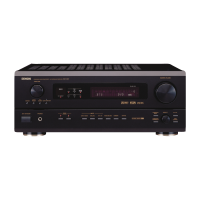
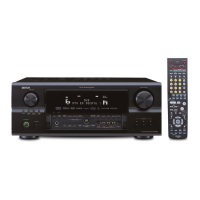
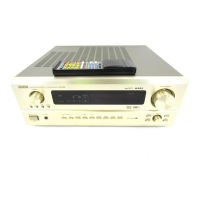
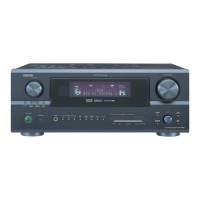
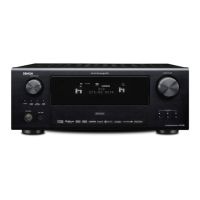
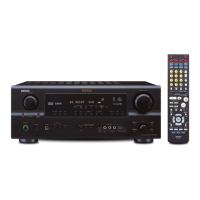
Denon AVR-2803 - Service Manual

Denon AVR-2803
113 pages
Print Icon
To Next Page IconTo Next Page
Loading...
SERVICE MANUAL
MODEL
AVR‑2803/983
AVC‑2870
AV SURROUND RECEIVER/AMPLIFIER
For U.S.A., Canada, Europe, Asia,
China, Hong Kong, Taiwan R.O.C.,
Korea & Japan model
Some illustrations using in this service manual are
slightly different from the actual set.
Please use this service manual with referring to the
補修用性能部品の保有期間は、製造打切後8年です。
本機の仕様は性能改良のため、予告なく変更する
ことがあります。
本文中に使用しているイラストは、説明の都合上
現物と多少異なる場合があります。
修理の際は、必ず取扱説明書を参照の上、作業を
行ってください。
operating instructions without fail.
16-11, YUSHIMA 3-CHOME, BUNKYOU-KU, TOKYO 113-0034 JAPAN
Telephone: 03 (3837) 5321
X0163 V.01 DE/CDM 0302
Ver. 1

Table of Contents

Other manuals for Denon AVR-2803

Questions and Answers

  • R
    Rachael WebbAug 15, 2025
    What to do if my Denon Stereo Receiver display is lit but no sound is produced?
    • S
      Shelia PatelAug 16, 2025
      If the display is lit but no sound comes from your Denon Stereo Receiver, consider these potential causes: * Ensure speaker cords are securely connected. * Check the audio function button to ensure it's in the correct position. * Verify the volume isn't set to the minimum; increase it to a suitable level. * Confirm that MUTING is switched off. * If using digital signals, ensure they are being input correctly or that you've selected the appropriate input jacks.
  • P
    paula52Aug 18, 2025
    Why is there no display and sound from my Denon Stereo Receiver when the power switch is on?
    • A
      Alexis FranklinAug 18, 2025
      If your Denon Stereo Receiver shows no display and produces no sound when the power switch is on: * Check that the power cord is securely plugged in. * After turning the POWER switch on, try turning the power on with the remote control.
  • L
    Lorraine MarshallAug 21, 2025
    Why does my Denon Stereo Receiver system setup screen not appear?
    • N
      Nancy PattersonAug 21, 2025
      If the system setup screen does not appear on your Denon Stereo Receiver, it may be due to: * Headphones being used. Unplug them from the headphone jack. * Mute mode being activated. Cancel the mute mode. * Monitor TV not connected. Connect a monitor TV.
  • J
    josephmurrayAug 25, 2025
    Why is my Denon Stereo Receiver remote not working?
    • R
      Ryan FordAug 25, 2025
      If the remote isn't operating your Denon Stereo Receiver, the following could be the reason: * The batteries may be dead. Try replacing them with new ones. * You might be too far from the unit. Move closer. * There could be an obstacle blocking the signal. Remove it. * You may be pressing the wrong button. Ensure you're pressing the correct one. * The batteries might be inserted incorrectly. Check the polarity and re-insert them properly.
  • B
    Bradley ShawAug 27, 2025
    What to do if the Denon Stereo Receiver display is not lit and the power indicator is flashing rapidly?
    • E
      Erin GarzaAug 28, 2025
      If the display of your Denon Stereo Receiver isn't lit and the power indicator flashes rapidly, it could be due to: * Short-circuited speaker terminals. Turn off the power, properly connect the speakers, and then turn the power back on. * Blocked ventilation holes. Turn off the power, ventilate the unit well to cool it down, and then turn it back on. * Continuous high power operation and/or inadequate ventilation. Turn off the power, ventilate it well, and then turn it back on once cooled.
  • E
    Eric RobinsonAug 30, 2025
    Why is sound only coming from one channel on my Denon Stereo Receiver?
    • B
      bbakerAug 30, 2025
      If sound is only coming from one channel of your Denon Stereo Receiver, it may be due to: * Incomplete connection of speaker cords. Ensure they are securely connected. * Incomplete connection of input/output cords. Ensure they are securely connected.
  • M
    michaelstoutSep 2, 2025
    Why are the instrument positions reversed during stereo playback on my Denon Stereo Receiver?
    • R
      rsmithSep 2, 2025
      If the instrument positions are reversed during stereo playback on your Denon Stereo Receiver, it's likely due to reversed connections of the left and right speakers or input/output cords. Check these connections to ensure they are correct.
  • J
    jenniferriveraSep 5, 2025
    Why is there a humming noise when playing records on my Denon Stereo Receiver?
    • S
      shicksSep 5, 2025
      A humming noise when playing records on your Denon Stereo Receiver can be caused by: * The turntable's ground wire not being properly connected. Ensure it's securely connected. * An incomplete PHONO jack connection. Ensure it's securely connected. * Nearby TV or radio transmission antenna.
  • V
    victorwrightSep 8, 2025
    Why is there howling noise produced when the volume is high on my Denon Stereo Receiver?
    • E
      Eduardo MclaughlinSep 8, 2025
      Howling noise at high volume on your Denon Stereo Receiver may occur because: * The turntable and speaker systems are too close together. Separate them as much as possible. * The floor is unstable and vibrates easily. Use cushions to absorb speaker vibrations transmitted through the floor. If the turntable lacks insulators, use audio insulators.
  • E
    Elizabeth SmithSep 12, 2025
    How to turn on the on screen display on Denon Stereo Receiver?
    • J
      Jose KeithSep 12, 2025
      If the on-screen display is not showing on your Denon Stereo Receiver, navigate to the system setup menu and ensure that the “on screen display” setting is turned on.

Summary

Safety Precautions

Leakage Current Check

Check for customer safety before returning the unit, ensuring proper electrical insulation.

Disassembly Procedures

Power;Control Unit Check

Method for checking the power and control unit while the unit is powered on.

Servicing Cautions and Initialization

AV Receiver Initialization

Procedure to initialize the AV SURROUND RECEIVER, typically after component replacement.

Adjustment Procedures

Audio Section Idling Current Adjustment

Procedure for adjusting the idling current in the audio section.

System Diagrams

Wiring Diagram

Overall wiring diagram showing connections between different units and components.

Schematic Diagrams (Parts 1-12)

Detailed schematic diagrams for various receiver units, presented in 12 parts.

Schematic Diagrams (Japan Models)

Detailed schematic diagrams for units specific to Japan models.

Test Mode Operations

μcom;DSP Error Display Mode

Procedure to check for and display microcomputer or DSP errors using a specific test mode.

Printed Wiring Board Layouts

Parts List Conventions

Parts List Notation

Explains symbols and notation used in the parts list for resistors, capacitors, and units.

Parts List by Unit (Except Japan)

1 U-3469 Power Unit Parts

List of semiconductor and resistor parts for the 1U-3469 POWER UNIT (Except Japan model).

Parts List by Unit (For Japan)

Exploded View and Parts List

Exploded View of Components

Visual representation of the unit's components and their assembly order.

Exploded View Parts List

Detailed list of all parts referenced in the exploded view, categorized by unit.

Denon AVR-2803 Specifications

General IconGeneral
Power Output90 W per channel (8 ohms, 20 Hz - 20 kHz, 0.05% THD)
Channels7.1
Dolby SupportDolby Digital, Dolby Pro Logic II
Digital Inputs2 coaxial, 3 optical
Weight14.5 kg
TypeAV Receiver
Output Power per Channel90 W (8 ohms, 20 Hz - 20 kHz, 0.05% THD)
Frequency Response10 Hz - 100 kHz (+1, -3 dB)
Input Sensitivity200 mV
Input Impedance47 kOhms
Total Harmonic Distortion0.05%
Input Sensitivity/Impedance200 mV / 47 kOhms
Tuner Frequency RangeFM: 87.5 - 108 MHz, AM: 522 - 1611 kHz
DTS SupportDTS, DTS-ES, DTS Neo:6
OutputsComposite: 2, Component: 1
Video outputsComposite: 2

Related product manuals