EasyManua.ls Logo

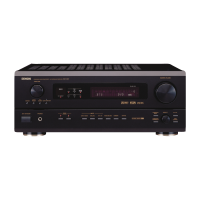
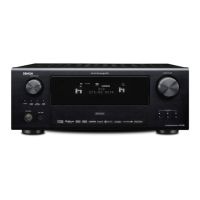
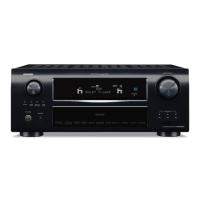
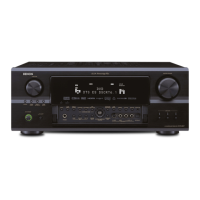
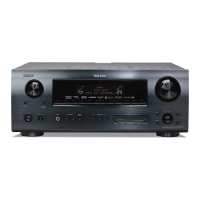
Denon AVR-2802 - Service Manual

Denon AVR-2802
74 pages
Print Icon
To Next Page IconTo Next Page
Loading...
Hi-Fi Component
SERVICE MANUAL
MODEL
AVR-2802/982
AV SURROUND RECEIVER
Some illustrations using in this service manual are slightly different from the actual set.
For U.S.A., Canada, Europe,
Asia, China, Hong Kong &
Taiwan R.O.C. model
X0119 1174 NC 0112
14-14, AKASAKA 4-CHOME, MINATO-KU, TOKYO 107-8011 JAPAN
Telephone: 03 (3584) 8111

Table of Contents

Other manuals for Denon AVR-2802

Questions and Answers

  • F
    fitzpatrickmaureenAug 15, 2025
    Why is there no sound coming from my Denon Receiver, even though the display is on?
    • C
      Carol NorrisAug 15, 2025
      There are several reasons why your Denon Receiver might have a lit display but no sound: * The speaker cords may not be securely connected, so ensure they are properly connected. * The audio function button may be in an incorrect position; adjust it to the correct setting. * The volume control might be set to the minimum; increase the volume to a suitable level. * MUTING may be activated; switch MUTING off. * If you've selected a digital input, ensure digital signals are being input, or select the correct input jacks.
  • S
    Susan RogersAug 18, 2025
    How to fix a Denon Receiver that has no display and no sound when turned on?
    • J
      Joseph HowardAug 18, 2025
      If your Denon Receiver's display is not lit and no sound is produced when the power switch is on, the power cord may not be securely plugged in. Check that the power cord is fully inserted. After ensuring the power switch is on, try turning on the receiver with the remote control.
  • B
    Bonnie SantosAug 21, 2025
    How to turn on the on screen display on a Denon Receiver?
    • C
      Christopher DixonAug 21, 2025
      If the on-screen display is not showing on your Denon Receiver, it might be turned off in the system setup menu. Go to the system setup menu screen and set “on screen display” to “on”.
  • A
    Ann WillisAug 25, 2025
    Why is the sound distorted on my Denon Receiver?
    • C
      Corey HarrisAug 25, 2025
      Distorted sound on your Denon Receiver can be caused by: * Stylus pressure being too weak. Apply the proper stylus pressure. * Dust or dirt on the stylus. Check the stylus and clean if necessary. * A defective cartridge. Consider replacing the cartridge.
  • L
    Lisa BoydAug 27, 2025
    Why is the volume so weak on my Denon Receiver?
    • J
      John BaileyAug 27, 2025
      If the volume is weak on your Denon Receiver, it may be due to using an MC cartridge. Replace it with an MM cartridge, or use a head amplifier or step-up transformer.
  • A
    annetteclarkAug 30, 2025
    What to do if sound is only coming from one channel on my Denon Receiver?
    • M
      Mr. Kenneth WilliamsAug 30, 2025
      If you're only getting sound from one channel on your Denon Receiver, it's likely due to an incomplete connection of either the speaker cords or the input/output cords. Ensure that all cords are securely connected.
  • A
    Amanda MartinSep 2, 2025
    Why is the power indicator flashing rapidly and the display not lit on my Denon Receiver?
    • H
      Holly McbrideSep 2, 2025
      If the display is not lit and the power indicator is flashing rapidly on your Denon Receiver, it could be due to a few reasons: * The speaker terminals may be short-circuited. In this case, switch the power off, properly connect the speakers, and then switch the power back on. * The ventilation holes of the set may be blocked. Turn off the power, ensure the unit is well-ventilated to cool it down, and then turn the power back on. * The unit may be operating at continuous high power conditions with inadequate ventilation. Turn off the power, ventilate the unit to cool it down, and then turn it back on.
  • U
    uhartSep 5, 2025
    Why is my Denon Receiver producing a humming noise when playing a record?
    • G
      gcisnerosSep 5, 2025
      A humming noise during record playback on your Denon Receiver can be caused by: * The turntable's ground wire not being properly connected. Ensure it is securely connected. * An incomplete connection of the PHONO jack. Make sure it is securely connected. * A nearby TV or radio transmission antenna. Contact your store of purchase in this case.
  • W
    Wayne MillerSep 8, 2025
    Why are the instrument positions reversed during stereo playback on my Denon Receiver?
    • J
      Jessica HallSep 8, 2025
      If the instrument positions are reversed during stereo playback on your Denon Receiver, it is likely due to reversed connections of the left and right speakers or the left and right input/output cords. Check that the left and right connections are correct.
  • D
    Danielle SimsSep 12, 2025
    How do I stop the howling noise from my Denon Receiver when the volume is high?
    • A
      amanda25Sep 12, 2025
      A howling noise at high volume on your Denon Receiver can occur if: * The turntable and speaker systems are too close together. Separate them as much as possible. * The floor is unstable and vibrates easily. Use cushions to absorb speaker vibrations transmitted through the floor. If your turntable lacks insulators, consider using audio insulators.

Summary

SAFETY PRECAUTIONS

LEAKAGE CURRENT CHECK

Procedure to ensure unit safety before customer return.

SPECIFICATIONS

AUDIO SECTION

Detailed audio output and input specifications.

VIDEO SECTION

Specifications for video input/output levels and frequency response.

DISASSEMBLY

Top Cover Removal

Instructions for removing the top cover of the unit.

Front Panel Detachment

Steps to detach the front panel, including screw and hook removal.

BLOCK DIAGRAMS

SERVICING CAUTIONS

Initializing AV SURROUND RECEIVER

Procedure for initializing the receiver when µcom or DSP P.W.B. are replaced.

ADJUSTMENT PROCEDURES

Idling Current Adjustment

Procedure for adjusting idling current on the power unit using a DC voltmeter.

P.W.B. PARTS LIST

1 U-3368 POWER UNIT ASSY

List of parts for the power unit P.W.B., including semiconductors and resistors.

1 U-3369 EXT. IN UNIT ASSY

List of parts for the EXT. IN unit P.W.B., including semiconductors and connectors.

1 U-3370 CONTROL UNIT ASSY

List of parts for the control unit P.W.B., including semiconductors and connectors.

1 U-3371 REGULATOR UNIT ASSY

List of parts for the regulator unit, including semiconductors and resistors.

1 U-3373 DSP;Video unit assy

List of parts for the DSP/Video unit P.W.B., including semiconductors and connectors.

SEMICONDUCTORS GROUP LIST

List of semiconductors for the unit, specifying part numbers and remarks.

RESISTORS GROUP LIST

Further listing of resistors with part numbers and associated remarks.

CAPACITORS GROUP LIST

Continuation of the detailed capacitor list, including part numbers and remarks.

OTHER PARTS GROUP LIST

List of miscellaneous parts such as connectors, beads, and semiconductors.

EXPLODED VIEW

Exploded View Diagram

Visual representation of unit components and their assembly order.

EXPLODED VIEW PARTS LIST

1 U-3368 Power unit assy

List of parts associated with the power unit, referencing the exploded view.

1 U-3369 EXT.IN unit assy

List of parts for the EXT.IN unit, referencing the exploded view.

1 U-3370 Control unit assy

List of parts for the control unit, referencing the exploded view.

1 U-3371 Regulator unit assy

List of parts for the regulator unit, referencing the exploded view.

1 U-3373 DSP;Video unit assy

List of parts for the DSP/Video unit, referencing the exploded view.

WIRING DIAGRAM

SCHEMATIC DIAGRAMS (1;12)

SCHEMATIC DIAGRAMS (2;12)

SCHEMATIC DIAGRAMS (3;12)

SCHEMATIC DIAGRAMS (2;12) (continued)

SCHEMATIC DIAGRAMS (continued)

SCHEMATIC DIAGRAMS (3;12) (continued)

Denon AVR-2802 Specifications

General IconGeneral
Impedance8 ohms
Surround SoundDolby Digital, DTS, Dolby Pro Logic II
AM/FM TunerYes
Remote ControlYes
Number of Channels6.1
Frequency Response10 Hz - 100 kHz (+1, -3 dB)
Total Harmonic Distortion0.05%
Power Output90 W per channel (8 ohms, 20 Hz-20 kHz, 0.05% THD)
Video InputsComposite, S-Video
Video OutputsComposite, S-Video
Signal To Noise Ratio98 dB
Input Sensitivity200 mV
Input Impedance47 kOhms
Inputs8 Analog Audio (including Phono), 5 Digital Audio (3 Optical, 2 Coaxial)

Related product manuals