EasyManua.ls Logo

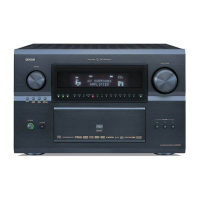
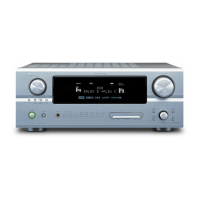
Denon AVR-5803 - Service Manual

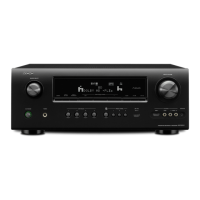
Denon AVR-5803
212 pages
Print Icon
To Next Page IconTo Next Page
Loading...
Hi-Fi Component
SERVICE MANUAL
MODEL
AVR-5803
MODEL
AVC-A1SR
AV SURROUND RECEIVER / AMPLIFIER
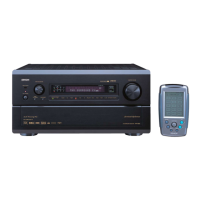
Charger Base Station
AVR-5803 model only
Some illustrations using in this service manual are slightly different from the actual set.
16-11, YUSHIMA 3-CHOME, BUNKYOU-KU, TOKYO 113-0034 JAPAN
Telephone: 03 (3837) 5321
For U.S.A., Canada,
Europe, Asia, China &
Taiwan R.O.C. model
X0142 1174 NC 0204

Table of Contents

Other manuals for Denon AVR-5803

Questions and Answers

  • C
    Charles AguilarAug 14, 2025
    What to do if my Denon Stereo Receiver display is lit but there is no sound?
    • C
      Corey SheltonAug 14, 2025
      If the Denon Stereo Receiver display is lit but no sound is coming out, there could be several reasons: * Ensure the speaker cords are securely connected. * Select the appropriate input source using the selector button. * Increase the volume, as it might be set to the minimum. * Deactivate MUTING if it's on. * Select a proper digital signal input source if no digital signal is being input. * Make sure the Speaker A or B button is set to “ON” for the connected speaker terminals.
  • M
    Megan KimAug 17, 2025
    How to fix no sound from subwoofer on Denon Stereo Receiver?
    • S
      Susan TerryAug 17, 2025
      If you're not getting any sound from the subwoofer connected to your Denon Stereo Receiver, check these things: 1. Make sure the subwoofer's power is turned on. 2. Verify that the subwoofer's initial setting is set to “YES”. 3. Ensure the subwoofer's output is properly connected.
  • W
    William ShawAug 20, 2025
    How to fix a Denon Stereo Receiver when the display is off and there's no sound?
    • J
      Jackie EvansAug 21, 2025
      To resolve the issue of the display not lighting up and no sound being produced when the power switch is on for your Denon Stereo Receiver, check the power cord plug to ensure it is securely plugged in.
  • M
    Melinda DavisAug 25, 2025
    Why is my Denon Stereo Receiver not responding to the remote control?
    • A
      Anna PattonAug 25, 2025
      If your Denon Stereo Receiver is not operating properly when using the remote control, here are some possible causes and solutions: * The batteries may be dead. Replace them with new ones. * You may be too far from the unit. Move closer. * There might be an obstacle between the unit and the remote. Remove it. * You might be pressing the wrong button. Ensure you are pressing the correct button. * The batteries might be inserted incorrectly. Insert them properly, ensuring the correct polarity.
  • H
    Heather WilliamsAug 27, 2025
    What to do if nothing is displayed on the monitor with my Denon Stereo Receiver?
    • S
      sarahkellyAug 27, 2025
      If there's nothing displayed on the monitor when using your Denon Stereo Receiver, consider the following: * Check that the AVR-5803’s video output jacks and the monitor’s input jacks are correctly connected. * Ensure the monitor TV’s input setting is properly set to the jacks where the video signals are connected. * Make sure the connections of the various component’s video signals are unified to composite or S jack.
  • S
    Scott WatkinsAug 30, 2025
    Why is there no DTS sound on my Denon Stereo Receiver?
    • A
      Adam GlennAug 30, 2025
      If you are not getting any DTS sound from your Denon Stereo Receiver, here’s what you can check: * Ensure that the DVD player’s audio output setting is set to bit stream by adjusting the DVD player’s initial settings. * Confirm that your DVD player is DTS-compatible; if not, use a DTS-compatible player. * Verify that the AVR-5803’s input setting is set to AUTO or DTS, not analog.
  • K
    Kevin PerezSep 3, 2025
    Why can't I set Ultra2 Cinema/THX MusicMode on my Denon Stereo Receiver?
    • K
      Kevin ScottSep 3, 2025
      If you cannot set Ultra2 Cinema/THX MusicMode on your Denon Stereo Receiver, ensure that you have two surround back speakers connected.
  • A
    Alexander WoodsSep 6, 2025
    How to enable Dolby Digital for LDs on my Denon Stereo Receiver?
    • J
      Johnny HillSep 6, 2025
      To enable Dolby Digital with LDs on your Denon Stereo Receiver, connect the LD player’s Dolby Digital RF output to the AVR-5803’s Dolby Digital RF input jacks.
  • C
    Christina PageSep 9, 2025
    What to do if no test tones are produced on my Denon Stereo Receiver?
    • W
      Willie DeanSep 9, 2025
      If no test tones are being produced by your Denon Stereo Receiver, set the surround mode to Dolby Surround.

Denon AVR-5803 Specifications

General IconGeneral
TypeAV Receiver
Channels7.1
Total Harmonic Distortion (THD)0.05%
Input Sensitivity/Impedance200 mV / 47 kOhms
Digital Audio Outputs1 (optical)
Power Output170W per channel (8 ohms, 20Hz-20kHz, 0.05% THD)
Frequency Response10 Hz - 100 kHz
Digital Audio Inputs3 (coaxial)
Video Inputs3 (Component)
Video Outputs1 (Component)
Dimensions (W x H x D)17.1 x 6.3 x 17.6 inches

Related product manuals