EasyManua.ls Logo

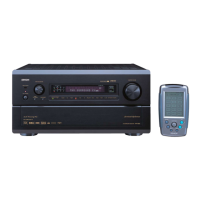
Denon AVR-5805 - User Manual

Denon AVR-5805
208 pages
Print Icon
To Next Page IconTo Next Page
Loading...
AV SURROUND RECEIVER
AVR-5805
OPERATING INSTRUCTIONS
RC-995
2
We greatly appreciate your purchase of the AVR-5805.
2
To be sure you take maximum advantage of all the features the AVR-5805 has to offer, read these instructions
carefully and use the set properly. Be sure to keep this manual for future reference should any questions or
problems arise.
“SERIAL NO.
PLEASE RECORD UNIT SERIAL NUMBER ATTACHED TO THE REAR OF THE
CABINET FOR FUTURE REFERENCE”

Table of Contents

Other manuals for Denon AVR-5805

Questions and Answers

  • W
    William McdanielAug 15, 2025
    What to do if my Denon AVR-5805 Receiver DISPLAY is lit but no sound is produced?
    • R
      Rodney CowanAug 15, 2025
      If the display is lit but no sound is coming from your Denon Receiver, there are several potential causes. First, ensure the speaker cords are securely connected. Next, verify that the FUNCTION knob is in the correct position. Also, check that the volume control isn't set to the minimum and that MUTING is switched off. Finally, confirm that a digital signal is being input and that you've properly selected a digital signal input source.
  • T
    Thomas VazquezAug 18, 2025
    How to fix a Denon Receiver remote control that is not working?
    • W
      warrenrachaelAug 18, 2025
      If the remote control isn't working properly with your Denon unit, try these steps: 1. Replace the batteries with new ones. 2. Move closer to the unit. 3. Remove any obstacles between the remote and the unit. 4. Make sure you are pressing the correct button. 5. Check that the batteries are inserted correctly, with the < and > ends in the proper orientation.
  • I
    Ian WoodsAug 21, 2025
    Why is there no sound produced from the subwoofer of my Denon AVR-5805?
    • M
      mcneilelizabethAug 21, 2025
      If you aren't getting any sound from your subwoofer with your Denon Receiver, make sure the subwoofer's power is turned on. Check that the subwoofer’s initial setting is set to “YES.” Also, ensure that the subwoofer’s output is properly connected.
  • B
    Bryan WilsonAug 25, 2025
    How do I fix HDMI audio not outputting on my Denon AVR-5805 Receiver?
    • L
      Linda PattersonAug 25, 2025
      If the HDMI audio is not outputting from your Denon Receiver, set the HDMI audio playback setting at the “HDMI/DVI In Assign” settings to “AMP.” Alternatively, if the HDMI audio signals are not output from the connected monitor device, set the HDMI audio playback setting at the “HDMI/DVI In Assign” settings to “TV.”
  • B
    Brian MillsAug 27, 2025
    What to do if nothing is displayed on monitor connected to my Denon AVR-5805 Receiver?
    • F
      feliciawolfeAug 27, 2025
      If nothing is displayed on the monitor connected to your Denon Receiver, first check that the AVR-5805’s video output jacks and the monitor’s input jacks are properly connected. Ensure that the monitor TV’s input setting is correctly set to the jacks to which video signals are connected. Also, make sure that the VIDEO OFF mode is not set and that the PURE DIRECT mode is not active; use a surround mode other than PURE DIRECT. If the resolution of the monitor device connected to the component monitor output connector does not match the AVR-5805’s resolution, use the SCALE button on the main unit or the remote control to check the resolution setting.
  • J
    Jodi CareyAug 30, 2025
    How to fix a Denon AVR-5805 Receiver with no display and sound when powered on?
    • R
      Robert KnightAug 30, 2025
      If the DISPLAY is not lit and no sound is produced when the power switch is set to on for your Denon Receiver, check the insertion of the power cord plug.
  • K
    Kristen WelchSep 2, 2025
    Why is there no sound produced from surround speakers on my Denon Receiver?
    • J
      Jose ArmstrongSep 2, 2025
      If no sound is coming from the surround speakers on your Denon Receiver, it might be because the surround mode is set to “STEREO.” Change it to a mode other than “STEREO.”
  • G
    gillespiederrickSep 5, 2025
    Why is an image not projected with an HDMI/DVI-D connection on my Denon AVR-5805 Receiver?
    • D
      Darius ShermanSep 5, 2025
      If you're not getting any image with an HDMI/DVI-D connection on your Denon Receiver, first check that the AVR-5805’s HDMI/DVI-D output jacks and the monitor’s input jacks are correctly connected. Ensure that you've selected the correct HDMI or DVI-D signal input source. Note that the AVR-5805 will not output a video signal if the connected monitor or other equipment does not support HDCP. Verify that the settings of “MONITOR SELECT” are correct. Finally, confirm that the output format of the connected player (HDMI/DVI-D FORMAT) matches the supported input format of your monitor equipment.
  • G
    gbrewerSep 8, 2025
    Why is no DTS sound produced on my Denon AVR-5805 Receiver?
    • S
      Shannon WilsonSep 8, 2025
      If you're not getting any DTS sound from your Denon Receiver, first ensure that the DVD player’s audio output setting is set to bit stream by checking the DVD player's initial settings. Confirm that your DVD player is DTS-compatible. Finally, verify that the AVR-5805’s input setting is set to AUTO or DTS.
  • C
    crystal74Sep 12, 2025
    What to do if no test tones are produced on my Denon AVR-5805 Receiver?
    • J
      Julie HermanSep 12, 2025
      If no test tones are being produced by your Denon Receiver, set the surround mode to Dolby Surround.

Summary

Safety Precautions and Handling

General Safety Warnings

Essential safety guidelines to prevent electric shock, fire, and ensure proper operation.

FCC Information

Regulatory compliance details for US customers regarding interference.

Introduction and Before Use

Introduction to AVR-5805

Overview of the AVR-5805's capabilities and recommendations for manual review.

Before Using the Unit

Key considerations before powering on and operating the receiver.

Product Features Overview

DENON Proprietary Digital Technologies

Details on DENON's advanced digital sound processing and connectivity technologies.

Surround Sound Technologies

Explains various surround sound decoding formats like Dolby Digital, DTS, and THX.

Multi-Zone and Advanced Capabilities

Features for multi-zone audio, high-power amps, and advanced A/V I/O.

Easy-to-Use Functions

Details user-friendly functions for system setup and operation.

Connections Guide

Connecting Audio Components

Instructions for connecting various audio sources like CD players and turntables.

Connecting Video Components

Guides for connecting video sources like DVD players, TVs, and VCRs.

Advanced Connections (HDMI, DVI, IEEE1394)

Details on connecting HDMI, DVI, and IEEE1394 devices for digital audio/video.

Speaker System Connections

Guidance on connecting speakers, including polarity and impedance considerations.

System Setup Procedures

Auto Setup and Room EQ Configuration

Guides users through automatic speaker and room acoustic calibration for optimal sound.

Manual Speaker and Audio;Video Setup

Detailed steps for manually configuring speakers, audio inputs, and video preferences.

Zone Setup Configuration

Instructions for setting up audio and video for multiple listening zones (Zone2, Zone3, Zone4).

Option Setup and Advanced Settings

Covers various system options like volume control, trigger outputs, and memory backup.

Remote Control Unit Operations

Remote Control Basics and Usage

Instructions on inserting batteries and basic operation of the remote control unit.

Operating Connected Components

How to use the remote to control other DENON audio components and devices.

Advanced Remote Functions

Explains learning functions and system call for advanced remote control operations.

Basic Operation and Playback

Playing Input Sources

Step-by-step guide to selecting and playing audio and video sources.

Audio Playback Modes

Explains playback modes like PURE DIRECT, DIRECT, and STEREO for music sources.

Post-Playback Operations

Details on muting, checking sources, and switching video outputs after playback.

Surround Sound Setup and Modes

Surround Sound Adjustment Steps

How to use test tones to adjust speaker levels for optimal surround sound.

Surround Mode Selection Guide

Recommendations for selecting surround modes based on source material type.

Specific Surround Mode Details

Detailed instructions for THX, Dolby Pro Logic IIx, DTS NEO:6, and Dolby Headphone modes.

Multi-Zone Operation and Setup

Multi-Zone Playback Setup

Guides setting up multi-source playback in different rooms using Zone2, Zone3, and Zone4 outputs.

Zone2 Specific Setup Procedures

Detailed setup steps for Zone2, including test tone and channel level adjustments.

Troubleshooting Common Issues

Display and Sound Problem Resolution

Solutions for common issues like no display, no sound, or no DTS sound.

Connection and Component Issue Resolution

Troubleshooting tips for connection problems, HDMI/DVI issues, and audio output.

Additional Information

Optimizing Surround Sound by Source

Recommendations for selecting surround modes based on source material type.

Speaker Placement Guidance

Examples and advice for optimal speaker placement for various surround sound configurations.

Technical Specifications

Audio Specifications

Detailed technical specifications for the audio section, including power output and input sensitivities.

Video and Tuner Specifications

Technical details for the video section and tuner, including frequency responses and sensitivities.

General Unit Specifications

Physical dimensions, power supply, and weight specifications for the main unit and remote.

Denon AVR-5805 Specifications

General IconGeneral
BrandDenon
ModelAVR-5805
CategoryReceiver
LanguageEnglish

Related product manuals