HOME
Remote Control (2 of 4)
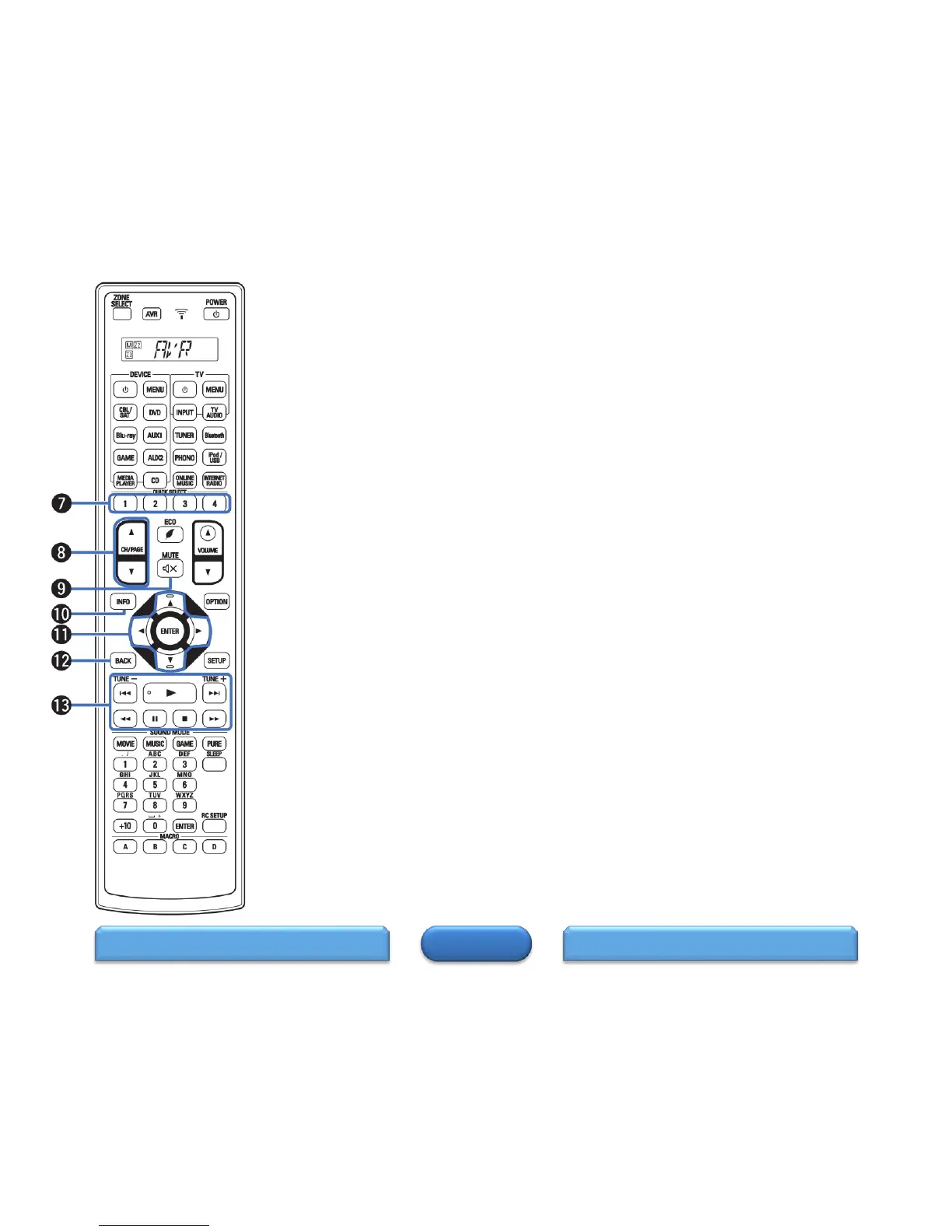
QUICK SELECT buttons (1 – 4).
These call up settings registered to each button, such as input source,
volume level and sound mode settings.
Channel/page search buttons (CH/PAGE ▲▼).
These select radio stations registered to presets or switch pages.
MUTE button ().
This mutes the output audio.
Information button (INFO).
This displays the status information on the TV screen.
Cursor buttons ( ).
These select items.
BACK button.
This returns to the previous screen.
System buttons.
These perform playback related operations.
Skip buttons (
)
Play button (
)
Search buttons ()
Pause button (
)
Stop button ()
Tuning up / Tuning down buttons (TUNE +, –).
These select either FM broadcast or AM broadcast.
REMOTE CONTROL 3REMOTE CONTROL 1
9


 To Next Page
 Loading...