EasyManua.ls Logo

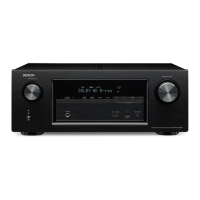
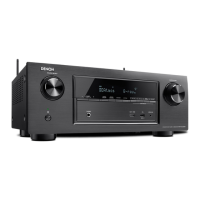
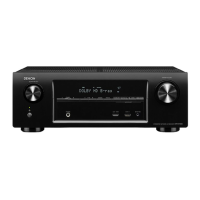
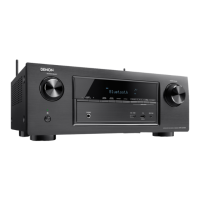
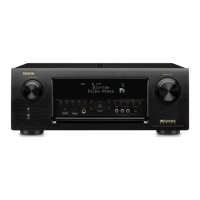
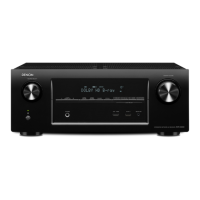
Denon AVR-X3000 - User Manual

Denon AVR-X3000
249 pages
Print Icon
To Next Page IconTo Next Page
Loading...
Appendix
TipsSettingsPlaybackConnections
Contents
Front panel Display Rear panel IndexRemote
AVR-X3000
INTEGRATED NETWORK AV RECEIVER
Owner’s Manual
You can print more than one page of a PDF onto a single sheet of paper.

Table of Contents

Other manuals for Denon AVR-X3000

Questions and Answers

  • S
    Savannah ThompsonJul 26, 2025
    What to do if my Denon AVR-X3000 power turns off and the red light flashes?
    • K
      kennethgriffinJul 26, 2025
      If your Denon Receiver's power turns off and the power indicator flashes red every 0.5 seconds, first check the speaker connections. Unplug the power cord, then re-twist the core wire or adjust the connector before reconnecting the wire. If the issue persists, the amplifier circuit may have failed, in which case you should turn off the power and contact a Denon service advisor.
  • J
    Justin CastilloAug 1, 2025
    Why does my Denon Receiver turn off and the power indicator flashes red?
    • K
      Kristen ButlerAug 1, 2025
      If your Denon Receiver power turns off and the power indicator flashes red approximately every 2 seconds, it indicates the protection circuit is activated due to a temperature rise inside the unit. Turn off the power and allow the unit to cool down for about an hour before turning it back on. Also, ensure the unit is installed in a location with good ventilation.
  • B
    Brandon HillAug 7, 2025
    Why does my Denon AVR-X3000 Receiver automatically turn off?
    • C
      Christine HallAug 7, 2025
      Your Denon Receiver might automatically turn off because the sleep timer is set. If this is the case, simply turn the power back on. Alternatively, the “Auto Standby” feature may be enabled. To disable it, go to the menu and set “Auto Standby” to “Off”.
  • A
    alyssadiazAug 13, 2025
    How to fix a Denon Receiver remote that is not working?
    • T
      Tyler HowardAug 13, 2025
      There are several reasons why the remote control might not be working with your Denon Receiver. First, try replacing the batteries with new ones. Ensure you operate the remote within 23 ft/7 m and at an angle within 30 degrees of the unit, removing any obstacles in between. Also, check that the batteries are inserted correctly, matching the polarity marks. Strong light, such as direct sunlight or fluorescent bulbs, can interfere with the remote sensor; move the receiver to a location with less direct light. Make sure the correct zone is selected on the remote by pressing MAIN or ZONE2. Finally, if using a 3D video device, adjust the position and distance of any units with 3D communication functions to prevent interference.
  • A
    Ariel ReynoldsAug 19, 2025
    What to do if the display is off on my Denon AVR-X3000 Receiver?
    • S
      Shane CoxSep 12, 2025
      The display on your Denon Receiver might be off because “Dimmer” is set to something other than “Off” in the menu, or the sound mode is set to PURE DIRECT.

Denon AVR-X3000 Specifications

General IconGeneral
Receiver typeSurround
Frequency range10 - 100000 Hz
Output impedance16 Ω
Input sensitivity200 mV
Pre-out connectivityYes
Audio output channels7.1 channels
Signal-to-Noise Ratio (SNR)102 dB
Total Harmonic Distortion (THD)0.08 %
Power output per channel (1KHz@6 Ohm)135 W
Power output per channel (20-20KHz@8 Ohm)105 W
HDMI in7
Audio (L/R) in5
Composite video in3
Ethernet LAN (RJ-45) ports1
Component video (YPbPr/YCbCr) in2
Connectivity technologyWired
Speakers connectivity typeBanana connector
Audio formats supportedAAC, FLAC, MP3, WAV, WMA
Image formats supportedJPG
Wi-FiNo
RDS featuresPTY, TP
AM band range520 - 1710 kHz
FM band range87.5 - 108 MHz
Supported radio bandsAM, FM
Internet radio services supportedSpotify, vTuner
Supported video modes1080i, 1080p, 480p, 576p, 720p
DisplayVFL
Color depth24 bit
Aspect ratio4:3, 16:9
Product colorBlack
Audio decodersDTS Neo:X, Dolby Digital, Dolby Digital EX, Dolby Digital Plus, Dolby Pro Logic II, Dolby Pro Logic IIx, Dolby Pro Logic IIz, Dolby TrueHD, DTS, DTS-ES (Discrete 6.1), DTS-ES (Matrix 6.1), DTS-HD, DTS-HD Master Audio
USB 2.0 ports quantityUSB 2.0 ports have a data transmission speed of 480 Mbps, and are backwards compatible with USB 1.1 ports. You can connect all kinds of peripheral devices to them.
Apple docking compatibilityiPhone, iPod
AC input voltage230 V
AC input frequency50 - 60 Hz
Power consumption (standby)0.1 W
Power consumption (typical)600 W
Cables includedAC
Weight and Dimensions IconWeight and Dimensions
Depth379 mm
Width434 mm
Height167 mm
Weight10700 g

Related product manuals