EasyManua.ls Logo

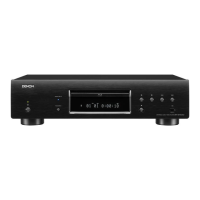
Denon DBT-1713UD - User Manual

Denon DBT-1713UD
77 pages
Print Icon
To Next Page IconTo Next Page
Loading...
DBT-1713UD
UNIVERSAL AUDIO/VIDEO PLAYER
Owners Manual
Downloaded From DvDPlayer-Manual.com Denon Manuals
Basic version
Advanced version
Information
DVD

Table of Contents

Other manuals for Denon DBT-1713UD

Questions and Answers

  • D
    Diana EdwardsSep 23, 2025
    Why Denon Blu-ray Player can not find the server?
    • M
      Mrs. Jennifer WilliamsSep 23, 2025
      If your Denon Blu-ray Player cannot find the server: * Ensure the server is running. * Check if the server has authenticated the unit and authenticate the unit on the server side if necessary. * Try obtaining the server list again.
  • C
    Carol BlackAug 25, 2025
    Why is there no sound from my Denon Blu-ray Player?
    • M
      Michelle HarrisAug 25, 2025
      If you are experiencing no sound from your Denon Blu-ray Player, it could be due to several reasons: * If the unit is in reverse play, fast forward, fast reverse, slow forward, slow reverse, or pause mode, return to normal playback. * If the HDMI OUT connector is connected to a DVI IN connector of equipment, note that DVI connection does not support HDCP, which is necessary for correct audio output. * Check if the Pure Direct function is set to “Pure Direct 1” or “Pure direct 2” and set it to “Off”.
  • R
    richarddavisAug 25, 2025
    What to do if video and audio are not output via the HDMI connection on Denon Blu-ray Player?
    • K
      Kayla GriffinAug 26, 2025
      If video and audio are not output via the HDMI connection on your Denon Blu-ray Player, consider the following: * Check the HDMI cable connection. * Ensure the “HDMI” indicator is lit on the unit's display. * Confirm that the connected display device supports HDCP. * Verify the HDMI video resolution setting supports the resolution of the connected device. * Try turning off the power to both the unit and the connected device, then turn them back on. * Unplug and then replug the HDMI cable. * If connected to an AV receiver, connect the unit directly to a television to check the video and audio output.
  • D
    Dustin FaulknerAug 26, 2025
    How to fix Denon Blu-ray Player when power does not turn on?
    • E
      ebowenAug 27, 2025
      If the power does not turn on for your Denon Blu-ray Player, check these items: * Ensure the power cord is properly connected. * Plug the power supply cord into the household power outlet. * The safety protection device may be activated. Unplug the power cord once, wait for 5-10 seconds, and then plug it in again.
  • J
    Jonathan HernandezSep 23, 2025
    Why BD-Live™ function does not work on Denon Blu-ray Player?
    • J
      Jose WhiteSep 23, 2025
      If the BD-Live™ function does not work on your Denon Blu-ray Player: * Ensure a network connection is established by performing the connection test. * The line speed of the broadband being used may not be sufficient. * Check if the disc supports BD-Live™. * If the BD-Live™ function still does not work after data is downloaded to a USB memory device, reformat the USB memory device on this unit. * Verify that the “BD-Live Connection” setting in the “Network” menu is set to “Permitted”.
  • A
    Allison AndersonSep 13, 2025
    Why Denon Blu-ray Player not reading USB memory device?
    • J
      Joseph WrightSep 13, 2025
      If a USB memory device cannot be read by your Denon Blu-ray Player, the format of the USB memory device may not match this unit, or the USB memory device may not be compatible.
  • D
    Dale BowmanSep 12, 2025
    Why my Denon Blu-ray Player can't read a playable disc?
    • M
      Miguel RomeroSep 12, 2025
      If your Denon Blu-ray Player cannot read a playable disc, the pickup lens may be dirty. Before requesting servicing, try cleaning the laser pickup with a commercially available lens cleaner.
  • N
    nicole52Sep 12, 2025
    Why my Denon Blu-ray Player can't play a disc back?
    • T
      Teresa WatsonSep 12, 2025
      If a disc cannot be played back on your Denon Blu-ray Player, the finalizing procedure after recording may not have been performed correctly. Finalize the disc properly.
  • S
    sbassSep 4, 2025
    Why does my Denon Blu-ray Player not return to start-up screen?
    • E
      Eric PerezSep 4, 2025
      If your Denon Blu-ray Player does not return to the start-up screen when a disc is removed, there may be an internal error. Try setting the power to standby, waiting a while, and then turning the power back on.
  • A
    Adam McdanielSep 1, 2025
    How to fix no sound or hard to hear sound on Denon Blu-ray Player?
    • T
      Trevor MoralesSep 2, 2025
      If you experience no sound or the sound is hard to hear on your Denon Blu-ray Player, check these: * Verify the audio connections of connected devices and speakers. * Ensure the connected audio devices are powered on. * Confirm the input selection is set to the input to which the unit is connected. * Check that the audio output is properly selected.

Denon DBT-1713UD Specifications

General IconGeneral
3DYes
Depth295 mm
Width434 mm
Height108 mm
Weight4900 g
Device typeBlu-Ray player
Product colorBlack
Audio decoders-
Cables includedAC
AC input voltage120 V
AC input frequency60 Hz
Disc types supportedBD, BD-R, BD-RE, CD, CD-R, CD-RW, DVD, DVD+R, DVD+RW, DVD-R, DVD-RW
Dynamic range (1kHz)100 dB
Playback disc formatsBlu-Ray video, CD audio
Supported video modes1080p
Card reader integratedNo
USB 2.0 ports quantity1
Digital audio optical out0
Analog signal format systemNTSC, PAL
Power consumption (standby)0.5 W
Power consumption (typical)20 W
Signal-to-Noise Ratio (SNR)115 dB
Audio output channels2.0 channels
Total Harmonic Distortion (THD)0.0025 %

Related product manuals