EasyManua.ls Logo

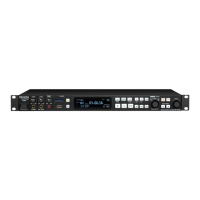
Denon DNP-720AE - User Manual

Denon DNP-720AE
52 pages
Print Icon
To Next Page IconTo Next Page
Loading...
NETWORK AUDIO PLAYER
DNP-720AE
Owners Manual
Bedienungsanleitung
Manuel de l’Utilisateur
Manuale delle istruzioni
Manual del usuario
Gebruiksaanwijzing
Bruksanvisning
SVENSKA
ESpAñol
FrANçAiSNEDErlANDS
itAliANo
DEutSch ENGliSh
1.DNP720AEE2_ENG_Final_0727.indd 1 2011/07/30 8:38:56

Table of Contents

Other manuals for Denon DNP-720AE

Questions and Answers

  • B
    Brenda PeckAug 15, 2025
    How to fix Denon Media Player when it cannot connect to the network?
    • S
      Shannon HobbsAug 15, 2025
      If your Denon Media Player cannot connect to the network, it might be due to incorrect SSID or network key (WEP) settings. Ensure the network settings on the unit match your network. If using wireless LAN, try shortening the distance from the access point, removing obstacles to improve visibility, and keeping it away from microwave ovens and other access points.
  • A
    Adam Murphy DDSAug 18, 2025
    Why is my Denon DNP-720AE not playing Internet radio?
    • M
      Meagan HarrisAug 18, 2025
      If your Denon Media Player is unable to play internet radio, verify the Ethernet cable connection and ensure the network is connected. Note that the unit only supports MP3 and WMA formats for internet radio programs. Also, check your computer's or router's firewall settings, confirm the radio station is currently broadcasting, and verify the unit's IP address.
  • B
    brittanylangAug 21, 2025
    What to do if my Denon DNP-720AE Media Player display is on but there is no sound?
    • C
      Christine MartinAug 21, 2025
      If the display is lit but no sound is coming from your Denon Media Player, the wrong input source might be selected. Try selecting the appropriate input source.
  • J
    Jesus RodriguezAug 25, 2025
    What does “No Network Connection” mean on my Denon Media Player?
    • C
      Crystal NewmanAug 25, 2025
      If your Denon Media Player displays “No Network Connection”, it indicates that the network is not properly set up. Select a source other than the network function and perform “Network First Setup”.
  • L
    Lisa KerrAug 27, 2025
    Why is there continuous noise when receiving FM programs on my Denon DNP-720AE Media Player?
    • J
      Jennifer JacksonAug 27, 2025
      If you hear continuous noise when receiving FM programs on your Denon Media Player, the antenna cable might not be properly connected. Ensure the antenna cable is correctly connected. If needed, connect an outdoor antenna.
  • D
    dnelsonAug 30, 2025
    Why doesn’t my Denon Media Player display “USB/iPod” when I connect a USB device?
    • M
      Mark AdamsAug 30, 2025
      If “USB/iPod” is not displayed when you connect a USB memory device to your Denon Media Player, the unit may not recognize the device. Check the connection and ensure the USB memory device conforms to mass storage class or MTP standards. Connect the USB memory device directly to the USB/iPod port.
  • S
    Sherry DaySep 2, 2025
    How to turn on the display on Denon DNP-720AE Media Player?
    • R
      Ricardo ProctorSep 2, 2025
      If the display on your Denon Media Player is off, the Dimmer setting may be set to “Off”. Change the Dimmer setting to something other than “Off”.
  • J
    Joseph MuellerSep 5, 2025
    What to do if Denon Media Player turns off suddenly and the power indicator flashes red?
    • D
      Debbie JimenezSep 5, 2025
      If your Denon Media Player suddenly turns off and the POWER indicator flashes red (at 0.25 second intervals), it indicates the unit is damaged. Turn off the power.
  • C
    cathy26Sep 8, 2025
    How to fix Denon DNP-720AE when it does not operate properly?
    • S
      schaeferdeniseSep 9, 2025
      If your Denon Media Player is not operating properly, external noise or interference may be causing the malfunction. Try resetting the microprocessor.
  • E
    Edward JacobsSep 12, 2025
    Why is there no display or sound on my Denon Media Player when powered on?
    • C
      Charles JeffersonSep 12, 2025
      If the display is not lit and no sound is produced when you switch on your Denon Media Player, the power cord may not be plugged in securely. Check the connections on the rear panel of the unit and the connection of the power plug to the power outlet.

Summary

Safety Precautions

Important Safety Instructions

Crucial guidelines to prevent hazards and ensure safe use of the appliance.

Connections

Connecting to a Home Network (LAN)

Procedures for connecting the unit to a wired or wireless home network.

Basic Operations

Operations Possible During Playback

Functions that can be accessed and controlled while the unit is playing audio.

Selecting the Input Source

How to choose and switch between different audio input signals for playback.

Network Audio Playback

Playing Files Stored on a Computer

How to stream music files from a networked computer to the unit.

Listening to Internet Radio

Steps to access and play radio stations broadcast over the internet.

Listening to Last.fm

Instructions for accessing and playing music from the Last.fm service.

Listening to Napster

Instructions for accessing and playing music from the Napster service.

Tuning in Radio Stations

Listening to FM;AM Broadcasts

Procedures for tuning into specific FM and AM radio frequencies.

RDS (Radio Data System)

Information on receiving and displaying RDS data from radio stations.

TP (Traffic Program)

Feature to find stations broadcasting traffic announcements.

Automatically Presetting FM Stations (Auto Preset)

How to automatically scan and save available FM radio stations.

PTY (Program Type)

Information on identifying radio stations by their program genre.

iPod Playback

Playing an iPod

Step-by-step guide to connecting and playing music from an iPod.

USB Memory Device Playback

Playing Files Stored on USB Memory Devices

How to connect and play music files from a USB storage device.

AirPlay Function

Playing iTunes Music on this Unit

How to stream music from iTunes library to the Denon unit.

Advanced Operations

Setting the Network [Network]

Configuration steps for connecting the unit to a network.

Setting the Network [Network]

Party Mode Function

Starting the Party Mode as Organizer

How to initiate a Party Mode session as the primary controller.

Setting the others [Other]

Firmware Update

Procedure for updating the unit's internal software.

Add New Feature

Process to download and install new functionalities for the unit.

Network Audio

About the Internet Radio Function

Information on accessing and using internet radio broadcasts.

Music Server

Details on playing music files from a networked computer.

Troubleshooting

[Tuner]

Solutions for problems encountered specifically with the radio tuning function.

[Internet radio;Music server;iPod;USB memory device]

Troubleshooting for network audio and media playback issues.

[Last.fm]

Solutions for problems encountered while using the Last.fm service.

[Napster]

Troubleshooting steps for issues related to the Napster music service.

[Wireless LAN]

Solutions for problems encountered with wireless network connectivity.

[AirPlay]

Troubleshooting steps for issues related to the AirPlay streaming feature.

[Remote Control]

Solutions for problems encountered with the remote control or app operation.

Specifications

Digital Audio Section

Specifications related to the unit's digital audio output and processing.

Tuner Section

Technical specifications for the unit's FM and AM radio tuner.

Wireless LAN

Technical specifications for the unit's wireless network capabilities.

Denon DNP-720AE Specifications

General IconGeneral
Storage media type-
Built-in storage mediaNo
Total storage capacity- GB
Product colorSilver
Internet radioYes
Supported radio bandsFM, MW
Audio formats supportedAAC, FLAC, MP3, WAV, WMA
Image formats supportedNot supported
Internet radio services supportedLast.fm, Napster
Audio output channels2.0 channels
HDMI ports quantity0
USB 2.0 ports quantityUSB 2.0 ports have a data transmission speed of 480 Mbps, and are backwards compatible with USB 1.1 ports. You can connect all kinds of peripheral devices to them.
Ethernet LAN (RJ-45) ports1
Wi-Fi standards802.11b, 802.11g
Security algorithmsWEP, WPA2
Wi-Fi data rate (max)54 Mbit/s
Preset stations quantity99
On Screen Display (OSD) languagesDEU, DUT, ENG, FRE, ITA
Number of products included1 pc(s)
AC input voltage230 V
AC input frequency50 Hz
Power consumption (standby)0.2 W
Power consumption (typical)18 W
Connectivity technologyWired & Wireless
Weight and Dimensions IconWeight and Dimensions
Depth282 mm
Width434 mm
Height74 mm
Weight2900 g

Related product manuals