EasyManua.ls Logo

Denon DNP-F109 - User Manual

Denon DNP-F109
51 pages
Print Icon
To Next Page IconTo Next Page
Loading...
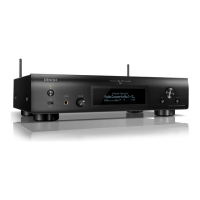
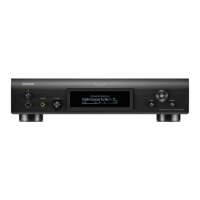
DNP-F109
NETWORK AUDIO PLAYER
Owners Manual
Preparations
Operations
Informations

Other manuals for Denon DNP-F109

Questions and Answers

  • E
    Emily SolomonSep 8, 2025
    Why won't my iPod play on my Denon DNP-F109?
    • A
      Ashley MeyersSep 8, 2025
      If your iPod cannot be played, it may be because the input source is set to something other than “iPod/USB” or the cable is not properly connected. Switch the input source to “iPod/USB” and reconnect the cable.
  • M
    Michael HenryAug 23, 2025
    What to do if my Denon DNP-F109 displays 'No Network Connection'?
    • C
      Cynthia SpencerAug 23, 2025
      If “No Network Connection” is displayed, it indicates that the network is not properly set up. To resolve this, select a source other than the network function and perform “Quick Setup.”
  • K
    kimberlygarzaAug 25, 2025
    Why is my Denon DNP-F109 internet radio not playing?
    • J
      John LeonAug 25, 2025
      Internet radio may not play for the following reasons: * The Ethernet cable is not properly connected, or the network is disconnected. * The program is being broadcast in a non-compatible format. * The computer’s or router’s firewall is activated. * The radio station is not currently broadcasting. * The IP address is wrong. To resolve this: * Check the connection status. * Only Internet radio programs in MP3 and WMA can be played on this set. * Check the computer’s or router’s firewall settings. * Choose a radio station that is currently broadcasting. * Check the set’s IP address.
  • A
    Amber OrtizAug 26, 2025
    Why won't my Denon DNP-F109 play files from a USB memory device?
    • W
      William MartinAug 27, 2025
      Files on a USB memory device may not play for these reasons: * The USB memory device is in a format other than FAT16 or FAT32. * The USB memory device is divided into multiple partitions. * The files are stored in a non-compatible format. * You are attempting to play a file that is copyright protected. To address this: * Set the format to FAT16 or FAT32. For details, refer to the USB memory device’s operating instructions. * When divided into multiple partitions, only files stored in the top partition can be played. * Record the files in a compatible format. * Files that are copyright protected cannot be played on this set.
  • A
    Andrew LoganAug 27, 2025
    Why is there no sound from my Denon Media Player even though the display is lit?
    • T
      Tyler ValenzuelaAug 27, 2025
      If the display is lit but no sound is produced, the wrong input source may be selected. Select the appropriate input source.
  • T
    Timothy PenaSep 22, 2025
    What to do if my Denon DNP-F109 Media Player displays 'Try another username'?
    • P
      ppotterSep 22, 2025
      If you cannot create and register an account and see “Try another username”, it means the username has already been taken. Enter another username to create and register the account.
  • M
    Mackenzie CunninghamSep 16, 2025
    What to do if my Denon DNP-F109 cannot access Last.fm and displays 'No network Connection'?
    • P
      pwilkinsSep 16, 2025
      If you cannot access Last.fm and see “No network Connection”, it means you cannot connect to the network. Check the network environment.
  • J
    Joshua BarrySep 18, 2025
    What to do if my Denon DNP-F109 Media Player displays 'Incorrect user or password'?
    • D
      David ClarkSep 18, 2025
      If you cannot login to Last.fm and see “Incorrect user or password”, it means an incorrect username or password was entered for login authentication. Enter the correct username and password and retry login.
  • J
    James JohnsonSep 7, 2025
    Why can't I connect to my favorite radio stations on my Denon DNP-F109 Media Player?
    • P
      parkernicholasSep 7, 2025
      You may not be able to connect to favorite radio stations if the radio station is not currently broadcasting or is no longer in service. Wait a while before trying again. It is not possible to connect to radio stations that are no longer in service.
  • K
    Kyle CrawfordSep 4, 2025
    What should I do if my Denon DNP-F109 Media Player display is not lit and no sound is produced?
    • J
      Jennifer DorseySep 4, 2025
      If the display is not lit and no sound is produced when the power is switched on, the power cord may not be plugged in securely. Check the connections on the set’s rear panel and the connection of the power plug to the power outlet.

Summary

Safety and Compliance

Important Safety Instructions

Essential safety guidelines for operating the apparatus.

Declaration of Conformity

Declares product conformity with European standards and directives.

Usage and Installation Notes

Notes on Use

Advises on proper usage to prevent damage or hazards.

Cautions on Installation

Provides guidelines for safe and optimal placement of the unit.

Getting Started

Accessories

Lists all parts supplied with the product for user verification.

Main Features

Highlights the key functionalities and technologies of the unit.

Cautions on Handling

Provides guidance on safe operation and care to prevent damage.

Remote Operation Overview

Introduces remote control usage and basic functions.

Remote Control Details

About the Remote Control Unit

Explains the components and usage of the remote control.

Inserting the Batteries

Step-by-step guide for battery installation in the remote.

Operating Range

Defines the effective distance and angles for remote control operation.

Mobile App Control

Denon Remote App

Details the mobile application for controlling the unit remotely.

Preparations

Connections

Explains how to connect the unit to other audio components.

System Connection with DRA-F109

Describes how to connect the unit with the DENON DRA-F109 receiver.

Connecting to Home Network

Guides on setting up network connectivity for internet and PC access.

Connecting Power Cord

Instructions on how to connect the unit to a power source.

Setup

Menu Map

Provides an overview of the unit's menu structure and options.

Quick Setup

Guides through initial network and system settings using a wizard.

General Settings

Covers settings like language, auto-standby, and firmware updates.

Network Setup

Details wired and wireless network configuration options.

Operations

Operations During Playback

Explains how to select input sources and adjust display brightness.

Network Audio Playback

Guides on playing music files from the network or internet radio.

Favorite Function

Describes how to register and recall favorite stations or files.

iPod Playback

Instructions for connecting and playing music from an iPod.

USB Memory Device Playback

Guides on playing music files stored on a USB memory device.

AirPlay Function

Explains how to stream music wirelessly from Apple devices.

Remote Play Function

Describes controlling music playback from other DLNA devices.

Other Functions

Covers additional features like character input and auto power-on.

Informations

Part Names and Functions

Identifies and explains the controls and indicators on the unit.

Other Information

Provides additional details on iPod, USB, and file compatibility.

Explanation Terms

Defines technical terms and acronyms used in the manual.

Troubleshooting

Lists common problems and their solutions for the unit.

Specifications

Lists the technical specifications and physical dimensions of the unit.

Part Names and Functions

Front Panel Overview

Identifies and explains the controls and indicators on the front of the unit.

Rear Panel Overview

Identifies and explains the connectors and ports on the rear of the unit.

Remote Control Unit

Buttons for All Input Sources

Describes universal buttons on the remote control.

Buttons for Internet Radio;Music Server;Last.fm

Explains remote buttons specific to network audio functions.

Buttons for iPod;USB

Explains remote buttons specific to iPod and USB playback.

Other Information

iPod Information

Details compatibility and usage notes for iPod devices.

USB Memory Device Information

Provides important information regarding USB memory device compatibility and usage.

Network Audio

About Internet Radio Function

Explains the features and capabilities of the internet radio function.

About Music Server

Details how to play music files stored on a computer via the network.

About Last.fm

Explains how to use the Last.fm service for music discovery and personalization.

Explanation Terms

AES Encryption

Defines Advanced Encryption Standard for secure data transfer.

FLAC Codec

Explains the Free Lossless Audio Codec format.

IEEE 802.11 b;g Standards

Describes wireless LAN standards for network connectivity.

TKIP Protocol

Explains Temporal Key Integrity Protocol for WPA security.

vTuner Service

Information about the online content server for internet radio.

Troubleshooting

General Troubleshooting

Lists common issues and their solutions for general operation.

Network Connection Issues

Addresses problems related to network connectivity and setup.

Dimensions

Physical Dimensions

Provides detailed measurements and weight of the unit.

Denon DNP-F109 Specifications

General IconGeneral
Storage media typeNot available
Built-in storage mediaNo
Total storage capacity- GB
Product colorSilver
Internet radioYes
Volume controlRotary
Compatible productsiPod/iPhone/iPad
Supported radio bandsAM, FM
Audio formats supportedAAC, FLAC, MP3, WAV, WMA
Video formats supportedNot supported
Internet radio services supportedLast.fm
Audio output channels2.0 channels
HDCP-
USB 2.0 ports quantity1
USB 3.2 Gen 1 (3.1 Gen 1) Type-A ports quantity0
Wi-Fi standards802.11b, 802.11g
Security algorithmsWEP, WPA-TKIP, WPA2, WPS
Preset stations quantity99
Number of products included1 pc(s)
Power consumption (standby)0.2 W
Channels quantity2 channels
Connectivity technologyWired & Wireless
Weight and Dimensions IconWeight and Dimensions
Depth257 mm
Width250 mm
Height82 mm
Weight2000 g

Related product manuals