EasyManua.ls Logo

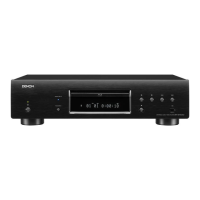
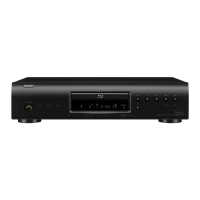
Denon DBP-1611UD - Service Manual

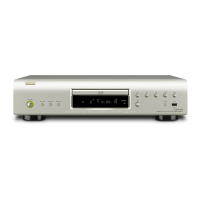
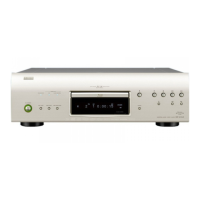
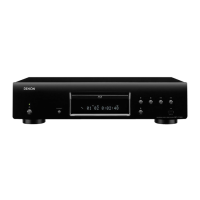
Denon DBP-1611UD
74 pages
Print Icon
To Next Page IconTo Next Page
Loading...
DMoldingsInc.
SERVICE MANUAL
e
e
MODEL P E3 E2 E1 E1C EA E2R EUT
DBP-1611UD
P P P P P P
UNIVERSAL AUDIOVIDEO PLAYER
Ver. 7
•
Someillustrationsusinginthisservicemanualareslightlydifferentfromtheactualset.
•
Pleaseusethisservicemanualwithreferringtotheoperatinginstructionswithoutfail.
•
Forpurposesofimprovement,specicationsanddesignaresubjecttochangewithoutnotice.
S0309-1V07DMD1106
Pese refer to the
MODIFICATION NOTICE.

Table of Contents

Other manuals for Denon DBP-1611UD

Questions and Answers

  • P
    Philip KingSep 3, 2025
    Why does the picture freeze during playback on my Denon Media Player?
    • K
      Kathy SnyderSep 3, 2025
      If the picture on your Denon Media Player freezes momentarily during playback, it may be due to a scratched or contaminated disc. Clean the disc or replace it with a non-scratched disc. There may also be a problem with the data recorded on the disc itself.
  • K
    Kara AcevedoSep 18, 2025
    What to do if my Denon Media Player doesn't return to the start-up screen after removing a disc?
    • A
      Angela Davis DVMSep 18, 2025
      If the Denon Media Player doesn't return to the start-up screen when a disc is removed, there may be an internal error. Set the power to standby, wait awhile, then turn the power back on.
  • R
    Robin RamosSep 16, 2025
    How do I enable HD audio output on my Denon Media Player?
    • M
      Meredith SolisSep 16, 2025
      To enable HD audio output on your Denon Media Player, set “BD Audio Mode” to “HD Audio Output.
  • S
    Selena DicksonSep 14, 2025
    How do I reset the rating level password on my Denon Media Player?
    • D
      Dustin BurnsSep 14, 2025
      To reset the forgotten password for the rating level on your Denon Media Player, perform the “System” – “Initialize” procedure on the GUI menu.
  • V
    vcohenSep 12, 2025
    Why won't playback start when I select a title on my Denon Media Player?
    • M
      Matthew WolfeSep 12, 2025
      If playback does not start when a title is selected on your Denon Media Player, playback may be prohibited by the viewing restriction setting. Check the “Ratings” setting on the GUI menu.
  • S
    seanhullSep 12, 2025
    What to do if buttons don't work on my Denon Media Player?
    • A
      Alexis HamiltonSep 12, 2025
      If buttons do not work or the unit stops responding, operations may not be permitted by the disc, or the safety protection device may be activated. Unplug the power cord once, wait for 5-10 seconds, and then plug it in again. You may also need to refer to the instructions of the disc.
  • T
    Thomas NguyenSep 9, 2025
    How do I enable interactive audio output on my Denon Media Player?
    • M
      Mrs. Desiree HamiltonSep 9, 2025
      If interactive audio is not output from your Denon Media Player, set “BD Audio mode” to “Mix Audio Output” using the Mode setting menu.
  • R
    riosjeffSep 7, 2025
    How to turn on subtitles on Denon Media Player?
    • J
      Jamie JacksonSep 7, 2025
      If subtitles are not displayed on your Denon Media Player, ensure that the BD-Video, DVD-Video, or DivX® files contain subtitles. If they do, check if the subtitle setting is set to “Off.” Use the disc menu or SUBTITLE button to set the subtitles to display.
  • M
    Mary BaileySep 5, 2025
    Why is my USB memory device not recognized by the Denon Media Player?
    • M
      Misty RobertsSep 5, 2025
      If the USB memory device is not recognized by your Denon Media Player, it may require more power than the unit supplies (5 V/1 A). Use a USB memory device that is compatible with the unit's specifications. Also, check if the USB memory device is firmly connected to the USB port.
  • K
    Kelly EllisAug 20, 2025
    How to fix no picture on my Denon Media Player?
    • A
      Amy JonesAug 20, 2025
      If no picture appears on your TV when using the Denon Media Player, ensure the TV's input setting is switched to the external input connected to the player. Also, verify that the Pure Direct function is set to “Off.” Check the video/component video cable connection and confirm that the resolution setting matches the connected device’s resolution. Make sure the video cable is securely connected and that the HDMI OUT connector is not connected to a DVI IN connector, as DVI connections do not support HDCP.

Summary

Safety Precautions

Leakage Current Check

Procedure for checking leakage current to ensure set safety before returning to customer.

Laser and ESD Safety Instructions

Laser Safety Guidelines

Instructions to prevent hazardous radiation exposure from the laser product.

ESD Protection Procedures

Guidelines to prevent damage to semiconductors from electrostatic discharge.

Grounding for Semiconductor Handling

Body and Workbench Grounding

Proper grounding procedures for human body and workbench to prevent ESD damage.

Technical Specifications

Service Mode and Initialization

Disassembly Instructions

Disassembly Overview and Components

Details the order of disassembly for the top cover and major internal units.

Optical Pickup Diagnostics

Laser Drive Current Diagnosis

Checks laser drive current to determine if the optical pickup needs replacement based on measured values.

Disc Playability Diagnosis

Tests unit's ability to play discs to diagnose optical pickup issues.

Laser Current Measurement Method

Explains the procedure for checking the laser current using test modes.

BD Mecha Unit Replacement and Configuration

Replacement Conditions and Parts

Details conditions for replacing the BD MECHA UNIT and lists necessary service parts.

Replacing the BD Main Unit

Instructions for replacing the BD Main Unit, including firmware updates.

Replacing the BD Mecha Unit Assembly

Details the process, devices, and overview for replacing the BD Mecha Unit Assembly.

Configuring New BD Mecha Unit Settings

Steps to configure settings, check laser, and verify playback after replacing the BD Mecha Unit.

Service Mode Operations

Initial Setting Mode

Procedure for initializing the player, resetting user settings and factory defaults.

Test Mode Procedures

Entering and Selecting Test Modes

Guides on entering the test mode and selecting various diagnostic functions available.

Diagnostic Test Modes

Explains modes for laser on/off, error rate measurement, and accumulated laser time.

Firmware Update Procedure

Checking and Updating Firmware

Step-by-step instructions for checking and performing the firmware update process.

Troubleshooting Guide

Power Unit Troubleshooting

Diagnostic steps for power unit failures, checking fuses and voltage outputs.

Display Unit Troubleshooting

Troubleshooting steps for the FL tube display not lighting up, checking outputs.

Measurement Methods and Waveforms

Schematic Diagrams

Parts List

Main Unit SoC Information

Audio DAC IC Information

Denon DBP-1611UD Specifications

General IconGeneral
HDMIYes
Weight4200 g
HDMI version1.4
Product colorBlack
Playback formatsMPEG1/MPEG2/MPEG4/WMV9
Dimensions (WxDxH)434 x 319 x 107 mm
USB 2.0 ports quantity1
Audio formats supportedAAC, MP3, WAV, WMA
Image formats supportedJPG
Power consumption (standby)0.5 W
Audio output channels2.0 channels
Networking featuresEthernet

Related product manuals