EasyManua.ls Logo

Denon DCD-3520 - Tracking Gain and Offset Check

Denon DCD-3520
51 pages
Print Icon
To Next Page IconTo Next Page
To Previous Page IconTo Previous Page
Loading...
?
i
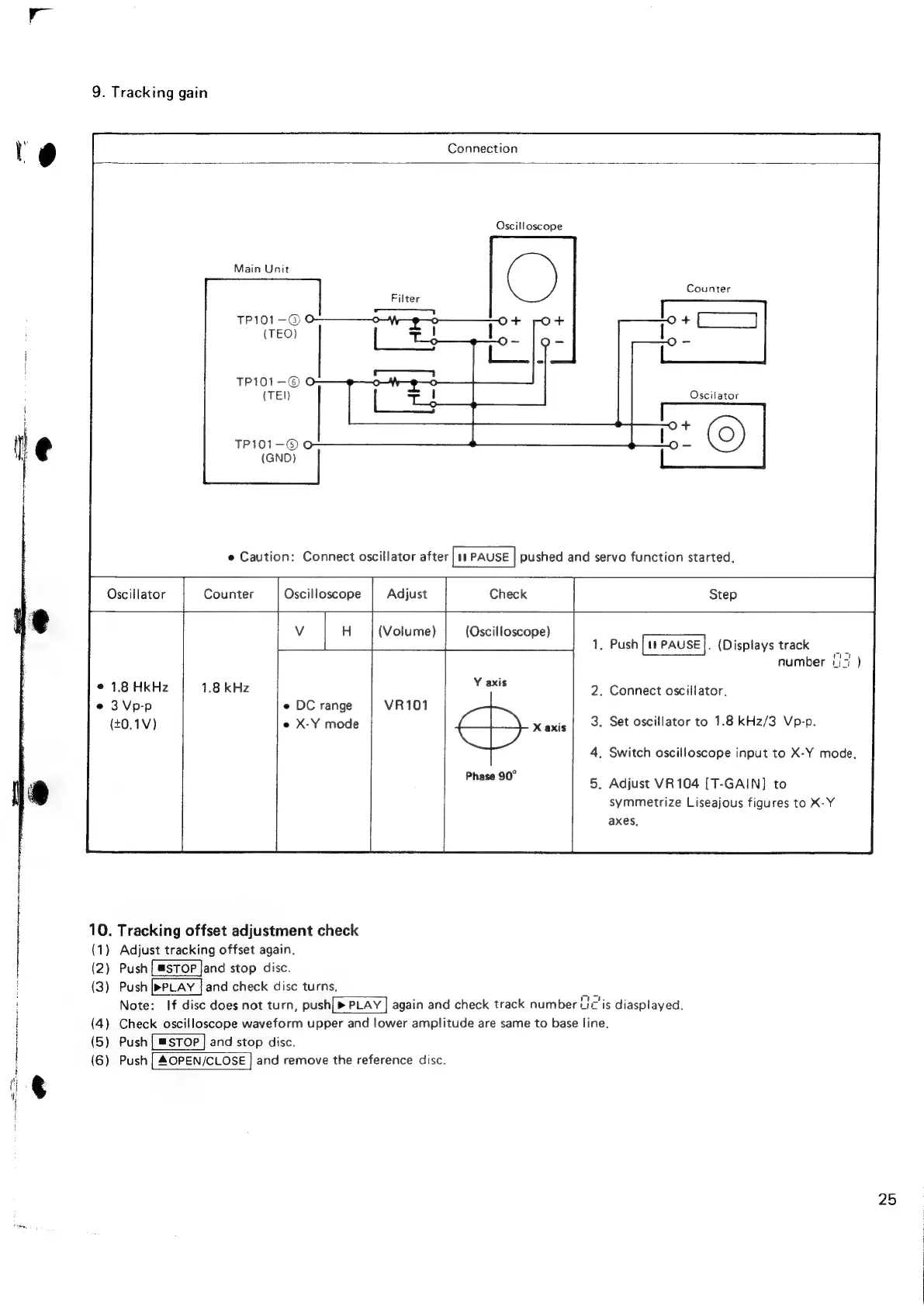
9.
Tracking
gain
Connection
Oscilloscope
Main
Unit
;
Counter
Filter
TP101—-©@
(TEO)
TP101-©
O
(TEN
TPI01-—®©O
(GNO)
Oscillator
Counter
Oscilloscope
H
(Volume)
(Oscilloscope)
[value
|
.
Push
[11
Pause].
(Displays
track
;
number
7
1.8
HkHz
3
Vp-p
e
DC
range
(t0.1V)
e
X-Y
mode
.
Connect
oscillator.
.
Set
oscillator
to
1.8
kHz/3
Vp-p.
.
Switch
oscilloscope
input
to
X-Y
mode.
.
Adjust
VR104
[T-GAIN]
to
symmetrize
Liseajous
figures
to
X-Y
axes.
10.
Tracking
offset
adjustment
check
(1)
(2)
(3)
(4)
(5)
(6)
Adjust
tracking
offset again.
Push
[@stop
Jand
stop
disc.
Push
and
check
disc
turns,
Note:
If
disc
does
not
turn,
push[>
PLAY
]
again
and
check
track
number
Lic'is
diasplayed.
Check
oscilloscope
waveform
upper
and
lower
amplitude
are
same
to
base
line.
Push
and
stop
disc.
Push
and
remove
the
reference
disc.
)
25

Related product manuals