o
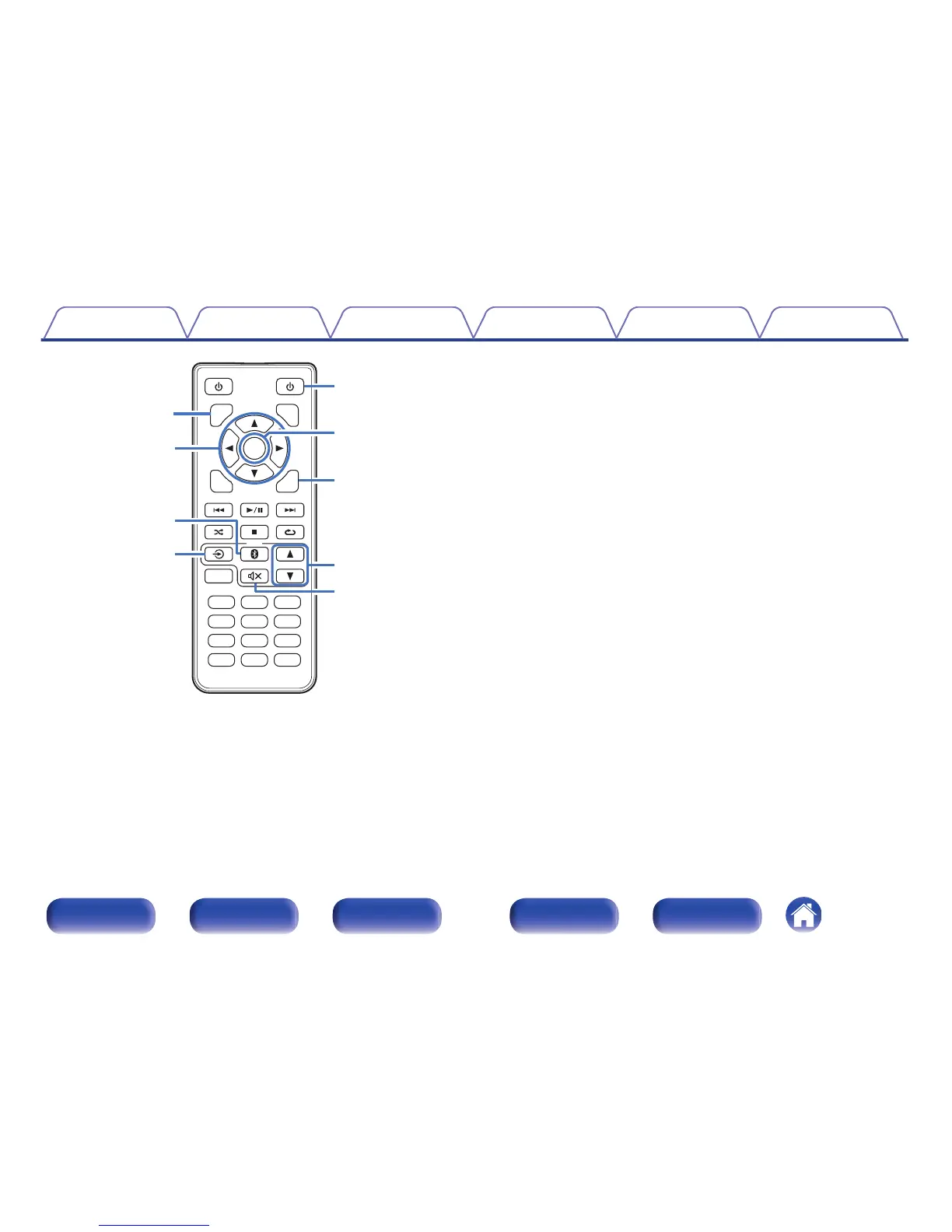
Amplifier operations
A
DIMMER button
Adjust the display brightness.
B
Cursor buttons (df0 1)
These select menu items.
C
Bluetooth button (V)
This switches the input to Bluetooth of PMA-50. This is also pressed
during the pairing operation.
D
Input source switching button (q)
This switches input sources of PMA-50.
E
AMP POWER button (X)
This turns the power of PMA-50 on/to standby.
F
ENTER button
This determines the selection.
G
AMP SETUP button
The setting menu is displayed on the display of PMA-50.
H
VOLUME button (df)
These adjusts the volume level.
I
Mute button (:)
This mutes the output audio of PMA-50.
Contents
Connections Playback Settings Tips Appendix
12
Front panel Display Rear panel Remote Index



 To Next Page