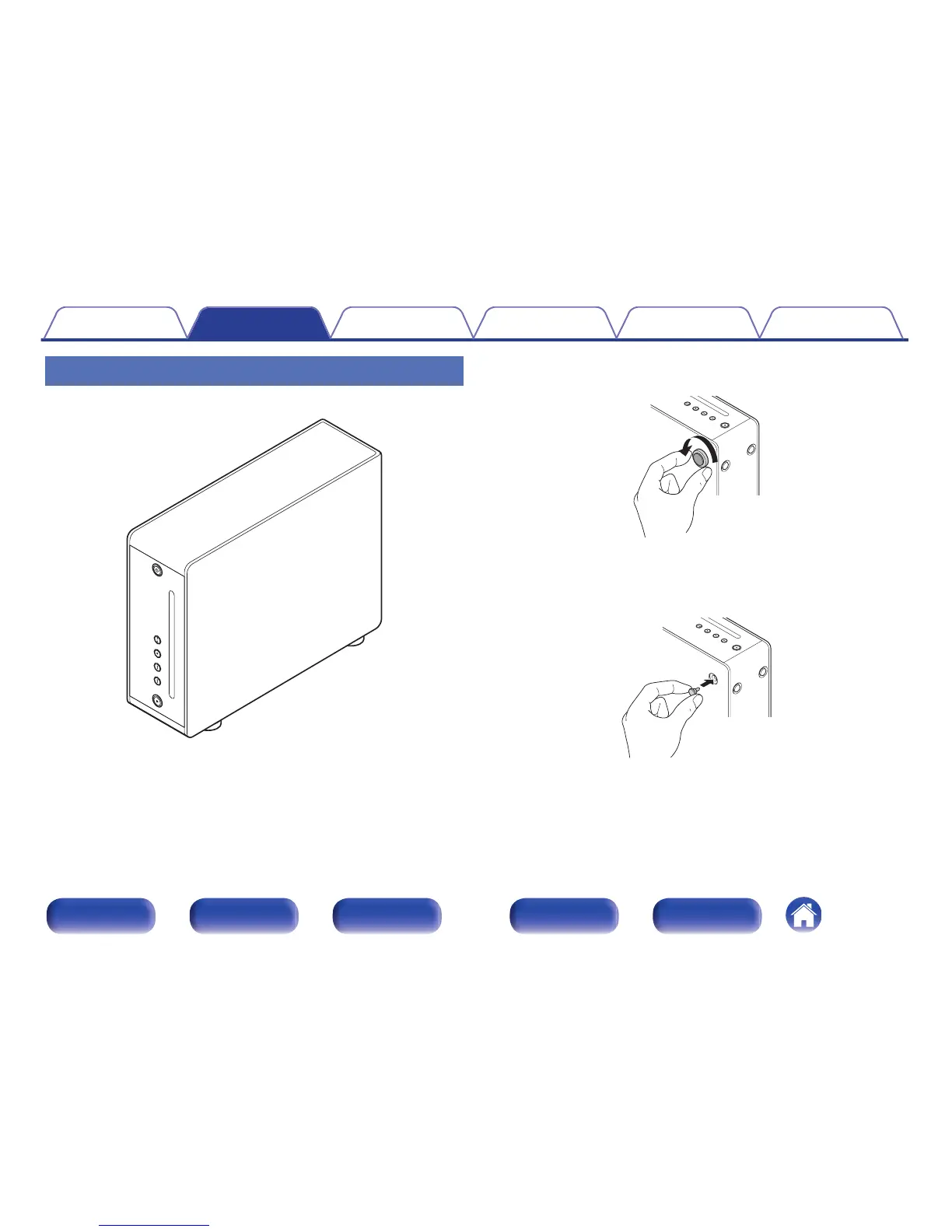
Installing vertically
This orientation is suitable for placing a narrow place.
.
1
Remove the feet.
.
Rotate each of the 4 feet counter-clockwise to remove.
2
Insert the supplied caps (silver) into the holes from
which the feet were removed.
.
Contents
Connections Playback Settings Tips Appendix
15
Front panel Display Rear panel Remote Index



 To Next Page