18
ENGLISH
21
PRESET FUNCTIONS AND OPERATIONS
(1) List of Preset Functions
• Functions can be preset using the buttons on the front panel. These presettings are stored in a permanent
memory, so they are not cleared even when the power is turned off.
• The functions shown on the table below can be preset. Set the functions according to the usage purpose to
efficiently achieve even higher quality playback.
• One of the preset functions can be used to display information on this set (microprocessor version).
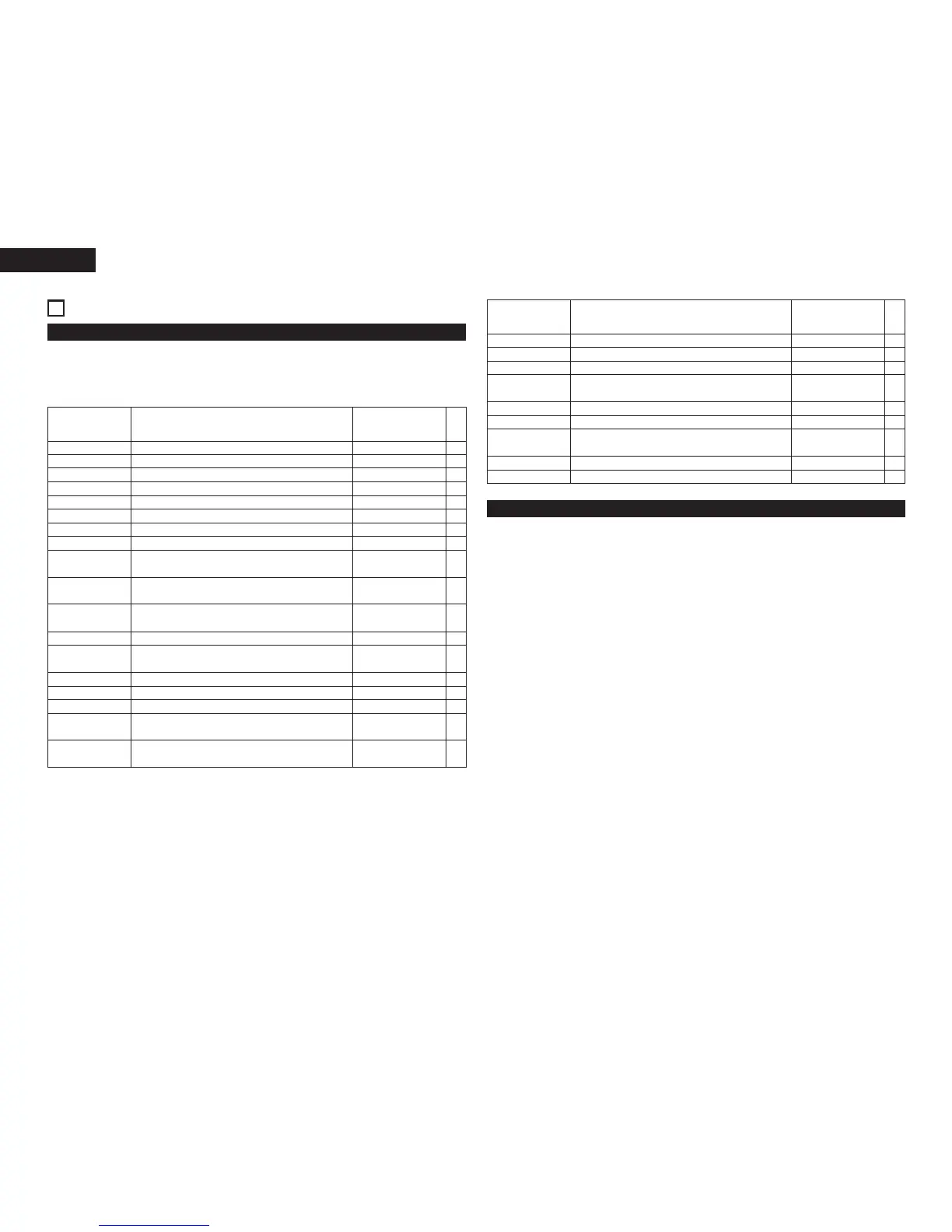
Preset type Selection of preset type. Preset Type 1 1
Preset function type Description
Set upon shipment
from factory
No.
Preset function type Description
Set upon shipment
from factory
(2) Presetting procedure
1 Press the stop (2) button u while presetting the TITLE button !0.
2 Turn the select knob !2 and select the preset item.
3 Press the select knob !2 to change the setting.
4 The preset mode is canceled when the stop (
2) button u on CD is pressed. The setting are writeen at this
time.
No.
Program 1 Setting of whether or not to play program 1. Program 1 OFF 2
Program 2 Setting of whether or not to play program 2. Program 2 OFF 3
Program 3 Setting of whether or not to play program 3. Program 3 OFF 4
Power on mode Setting of operation when power is turned on. Power On Stop 5
Time mode Setting of time mode when power is turned on. Time = ELAPSED 6
Random Setting of random mode when power is turned on. Random OFF 7
Finish mode Setting of operation when playback ends. Finish Stop 8
Next track standby
Setting of whether or not to standby at the next track
when the CUE button is pressed during playback.
Next Stb. OFF 9
Next Track Reserve
Setting of operation when select knob is turned during
playback.
Reserve. OFF 10
Play lock
Selection of whether or not to inhibit the panel switches
during playback.
Play Lock OFF 11
Panel lock Selection of whether or not to enable the panel buttons. Panel OFF 12
Auto cue
Setting of whether or not to perform the auto cue
operation and the audio startup level.
CueDet. –48 dB 13
Play speed Standard playing speed setting. Normal Speed 14
Text display Selection of time or text display. Text OFF 15
Frame display Selection of whether or not to display frames. FR Disp ON 16
E.O.M.
Setting of whether or not to display the EOM and display
time setting.
E.O.M. 10 s 17
Auto stop
Setting of whether or not to automatically stop the servo
functions.
Sleep 30 min 18
RC cord RC cord setting. RC DENON 19
IR remote Infrared remote control sensor setting. IR ON 20
Serial remote Serial remote (9P D-Sub) setting. RS 232C 21
Parallel remote
Selection of whether or not to accept parallel remote
signals.
Remote ENA 22
Parallel remote Fader start mode selection. Fader Pause 23
Relay (loop) cycle Number of cycles for the relay mode. Loop 5 24
Preset clear
Setting for clearing presets and setting them to the initial
values.
Ini. Preset 25
Set information Microprocessor version display. Ver. **** (* = number) 26
Play list (MP3) Setting of whether or not to preform the play list. Play List OFF 27


 To Next Page