ENGLISH
30
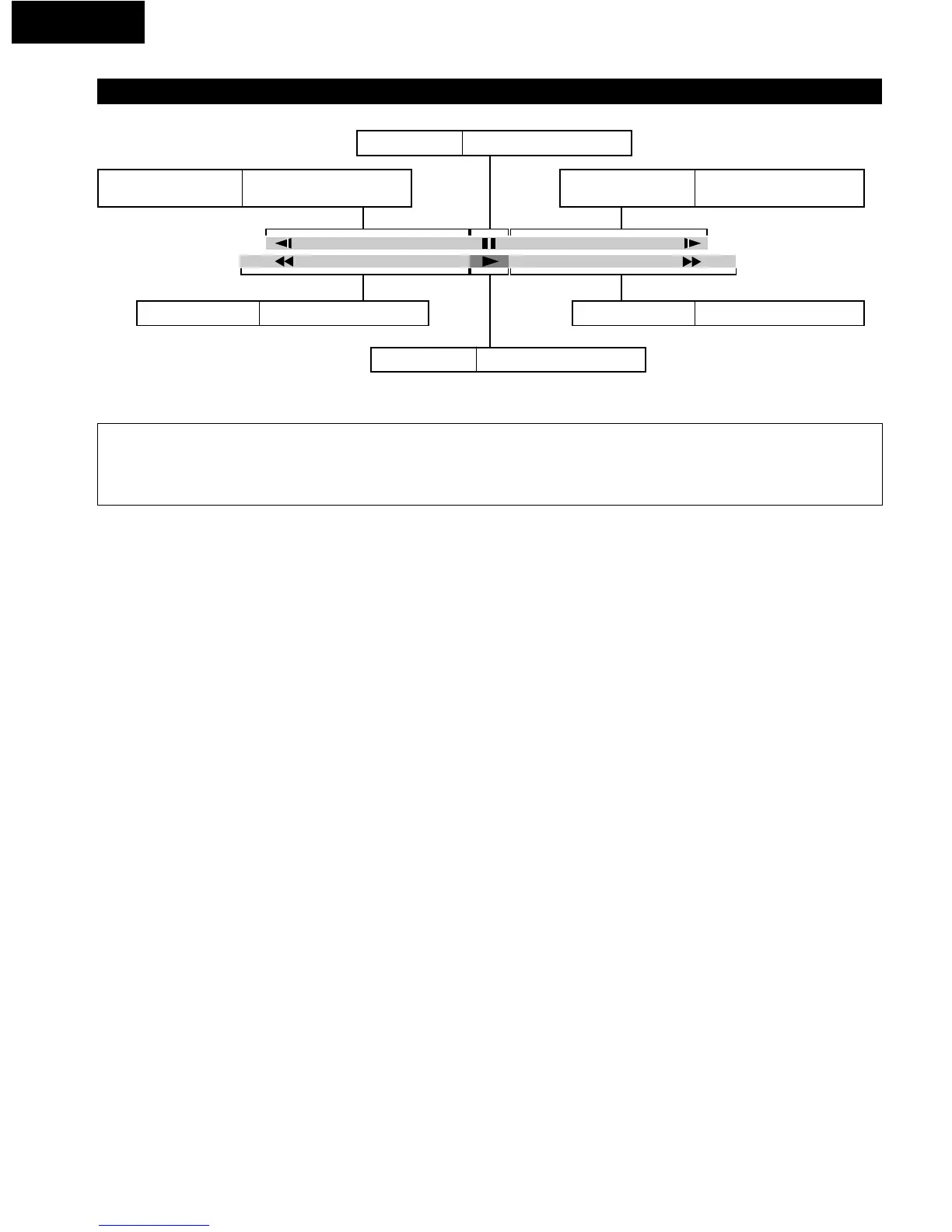
Description of Icons Displayed on the TV Screen (Shuttle Screen)
Still/Pause
Press the cursor button (•).
Slow-motion play
(Backward)
Press the cursor button (
0).
(DVD only)
Slow-motion play
(Forward)
Press the cursor button (
1).
(DVD/Video CD only)
Rapid reverse
Press the cursor button (0).
Rapid advance
Press the cursor button (1).
Play
Press the cursor button (ª).
NOTES:
• Each time the cursor button (0, 1) is pressed, the speed of rapid reverse/advance and slow-motion play increases up to 5 steps.
• The figures appearing at both ends of the shuttle screen stand for the maximum speeds of rapid reverse and rapid advance.
(DVD: +100/–100, Video CD: +40/–40, CD: +50/–50)


 To Next Page