EasyManua.ls Logo

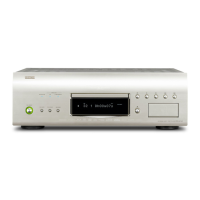
Denon DVD-A1 - User Manual

Denon DVD-A1
209 pages
Print Icon
To Next Page IconTo Next Page
Loading...
REMOTE SENSOR
DVD AUDIO-VIDEO PLAYER DVD-A1
OPEN / CLOSE
PLAY
STOP
DVD
OPTICAL
COAXIAL
SOURCEPOWER
PURE DIRECT
DVD AUDIOAL24 PLUS
OFF
MODE 1
REMOTE SENSOR
B
REMOTE CONTROL UNIT
RC-552
POWER
ON
POWER
OFF
OPEN
/
CLOSE
NTSC
/
PAL
DISPLAY SUBTITLE
ANGLE
SKIP
SLOW / SEARCH
MENU
RETURN
PURE DIRECT
MEMORY
PICTURE
ADJUST
DIMMER
ZOOM
PROG/DIR
CLEAR
CALL
MARKER
REPEAT A-B RANDOM V.S.S.
SETUP PAGE
-
PAGE
+
123
4
5
6
7
8
9
0
SEARCH MODE
AUDIO
STOP
PLAYSTILL / PAUSE
TOP MENU
+
10
ENTER
MODE 2
DVD AUDIO-VIDEO PLAYER
DVD-A1
OPERATING INSTRUCTIONS
BEDIENUNGSANLEITUNG
MODE D’EMPLOI
ISTRUZIONI PER L’USO
INSTRUCCIONES DE OPERACION
GEBRUIKSAANWIJZING
BRUKSANVISNING
FOR ENGLISH READERS PAGE 004 ~ PAGE 036
FÜR DEUTSCHE LESER SEITE 037 ~ SEITE 118
POUR LES LECTEURS FRANCAIS PAGE 039 ~ PAGE 119
PER IL LETTORE ITALIANO PAGINA 042 ~ PAGINA 120
PARA LECTORES DE ESPAÑOL PAGINA 123 ~ PAGINA 204
VOOR NEDERLANDSTALIGE LEZERS PAGINA 125 ~ PAGINA 205
FOR SVENSKA LÄSARE SIDA 128 ~ SIDA 206

Table of Contents

Other manuals for Denon DVD-A1

Questions and Answers

  • D
    Denise AndersonAug 20, 2025
    Why is my Denon DVD Player remote not working?
    • K
      Kayla RowlandAug 20, 2025
      If the remote control for your Denon DVD player isn't working, there are several possible reasons: * Ensure the batteries are correctly inserted, matching the '' directions. * The batteries may be dead, so try replacing them with new ones. * Make sure you're pointing the remote directly at the remote control sensor on the DVD player. * Ensure you are within a 7-meter range of the sensor. * Check for any obstructions between the remote and the sensor.
  • D
    Daniel AdamsAug 21, 2025
    What to do if the picture does not appear on Denon DVD-A1?
    • S
      Stacey LambertAug 21, 2025
      If you're not getting a picture from your Denon DVD player, try the following: * First, verify all the connections to your TV are secure. * Next, check that VIDEO OUT has not been set to OFF for PURE DIRECT MODE. * Also, ensure your TV’s input is set to 'video'.
  • T
    Taylor MayAug 25, 2025
    How to fix sound issues on Denon DVD-A1?
    • H
      Heather FloresAug 25, 2025
      If you're experiencing sound problems with your Denon DVD player, try these steps: * Check all the audio connections to ensure they are properly connected. * Make sure the input settings on your TV or stereo are correctly configured. * Verify the 'DIGITAL OUT' and 'COMPRESSION' settings on the DVD player.
  • W
    wilsonjeffreyAug 26, 2025
    What to do if Denon DVD-A1 playback won't start?
    • B
      Brian PooleAug 26, 2025
      If your Denon DVD player isn't starting playback or stops immediately, consider the following: * If there's condensation on the disc or player, let it stand for 1 to 2 hours. * Ensure you're using a compatible disc (DVDs, video CDs, and music CDs are supported). * If the disc is dirty, gently wipe it clean.
  • G
    ghaleAug 27, 2025
    Why are subtitles not showing on my Denon DVD-A1 DVD Player?
    • A
      andreasmithAug 28, 2025
      If subtitles aren't showing on your Denon DVD player, it could be because: * The DVD doesn't contain subtitles. * Subtitles are turned off in the settings. Turn the subtitles setting on.
  • J
    Jesus ScottAug 29, 2025
    How do I adjust the aspect ratio on my Denon DVD-A1 DVD Player?
    • M
      Michelle ChapmanAug 30, 2025
      To correct the picture display in 4:3 or 16:9, set the 'TV ASPECT' default setting to match your connected TV.
  • A
    Adam ThomasAug 31, 2025
    What to do if I forgot the password for the rating level on Denon DVD Player?
    • P
      Peggy PatelAug 31, 2025
      If you've forgotten the password for the rating level, reset all settings to the Factory Preset.
  • K
    Kellie WilliamsSep 2, 2025
    How to change menu language on Denon DVD-A1?
    • T
      Thomas GarciaSep 2, 2025
      If the menu screen messages aren't displaying in your desired language, check the default setting for the disc language’s menu language.
  • T
    Tara PerkinsSep 4, 2025
    Why can't I change the audio language on my Denon DVD Player?
    • M
      michelle57Sep 5, 2025
      If you cannot switch the audio or subtitle language on your Denon DVD player, it may be because: * The disc does not include multiple audio or subtitle languages. * For some discs, the language cannot be switched during playback but can be changed via the menu screens.
  • N
    Nicholas NelsonSep 7, 2025
    Why won't the buttons on my Denon DVD Player work?
    • R
      rchaneySep 7, 2025
      Some operations are disabled for some discs.

Summary

FEATURES

IMPORTANT TO SAFETY

Crucial safety advice to prevent fire or electric shock hazards.

CAUTIONS

General precautions for handling the unit, including power cord and opening the cover.

(1) Newly developed AL24 Processing Plus

Details on the newly developed analog waveform reproduction technology.

(4) Dolby Digital (AC-3);DTS decoder

Information on the built-in Dolby Digital/DTS decoder for recreating theater-like sound.

HANDLING PRECAUTIONS FOR DISCS

Handling Discs

Advice on avoiding touching disc surfaces and fingerprints.

Cleaning Discs

Instructions on how to clean discs using a commercially available set or soft cloth.

CONNECTIONS

(1) Connecting a TV

Step-by-step guide for connecting the DVD-A1 to a television using AV cables.

(4) Connecting to an AV amplifier with a Built-in decoder

Instructions for connecting to an AV amplifier with Dolby Digital or DTS decoder.

PART NAMES AND FUNCTIONS

(1) Front Panel

Identifies and describes the function of each control on the front panel.

(2) Rear Panel

Identifies and describes the function of each connection on the rear panel.

REMOTE CONTROL UNIT

(1) Inserting Batteries

Step-by-step guide on how to insert batteries and safety precautions.

CHANGING THE DEFAULT SETTINGS

DISC SETUP

Setting disc language for audio, subtitles, and menus.

VIDEO SETUP

Adjusting TV aspect ratio, TV type, video output, and picture modes.

AUDIO SETUP

Configuring speaker settings, digital output, and bass enhancer.

PLAYBACK

(1) Playback

Basic steps to turn on the unit and start disc playback.

ADJUSTING THE PICTURE QUALITY

ADJUST MODE

Adjusting contrast, brightness, sharpness, and hue for desired picture quality.

GAMMA

Adjusting gamma correction for dark or bright portions of the image.

USING THE ON-SCREEN DISPLAY

Disc information screen

Displaying disc information like titles, tracks, and elapsed time.

PLAYING REPEATEDLY

Playing Repeatedly (Repeat Playback)

Function to play audio or video sections repeatedly.

Playing a Certain Section Repeatedly (A-B Repeat Playback)

Function to repeat a specific section between two points.

PLAYING TRACKS IN THE DESIRED ORDER

Playing Tracks in the Desired Order

Function for playing tracks from video and music CDs in a specific order.

PLAYING TRACKS IN RANDOM ORDER

Playing Tracks in Random Order

Function for playing tracks from video and music CDs in a random sequence.

USING THE PURE DIRECT MODE

Using the Pure Direct Mode

Mode for outputting only analog audio signals for high sound quality.

USING THE DVD-A1 AS A D;A CONVERTER

Using the DVD-A1 as a D;A Converter

Using the DVD-A1 to convert external digital components to analog.

MP3 PLAYBACK

Listening to MP3 CD, CD-Rs and CD-RWs

Instructions for playing MP3 files from CD media.

PLAYING STILL PICTURE FILES (JPEG FORMAT)

Playing Picture CDs

How to play Kodak Picture CDs and display photos as a slideshow.

Playing Still Pictures stored on CD-Rs;RWs

How to play JPEG files stored on CD-Rs/RWs.

USING MULTIPLE AUDIO, SUBTITLE AND ANGLE FUNCTIONS

Switching the Audio Language (Multiple Audio Function)

How to change the audio language during DVD playback.

Switching the Subtitle Language (Multiple Subtitle Function)

How to change the subtitle language during DVD playback.

USING THE MENUS

Using the Top Menu

Selecting and playing titles from the DVD's top menu.

Using the DVD Menu

General procedure for navigating and using DVD-specific menus.

MARKING SCENES YOU WANT TO SEE AGAIN

Marking Scenes (DVD-AUDIO; DVD-VIDEO)

How to set marks on scenes for easy recall.

PLAYING IN ZOOM MODE

Playing in Zoom Mode

Instructions on how to zoom in and move the picture during playback.

TROUBLESHOOTING

Check again before assuming the player is malfunctioning

Guide to common issues and their solutions before contacting service.

MAIN SPECIFICATIONS

Technical Data

Detailed technical specifications of the DVD-A1 player.

Denon DVD-A1 Specifications

General IconGeneral
BrandDenon
ModelDVD-A1
CategoryDVD Player
LanguageEnglish

Related product manuals