EasyManua.ls Logo

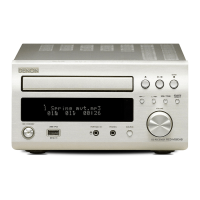
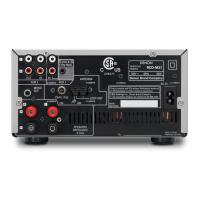
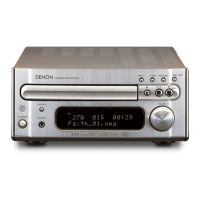
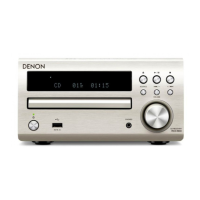
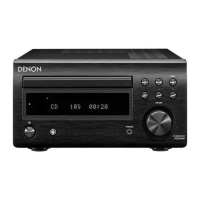
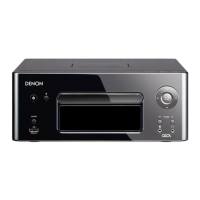
Denon RCD-M39 - User Manual

Denon RCD-M39
63 pages
Print Icon
To Next Page IconTo Next Page
Loading...
RCD-M39
CD RECEIVER
Owners Manual

Other manuals for Denon RCD-M39

Questions and Answers

  • J
    Jennifer MartinSep 12, 2025
    Why is a specific part of a disc not playing on my Denon Receiver?
    • D
      Dawn JonesSep 12, 2025
      If a specific part of a disc is not playing on your Denon Receiver, the disc is likely dirty or scratched. Wipe the disc clean or replace the disc.
  • M
    Mary HernandezSep 12, 2025
    What causes a disc to not play on my Denon Receiver when the 1/3 button is pressed?
    • M
      Michael DaviesSep 12, 2025
      If a disc does not play on your Denon Receiver when the 1/3 button is pressed, the disc is likely dirty or scratched. Wipe the disc clean or replace it.
  • C
    Cynthia CombsSep 9, 2025
    Why does my Denon Receiver show '00 Tr 00 : 00' when a CD is loaded?
    • W
      Wanda PhillipsSep 10, 2025
      If your Denon Receiver shows '00 Tr 00 : 00' on the display even though a CD is loaded, the disc is not properly loaded. Reload the disc.
  • T
    Thomas NguyenSep 8, 2025
    What to do if my Denon Receiver display is not lit and there is no sound when the power is on?
    • T
      Tiffany MackSep 9, 2025
      If your Denon Receiver's display is not lit and no sound is produced when the power is switched on, the power cord may not be plugged in securely. Check the connections on the set's rear panel and the connection of the power plug to the power outlet.
  • K
    Kevin AllenSep 7, 2025
    Why can't my Denon Receiver play MP3 and WMA files?
    • P
      Patricia GloverSep 7, 2025
      If your Denon Receiver can't play MP3 and WMA files, the file formats, extensions, or settings made when the disc was created are not compatible with this unit. Create discs with file formats, extensions, or settings compatible with this unit.
  • J
    Jennifer GuerreroAug 23, 2025
    Why is there no sound coming from my Denon Receiver even though the display is on?
    • N
      Nicholas WeissAug 23, 2025
      There are several reasons why your Denon Receiver might have a lit display but no sound. First, check if you have selected the correct input source. If the input source is correct, ensure that the volume control is not set to the minimum. Finally, verify that the muting function is switched off.
  • J
    Jessica DavisSep 5, 2025
    Why can't I play my iPod on my Denon Receiver?
    • K
      Kelli FrankSep 5, 2025
      If you cannot play your iPod on your Denon Receiver, make sure that the input source is set to “USB”. Also, check that the cable is properly connected; try reconnecting it.
  • M
    michelle97Sep 4, 2025
    Why isn't 'USB' displayed on my Denon Receiver when I connect a USB memory device?
    • W
      Walter GibsonSep 4, 2025
      If 'USB' is not displayed on your Denon Receiver when a USB memory device is connected, first check the connection. It could be that the set cannot recognize the USB memory device. Also, ensure that the USB memory device conforms to mass storage class or MTP standards. Note that DENON does not guarantee that all USB memory devices will operate or receive power. If you are connecting via a USB hub, connect the USB memory device directly to the USB port.
  • A
    Alejandra MartinSep 3, 2025
    What to do if the display is not lit and sound is not produced when power switched to on for my Denon RCD-M39?
    • J
      Jesse RoseSep 3, 2025
      If the display is not lit and no sound is produced when the power is switched on, check the connections on the set's rear panel and the connection of the power plug to the power outlet to ensure the power cord is securely plugged in.
  • K
    Kendra SmithSep 2, 2025
    What to do if a CD-R or CD-RW disc cannot be played on my Denon RCD-M39 Car Receiver?
    • D
      Dr. Dorothy MurphySep 2, 2025
      If a CD-R or CD-RW disc cannot be played, finalize the disc and then try playing it again. Alternatively, the recording conditions might be poor, or the disc quality itself might be lacking. Use a properly recorded disc.

Summary

Safety Precautions and Important Instructions

Electric Shock and Fire Hazards

Warnings about opening the unit and exposure to rain/moisture.

Laser Product and Hot Surface Warnings

Precautions regarding laser exposure and hot surfaces during operation.

Important Safety Instructions

General safety guidelines for operating the apparatus.

Preparations

Connecting the speakers

Explains how to connect the speakers to the unit.

Connecting an iPod or USB memory device to the USB port

Instructions for connecting iPod or USB devices.

Operations

Basic Operation

Fundamental operations like turning on/off and setting time.

Advanced Operation

Denon RCD-M39 Specifications

General IconGeneral
BrandDenon
ModelRCD-M39
CategoryCar Receiver
LanguageEnglish

Related product manuals