EasyManua.ls Logo

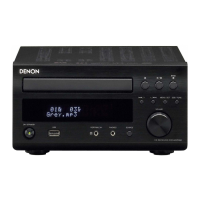
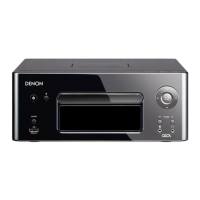
Denon RCD-M39 - User Manual

Denon RCD-M39
63 pages
Print Icon
To Next Page IconTo Next Page
Loading...
RCD-M39
CD RECEIVER
Owners Manual

Other manuals for Denon RCD-M39

Questions and Answers

  • C
    Christopher HillSep 1, 2025
    What to do if my Denon RCD-M39 Car Receiver display shows “00 Tr 00 : 00” even though a CD is loaded?
    • D
      Dr. Dawn Briggs DDSSep 1, 2025
      If “00 Tr 00 : 00” is shown on the display even though a CD is loaded, the disc is not properly loaded. Reload the disc.
  • M
    Michele ThompsonAug 31, 2025
    What to do if the display is off on my Denon RCD-M39?
    • J
      Jonathan WilsonAug 31, 2025
      If the display is off, check the Dimmer setting and ensure it is set to something other than “OFF”.
  • B
    Becky CraigAug 30, 2025
    What does it mean if my Denon Car Receiver power turns off suddenly and the power indicator flashes red?
    • J
      james00Aug 30, 2025
      If the power turns off suddenly and the power indicator flashes red (at 0.25 second intervals), the set is damaged. Turn off the power and contact a DENON service center.
  • M
    Megan MorrisAug 29, 2025
    What to do if my Denon RCD-M39 Car Receiver power turns off suddenly and the power indicator flashes red?
    • D
      Douglas RussellAug 29, 2025
      If the power turns off suddenly and the power indicator flashes red (at 0.5 second intervals), it could be due to the protection circuit being activated by a rise in internal temperature. Turn off the power, wait for the unit to fully cool down, and then turn it back on. Alternatively, the core wires of two speakers might be touching, or a core wire might be sticking out and touching the rear panel. In this case, unplug the power cord first, then twist the core wires tightly or terminate the speaker cables, and reconnect.
  • V
    Vanessa RodriguezAug 28, 2025
    How do I turn on the display on my Denon Receiver?
    • B
      Barbara FordAug 28, 2025
      If the display on your Denon Receiver is off, the Dimmer setting is likely set to “OFF”. Change the Dimmer setting to something other than “OFF”.
  • M
    Michelle GillAug 27, 2025
    How to fix Denon Receiver when files on a USB memory device cannot be played?
    • J
      Jacqueline RichardsAug 27, 2025
      If files on a USB memory device cannot be played on your Denon Receiver, the USB memory device might be in a format other than FAT16 or FAT32; set the format to FAT16 or FAT32. If the USB memory device is divided into multiple partitions, only files stored in the top partition can be played. The files may also be stored in a non-compatible format; record the files in a compatible format. Finally, files that are copyright protected cannot be played on this set.
  • M
    Misty MayerAug 27, 2025
    What does it mean when my Denon Receiver's power turns off and the power indicator flashes red?
    • M
      moodyrichardAug 27, 2025
      If your Denon Receiver's power turns off suddenly and the power indicator flashes red (flashing at 0.25 second intervals), it indicates that the set is damaged. Turn off the power and contact a DENON service center.
  • S
    Steven DanielsAug 25, 2025
    Why does my Denon Receiver turn off suddenly and the power indicator flashes red?
    • T
      Tanya WernerAug 26, 2025
      Your Denon Receiver might be turning off suddenly with a flashing red power indicator (flashing at 0.5 second intervals) because the protection circuit has been activated due to a rise in internal temperature. Turn off the power, wait for the unit to fully cool down, and then turn it back on. Another cause could be that the core wires of two speakers are touching, or a core wire is sticking out and touching the set's rear panel, which also activates the protection circuit. Unplug the power cord first, then twist the core wires tightly or terminate the speaker cables, and then reconnect.
  • S
    Sheila HerringAug 25, 2025
    What to do if my Denon Receiver isn't responding to the remote control?
    • J
      John KingAug 25, 2025
      If your Denon Receiver isn't responding to the remote control, consider these possible causes: * The batteries may be worn, so replace them with new ones. * You may be operating the remote outside of its specified range; try moving closer. * There might be an obstacle between the remote and the main unit; remove any obstructions. * The batteries might be inserted incorrectly; check the polarity marks in the battery compartment and correct the battery direction. * The remote control sensor on the set may be exposed to strong light; move the set to a location where the sensor is not exposed to direct sunlight or fluorescent light.

Summary

Safety Precautions and Important Instructions

Electric Shock and Fire Hazards

Warnings about opening the unit and exposure to rain/moisture.

Laser Product and Hot Surface Warnings

Precautions regarding laser exposure and hot surfaces during operation.

Important Safety Instructions

General safety guidelines for operating the apparatus.

Preparations

Connecting the speakers

Explains how to connect the speakers to the unit.

Connecting an iPod or USB memory device to the USB port

Instructions for connecting iPod or USB devices.

Operations

Basic Operation

Fundamental operations like turning on/off and setting time.

Advanced Operation

Denon RCD-M39 Specifications

General IconGeneral
BrandDenon
ModelRCD-M39
CategoryCar Receiver
LanguageEnglish

Related product manuals