107
Barcode Handy Terminal
[6] F
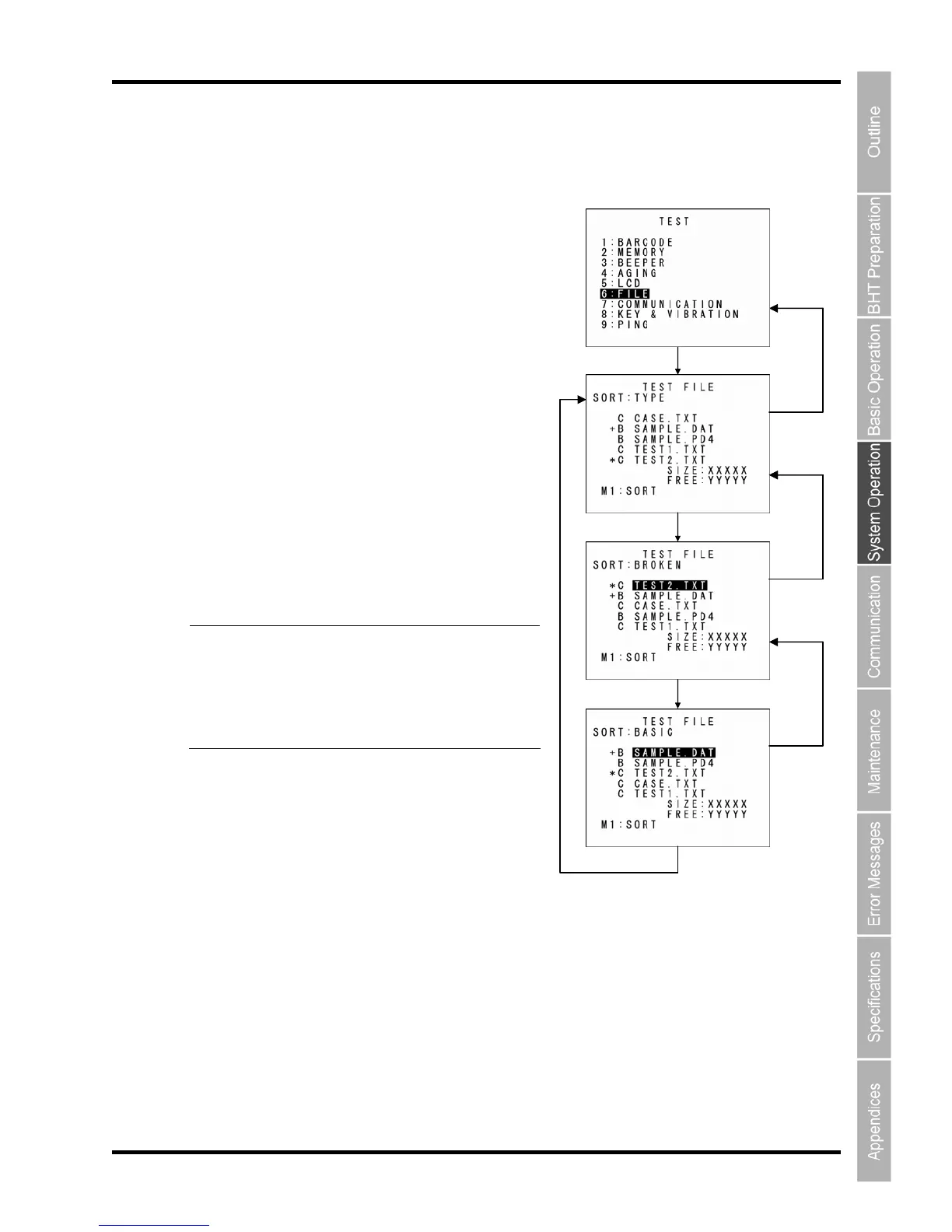
The file test allows de
ile test
tailed information on program fi
1. elect “6: FILE” at the TEST menu and then press
ed to
the name of the defective file
Is Shut Down Abnormally” for details about the (*) and (+).
“SIZE: bbbbb”: Used memory size
“FREE: yyyyy”: Available memory size
Files can be sorted each time the M1 key is pressed.
“TYPE”: Sorts files by type.
“BROKEN”: Displays broken files in descending order.
“BASIC”: Displays files in the order of “B: BASIC files”,
“C: C data files”, and “None: Shared files and
program files”.
Point If a defective file is found, delete it o
les, and data files to be checked. Addit
ionally,
pressing the M1 key sorts the display sequence of files.
S
the ENT key.
The screen displays as shown on the right, and if any of
the files stored in the memory is defective, an asterisk (*)
or plus sign (+) is prefix
(s).
Refer to “Chapter 2 BHT Preparation” – “2.5.4 If the BHT
overwrite it with a file with the same
name.
Even defective files can be uploaded at
the UPLOAD menu. It is therefore
recommended that important files be
uploaded before being deleted.
2. Select the desired file and then press the ENT key.
The selected item is set and the next screen then appears.
Press the Backspace/clear key to return to the previous screen.
In the previous screen, the selected item is highlighted.
ENT key
M1 key
BS/C key
BS/C key
M1 key
M1 key
BS/C key



 To Next Page