35
Barcode Handy Terminal
4.1.1
Selecting the Memory Area to be Initialized
1. Press the Power key (
) while holding down the SF, M1 and [0] keys together.
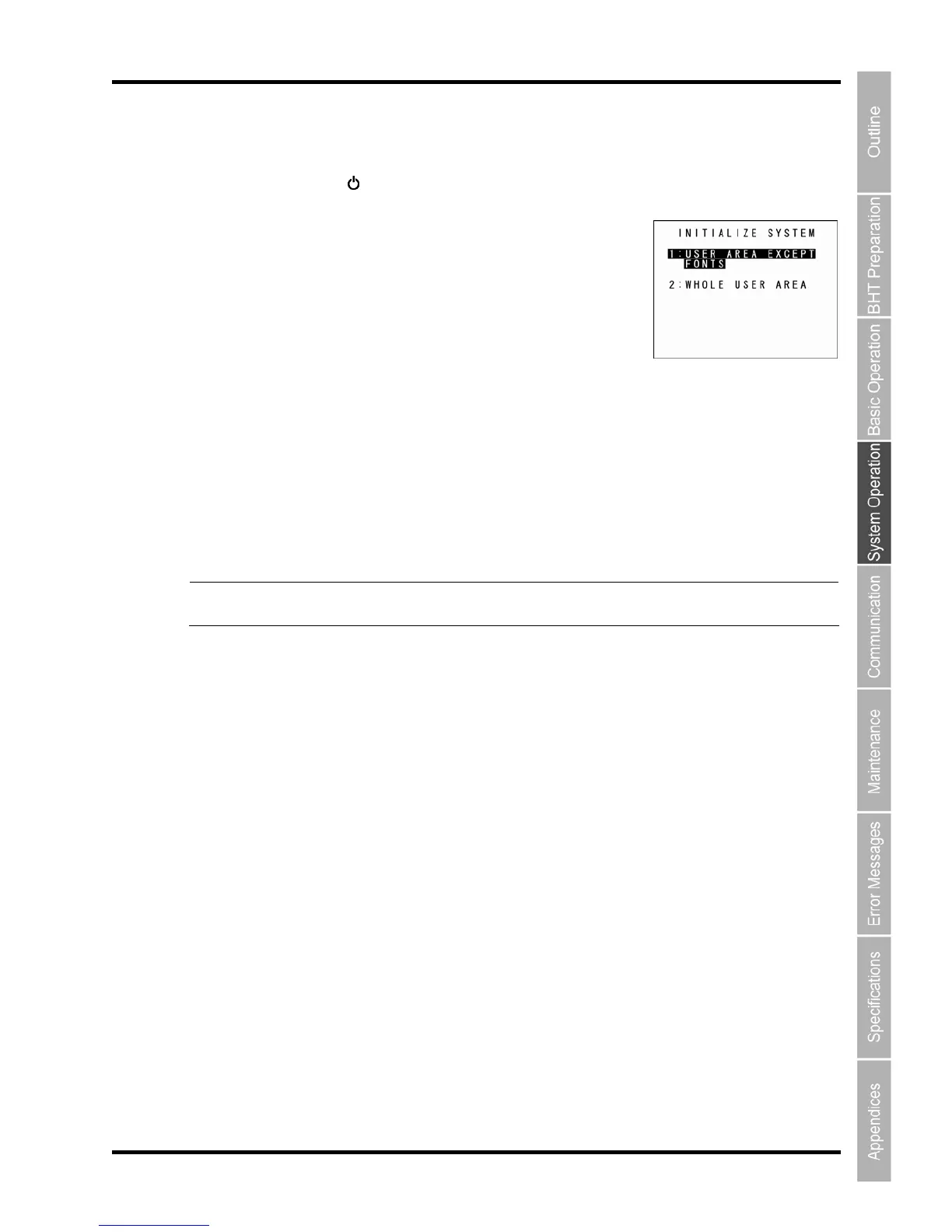
2. Select the memory area to be initialized.
(1) To exempt font files from deletion
Ensure that “1: USER AREA EXCEPT FONTS” is selected and press the
ENT key.
The screen changes to the “4.1.2 Selecting the Message Version (English
/Japanese/Simplified Chinese/Traditional Chinese/Korean/Thai)”.
(2
) To delete
font files
t “2: WHOLE USER AREA”, and press the ENT key.
nglish/Japanese/Simplified
: USER AREA EXCEPT FONTS”
deleting file fonts.
“2
itialized and therefore file fonts are also deleted.
Point If a “Contact your administrator. (XXXX)” message displays when the BHT power is ON,
Press the [2] key to selec
The screen
changes to the “4.1.2 Selecting the Message Version (E
Chinese/Traditional Chinese/Korean/Thai)”.
“1
The user area is initialized without
: WHOLE USER AREA”
The entire user area is in
select “2: WHOLE USER AREA”.



 To Next Page