53
Barcode Handy Terminal
4.5.2
Executing User Programs (EXECUTE PROGRAM Menu)
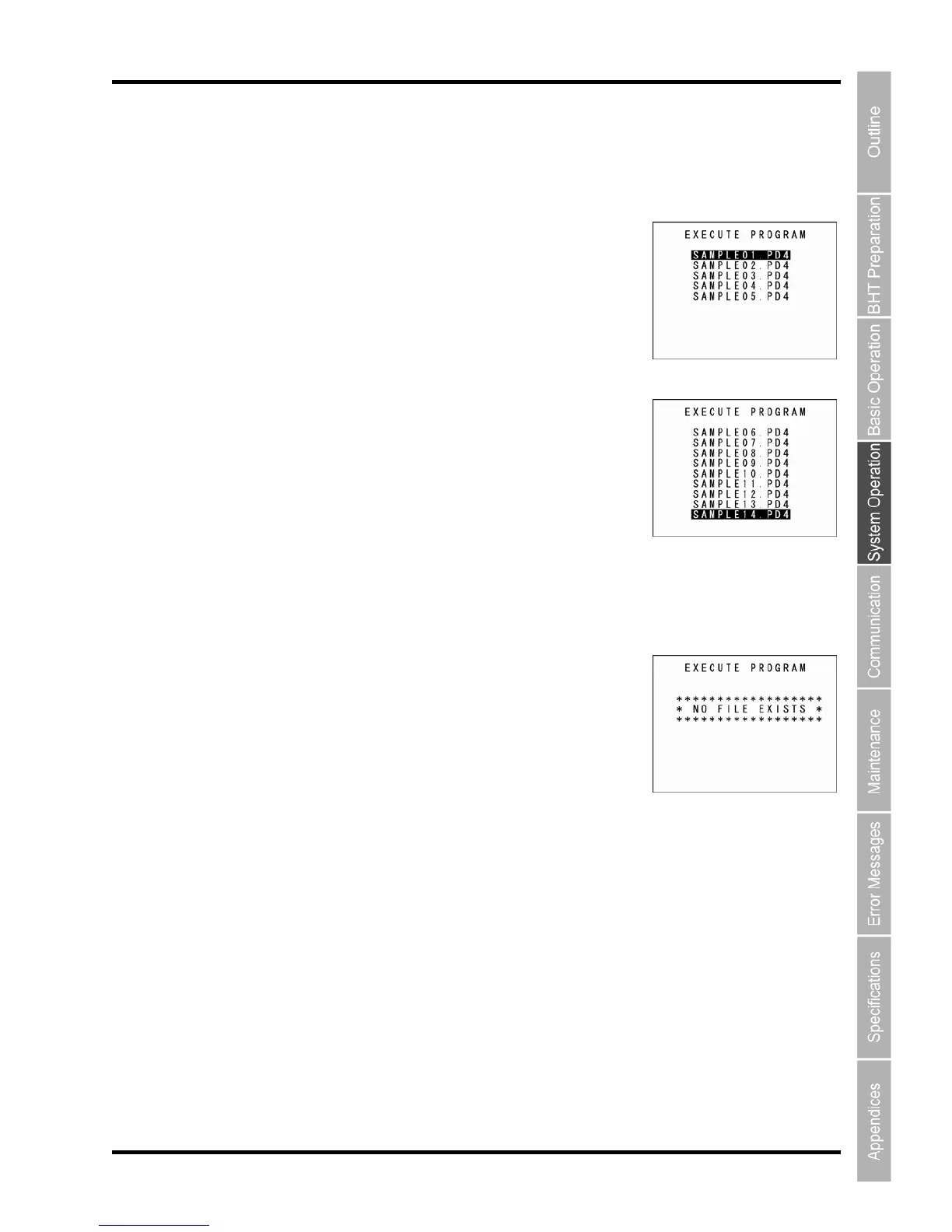
Individually select and execute user programs downloaded to the BHT.
Use the follow
1. Select “1: SYS
then press the
Press the Ba
] [▼]) to select the target program.
The selected ill be high
Use the [▼] key to scroll down when more than 9 programs have been
downloaded to the user area.
The s ws h
been downloaded.
3. Whe highlighted, press the ENT key.
s
The screen displays as
shown on the right when no program files exist in
the u
Press pace/clear key E
ing procedure to ex
ecute user programs.
EXECUTE PROGRAM” at the
ENT key.
The screen displays as shown on the right.
ckspace/clear key to return to the SYSTEM
TEM MENU and
MENU.
2. Use the cursor keys ([▲
program w lighted.
creen on the right sho an example in whic 14 programs have
n the target program is
elected program will be exThe ecuted.
ser area.
the Backs to return to the SYST M MENU.



 To Next Page