116
BHT-904B/BHT-914B
1. elect “2: SET PING” at the TEST PING menu and then press the
NT key.
ATA SIZ
Specifies th
e data size of the echo request.
[3: INTERVAL]:
[4: TIMEOUT]:
ou 100 ms) for the echo request.
[5
number of echo requests to be sent.
[6: SEND TYPE]:
(Refer to “PING Echo Request Transmission Timing (SEND TYPE)” on the following page for details.)
2. Us r k ys 3] [4] [5] [6]) to highlight the item to be set,
an e E
h ge to e
r keys ([◄] [►]) to highlight the “6: SEND TYPE” setting.
3. Enter the setting values with the numeric keys and dot key.
“Use the cursor keys ([◄] [►]) to select the “6: SEND TYPE” setting.
To delete a single character, press the Backspace/clear key. To delete the entire entry, press and hold the
Backspace/clear key or press the SF and Backspace/clear keys simultaneously
4. Enter the setting values and then press the ENT key.
Press the Backspace/clear key to return to the TEST PING menu.
Entry Range for DATA SIZE, INTERVAL, TIMEOUT, and COUNT
Item Allowable Entry range Default
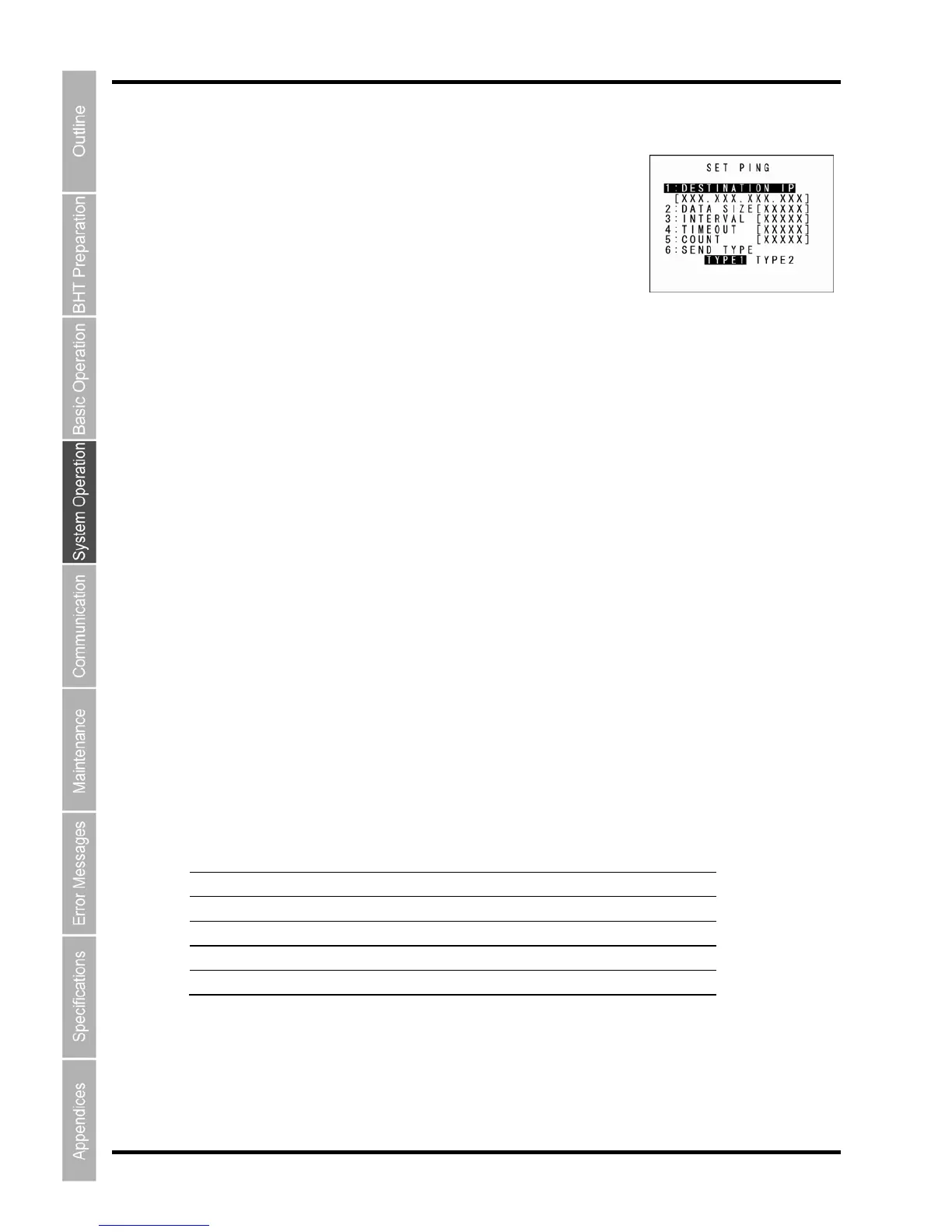
“2: SET PING” (PING Options Setting Screen)
S
E
The current settings are displayed.
[1: DESTINATION IP]:
Specifies the IP address of the host computer to be pinged.
[2: D E]:
Specifies the echo request interval (in units of 100 ms).
Specifies the time t period (in units of
: COUNT]:
Specifies the
Selects the echo request send timing (TYPE 1 or TYPE 2).
e the curso e ([▲] [▼]) or numeric keys ([1] [2] [
d then press th NT key.
T
Use the curso
e mode chan s ntry mode and the cursor displays.
DATA SIZE 4 to 1472 56
INTERVAL 0 to 65535 10
TIMEOUT 0 to 65535 10
COUNT 0
* to 65535 4
* Specifying zero (0) will set the number of echo requests to “infinite,” meaning that echo requests will be
sent continuously until the PING test is aborted.
If a value outside the allowable entry range listed above is specified, the nearest value within the range
will automatically be applied.



 To Next Page