140
BHT-904B/BHT-914B
[1]
1. Use th 1]) to highlight
a
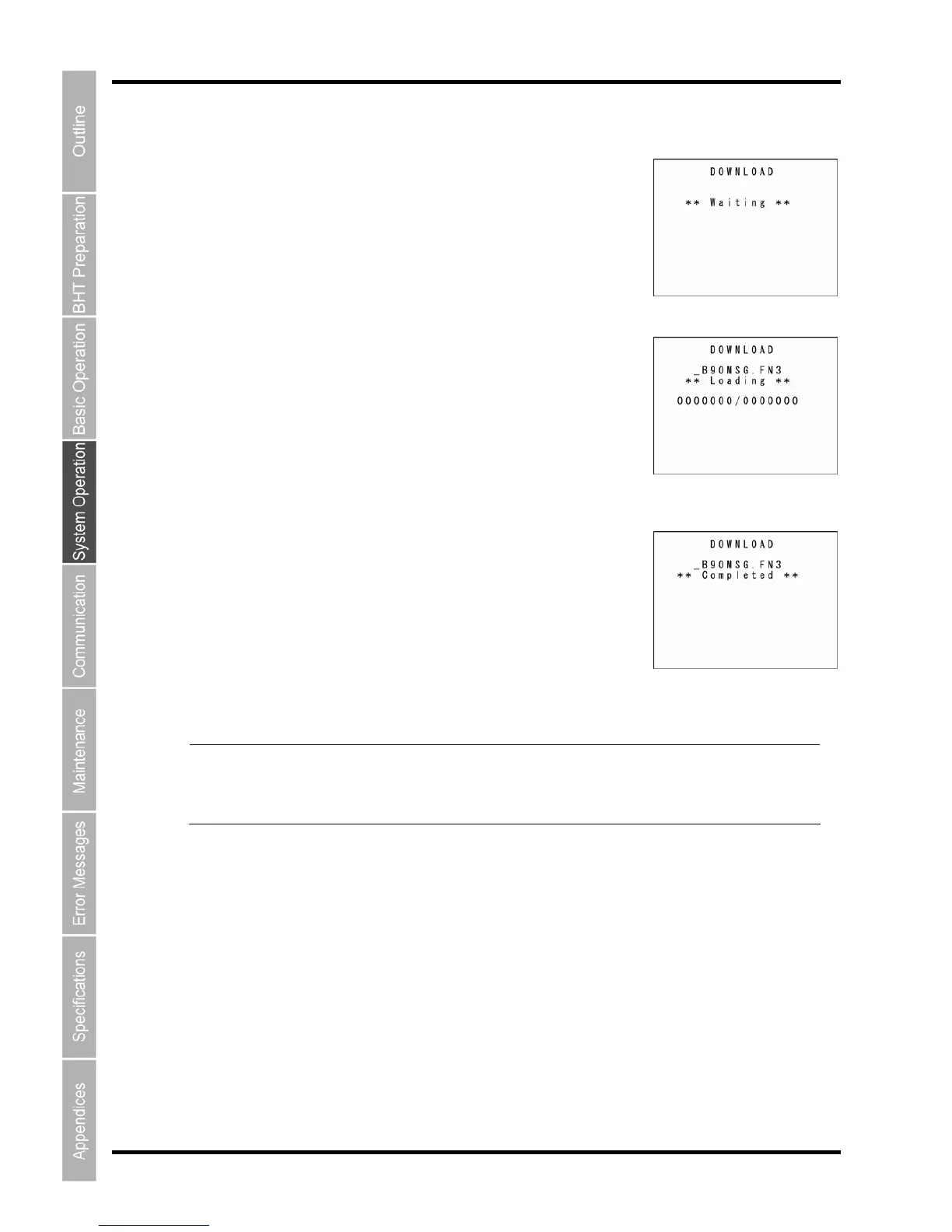
iting for the system message file to be downloaded.
2. hile the download is in progress, the screen displays as shown
the number of received
ress the Backspace/clear key to return to the SYSTEM PARAMETER
and an error screen displays
.
Point When downloading the system message file, the BHT
heref
reated temporary file will automatically be deleted after dow
Downloading the system message file
e cursor keys ([▲] [▼]) or numeric key ([
[1: DOWNLOAD] and then press the ENT key
.
The screen displays as shown on the right indicating that the BHT is
w
W
on the right indicating the file name and
records/the total number of records.
Press the Backspace/clear key to abort the download and return to the
SYSTEM MESSAGE menu.
3. Upon completion of downloading, the BHT displays the screen
shown on the right and beeps once.
P
menu.
The beeper sounds three times if an error occurs during downloading,
Refer to “Chapter 7 Error Messages” – “7.2 System Mode Errors” and reme
dy the error.
creates a temporary file named
ore occur if there is insufficient
nlo
ading is complete.
“_B90MSG.FN3” in the user area. An error w
ill t
space in the user area to create the temporary file.
The c



 To Next Page