65
Barcode Handy Terminal
3.
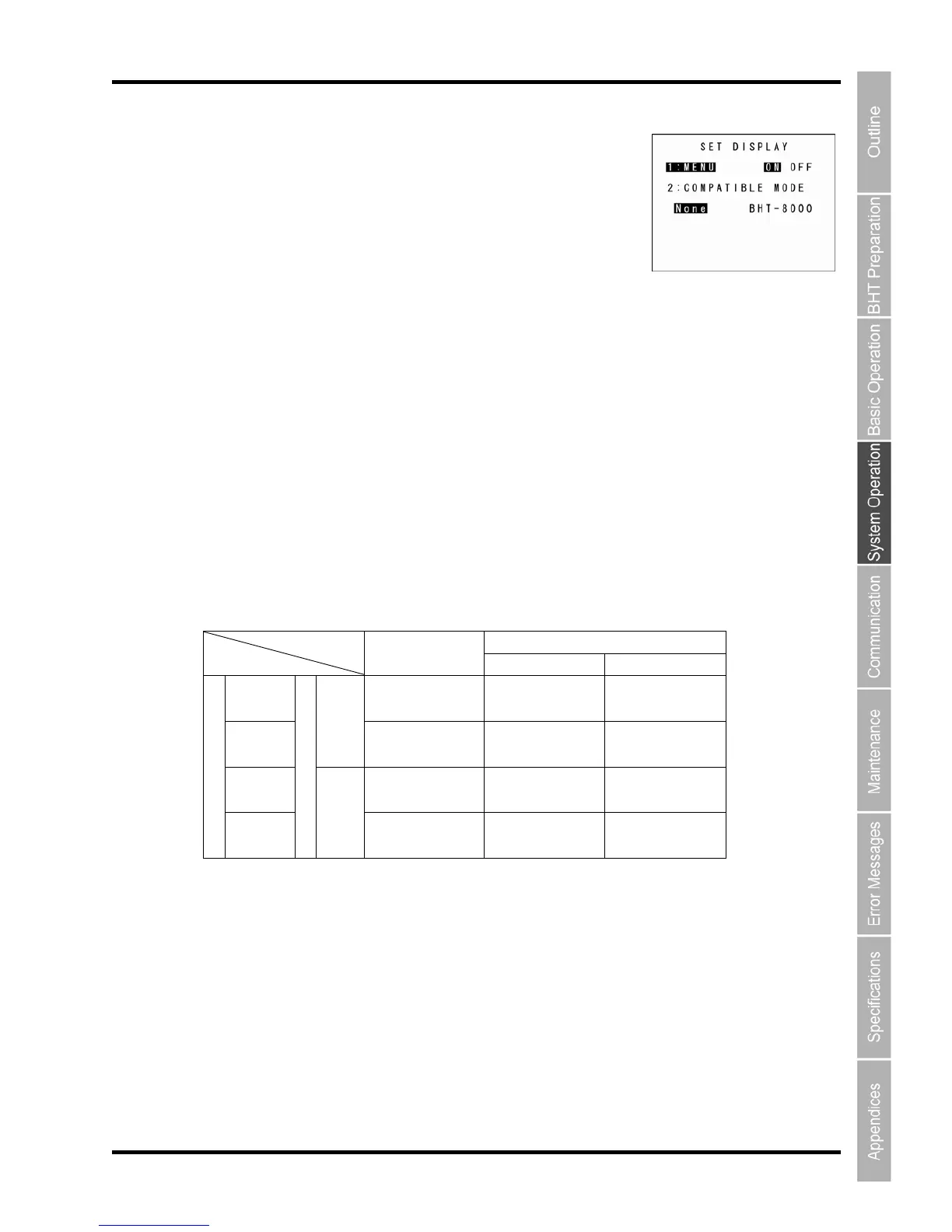
The SET DISPLAY menu displays as shown on the right.
Use the cursor keys ([▲] [▼]) or numeric keys ([1] [2]) to highlight
5. ress the ENT key.
ss the Backspace/clear key to return to the SET SYSTEM menu.
“1
reen brightness, power
.
u screen display.
“2: COMPATIBLE MODE”:
reen display between the BHT-904B/BHT-914B and the BHT-8000.
This allows BHT-8000 Series application programs to be used at the BHT-904B/BHT-914B without
BHT-904B/BHT-914B
Simultaneously press the SF key and “1: MESSAGE” at the SET
DISPLAY menu.
The highlighted settings
will be the current settings.
4.
“1: MENU” or “2: COMPATIBLE MOD
E”.
Highlight the target setting with the cursor keys ([◄] [►]) and p
Pre
: MENU”:
Sets whether to permit or prohibit menu screens (beeper volume, vibrator, sc
saving settings) being started up while applications are running.
“ON”: Permits menu screen display
“OFF”: Prohibits men
Sets compatible mode for sc
changing or correcting the font size.
BHT-8000
BHT-8000 Mode Normal Mode
Standard 21 x 8 char. 21 x 12 char. 21 x 12 char.
fon (6 x 8 dots)
t (6 x 8 dots) (6 x
8 dots)
Sma
mode
21 x 10 char. ll
font (6 x 6 dots)
21 x 16 char.
(6 x 6 dots)
21 x 16 char.
(6 x 6 dots)
ANK
Standard 8 x 4 char.
(16 x 16 dots)
8 x 6 char.
(16 x 16 dots)
8 x 6 char.
(16 x 16 dots) font
Font size
Small
font
Screen mo
mode
10 x 5 char.
(12 x 12 dots)
10 x 8 char.
(12 x 12 dots)
10 x 8 char.
(12 x 12 dots)
de
Kanji



 To Next Page