15
[ 1 ] Switching from the Teach Pendant
Follow the procedure below when switching from one mode to the other from
the teach pendant:
"
STEP 1
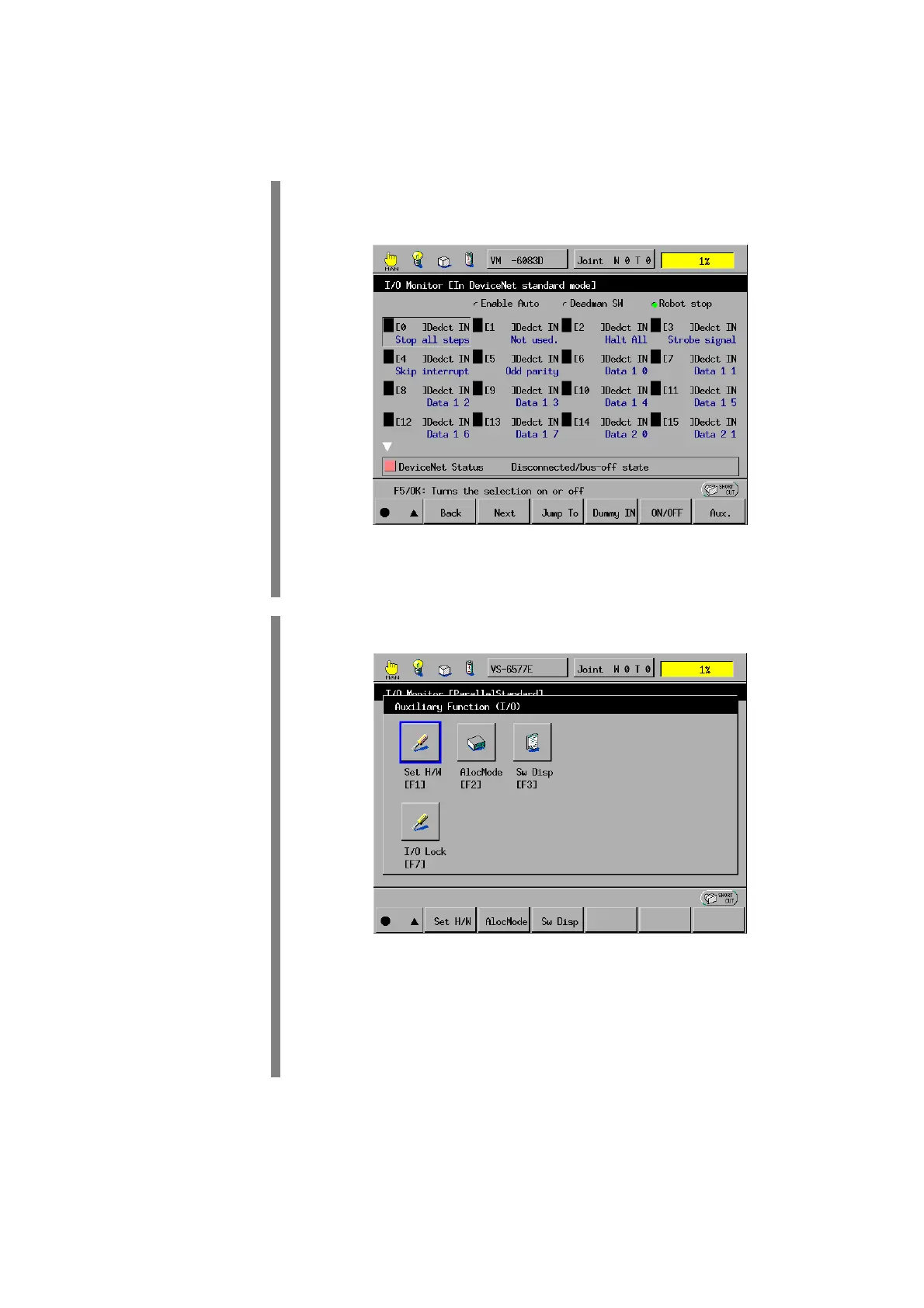
On the top screen, press [F4 I/O].
The I/O Monitor window appears.
F6
Press [F6 Aux.].
"
STEP 2
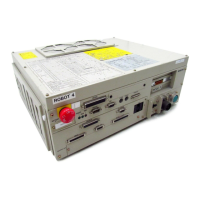
The Auxiliary Functions (I/O) window appears as shown below.
F2
Press [F2 I/O Assign]. (For Version 1.6 or later)
NOTE: For Version 1.5 or earlier, press [F1 Set H/W] and select the
Allocation mode field in the I/O Hardware Settings window.


 To Next Page