19
"
STEP 5
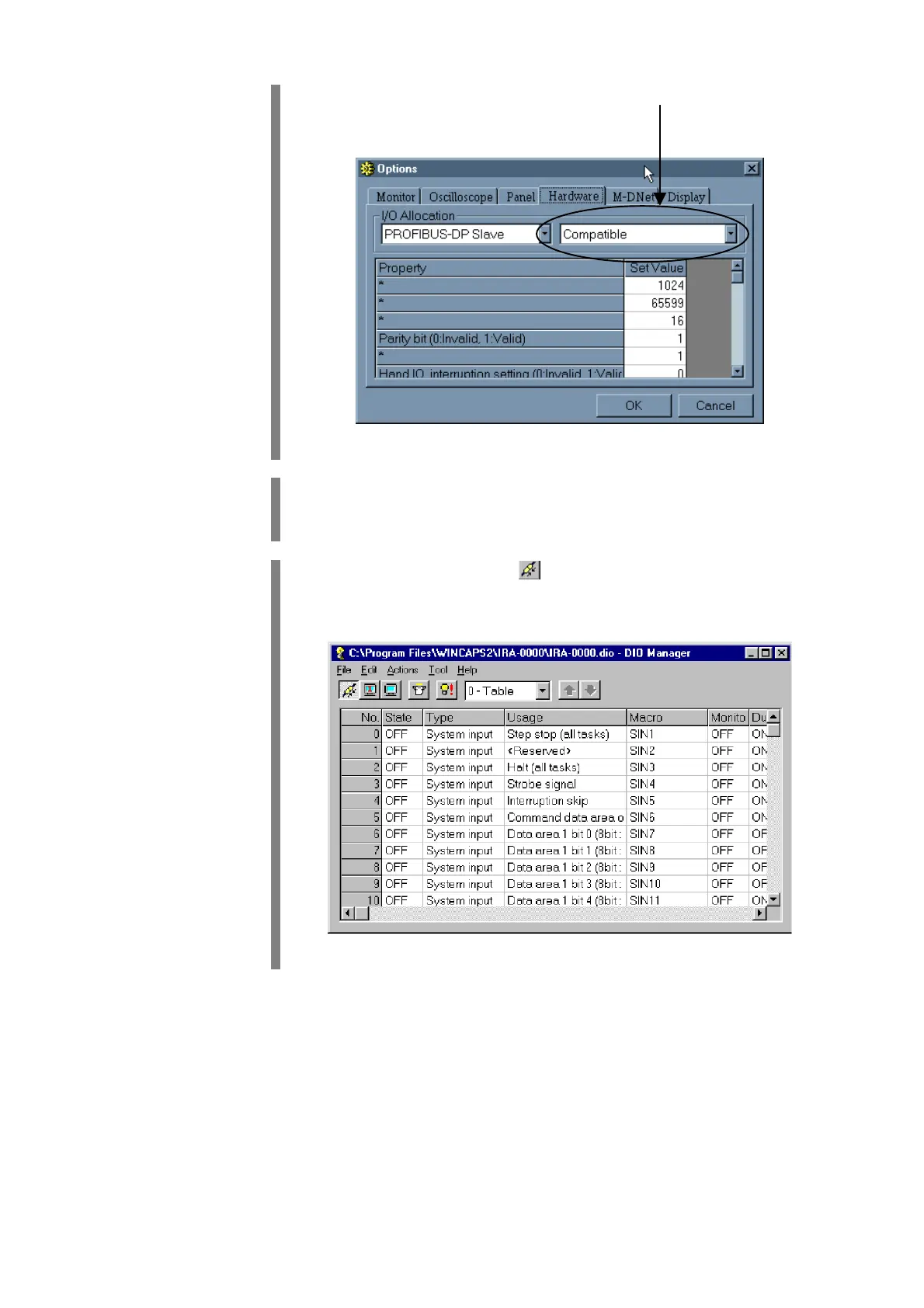
Select the desired assignment mode from the right-hand popup menu
in the I/O Allocation frame (Ver. 1.6 or later).
"
STEP 6
Click on OK in the Options window.
The Options window closes.
"
STEP 7
Click on the Connect button to connect the computer to the robot
controller.
The Connect button appears in a pressed state.


 To Next Page