59
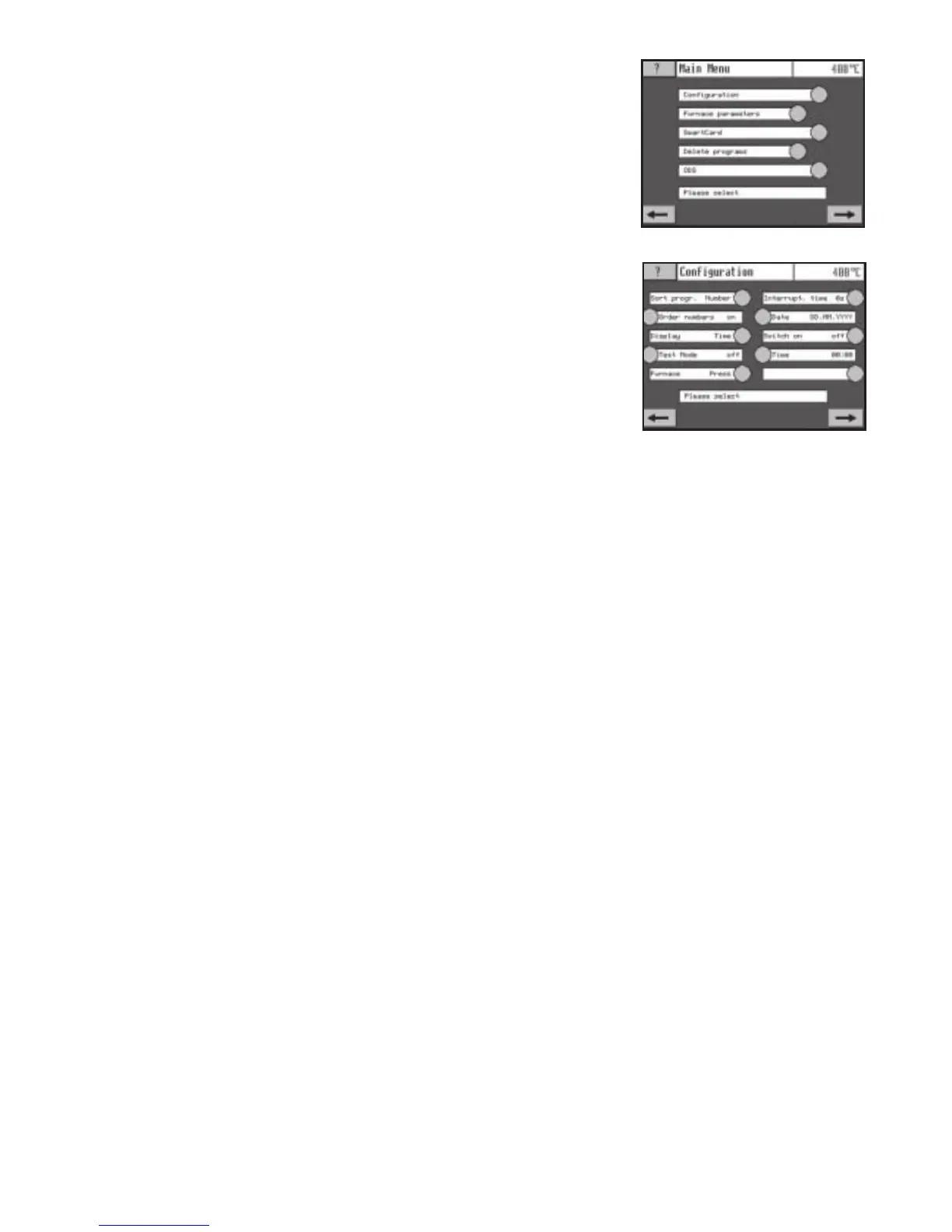
Figure No. 14: Configuration menu
4.5 Main menu
Press the sensor button “M” to open the main menu. The main menu includes all functions that
cannot be executed directly. The first line of the screen shows the menu name and the second
line shows a sub-menu selection or a parameter. Activate the individual sub-menus by pressing
the sub-menu sensor buttons; activate presets in the same way. Change values with the nu-
meric keypad. Changed values are saved by selecting a new sub-menu or pressing the sensor
button “M” until the program is displayed again.
4.5.1 Configuration
Sort by number/name
Programs can either be sorted by their program number (numerically) or by
the program name (alphabetically) (see section 6.12).
Note: This function can only be used with Latin characters.
Job number “on” (inactive)
Used to enter job numbers in case of multiple firing runs.
Display time/date
Select whether time or date should be displayed in the program
(see section 6.15).
Test mode (only available in service mode)
Used to record the last software actions.
Furnace Press/Touch (only available in service mode)
Used to select between Touch and Press functions.
Power failure backup duration 1 – 20 seconds
Used to adjust the backup time in case of power failure in
seconds. Factory setting is10 seconds (see section 6.4).
Datemode
Used to select between these date modes:
DD.MM.YYYY
YYYY.MM.DD
MM.DD.YYYY
Press the sensor field until the desired date mode is displayed.
Automatic activation on/off
Used to activate the automatic power-on time (see section 6.7).
Time 00:00 – 24:00
Used to set the time at which the furnace automatically switches on, if connected to main po-
wer. For safety reasons, this time can be set max. 24 hours in advance (see section 5.7).
Program Guard On/Off
The program guard utility helps protect the software and data. It is available in Version V1.06
and later.
PIN Change
This sensor field is used to change the PIN. Use of a PIN was first introduced with software
version V1.06.
Figure No. 13: Main menu


 To Next Page
 Loading...