EasyManua.ls Logo

Denver CAD-460 - User Manual

Denver CAD-460
10 pages
Print Icon
To Next Page IconTo Next Page
Loading...
INSTRUCTION MANUAL
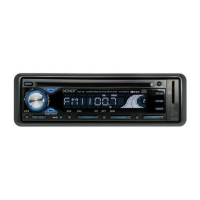
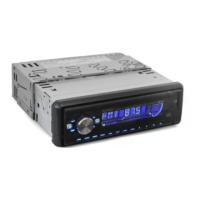
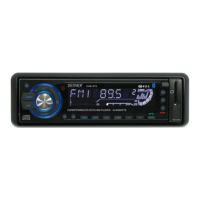
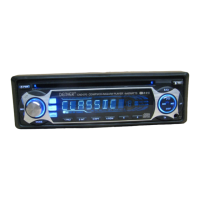
CAR STEREO CD/CDR/CDRW/MP3 PLAYER
WITH PLL FM STEREO RADIO
RDS
USB / SD / MMC CARD INPUT
FLIP DOWN/DETACHABLE FRONT PANEL
CAD-460
SCN DSP
A/PS
MD PTY
TA AF 1 PAU 2 INT 3 RPT 4 RDM 5 6
REL
B BAND
P
U
S
H
S
E
L
E
C
T
V
O
L
17 16
SCN DSP
A/PS
MD PTY
TA AF 1 PAU 2 INT 3 RPT 4 RDM 5 6
REL
B BAND
P
U
S
H
S
E
L
E
C
T
V
O
L
4
(1-6)
111 13 8 2 3 10 14 2515
9 7 6 5 18 19 20 21 22 23 2412
CAD460(eng).indd 10 10.10.2006 15:53:48
Question and Answer IconNeed help?

Do you have a question about the Denver CAD-460 and is the answer not in the manual?

Summary

Location of Parts and Controls

ISO Connector and Maintenance

Fuse Replacement

Instructions for replacing the fuse in the unit, including a warning about amperage.

Installation Precautions

Supporting the Unit

Detaching and Attaching the Front Panel

Procedures for removing and reattaching the detachable front panel for security and maintenance.

Function Select Button Operations

TA Seek;TA Alarm

Activate TA Seek or TA Alarm modes for traffic announcements and station tuning.

Preset Stations

Radio Mode Presets

Store and select radio stations using preset buttons, including PTY groups.

CD;MP3 Player Mode Presets

Utilize preset buttons for CD/MP3 player functions like PAUSE, INT, RPT, and RDM.

Using the RDS Function

AF;REG Function

Manage alternative frequencies and regional broadcast reception for RDS signals.

TA Function

Activate Traffic Announcement mode and switch from CD/MP3 to radio temporarily.

PTY Function

Select program types (PTY) to find specific radio content.

Display (DSP)

Change display modes for RDS/non-RDS stations showing PS, CT, FREQ, PTY, CLOCK.

Mode Button and Tuning Operations

CD Control Location of Parts

How to Select MP3 Files

Technical Specifications

Summary

Location of Parts and Controls

ISO Connector and Maintenance

Fuse Replacement

Instructions for replacing the fuse in the unit, including a warning about amperage.

Installation Precautions

Supporting the Unit

Detaching and Attaching the Front Panel

Procedures for removing and reattaching the detachable front panel for security and maintenance.

Function Select Button Operations

TA Seek;TA Alarm

Activate TA Seek or TA Alarm modes for traffic announcements and station tuning.

Preset Stations

Radio Mode Presets

Store and select radio stations using preset buttons, including PTY groups.

CD;MP3 Player Mode Presets

Utilize preset buttons for CD/MP3 player functions like PAUSE, INT, RPT, and RDM.

Using the RDS Function

AF;REG Function

Manage alternative frequencies and regional broadcast reception for RDS signals.

TA Function

Activate Traffic Announcement mode and switch from CD/MP3 to radio temporarily.

PTY Function

Select program types (PTY) to find specific radio content.

Display (DSP)

Change display modes for RDS/non-RDS stations showing PS, CT, FREQ, PTY, CLOCK.

Mode Button and Tuning Operations

CD Control Location of Parts

How to Select MP3 Files

Technical Specifications

Denver CAD-460 Specifications

CD/MP3 Player Section IconCD/MP3 Player Section
signal to noise ratio> 60 dB
channel separation> 50 dB (1 kHz)
frequency response20 Hz - 20 kHz
Tuner (FM) IconTuner (FM)
frequency range87.5-108 MHz
intermediate frequency10.7 MHz
sensitivity2.8 µV
stereo separation30 dB
signal to noise ratio50 dB
channel step50 kHz
Line-Out IconLine-Out
output350 mV
impedance10 kOhm
General IconGeneral
power supply13.8 V DC (10.8-15.6 V allowable)
speaker impedance4 or 8 ohm
output power40 W x 4 CH

Related product manuals