EasyManua.ls Logo

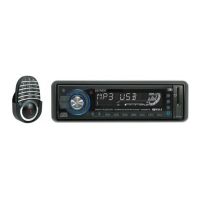
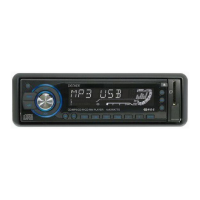
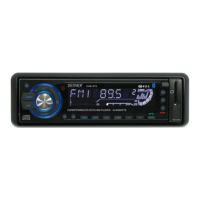
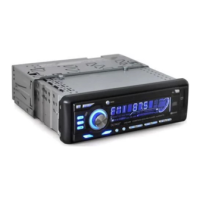
Denver CAD-471 - User Manual

Denver CAD-471
12 pages
Print Icon
To Next Page IconTo Next Page
Loading...
INSTRUCTION MANUAL
Car Stereo CD/CDR/CDRW/MP3 Player
with PLL FM Stereo Radio
RDS
USB / MMC / SD Card Input
Bluetooth Function in Mobile Phone
Flip Down and Detachable Front Panel System
CAD-471
19 18
8 6 27262524222014 151013 23 12
16 17751 9 2 311 21
4
(1-6)
28
Question and Answer IconNeed help?

Do you have a question about the Denver CAD-471 and is the answer not in the manual?

Summary

Location of Parts and Controls

Front Panel Controls

Identifies front panel buttons, display, and ports for operation.

Remote Controls Functions

Remote Control Button Functions

Lists and describes the functions of each button on the remote control.

ISO Connector and Installation

ISO Connector Pinouts

Details the wiring for audio output, input, and power connections.

Installation Precautions

Important considerations for safely mounting the unit in a vehicle.

Unit Support and Front Panel Handling

Detaching and Attaching the Front Panel

Instructions on safely removing and reattaching the detachable front panel.

Basic Operations and Functions

Power and Function Selection

How to turn the unit on/off and cycle through various function modes.

Advanced Audio and Radio Functions

Radio Features and Display

Pairing Mode

Enabling Bluetooth pairing with mobile devices.

RDS (Radio Data System) Functions

Utilizing RDS features like AF/REG, TA, and PTY.

Tuner, CD;MP3 Player Controls

MP3 File Selection and Media Input

Bluetooth Connectivity and Phone Usage

Performing Bluetooth Pairing

Steps to connect a mobile phone via Bluetooth.

Advanced Bluetooth Features and Specifications

Reset and Technical Specifications

Resetting the unit and viewing technical performance data.

Summary

Location of Parts and Controls

Front Panel Controls

Identifies front panel buttons, display, and ports for operation.

Remote Controls Functions

Remote Control Button Functions

Lists and describes the functions of each button on the remote control.

ISO Connector and Installation

ISO Connector Pinouts

Details the wiring for audio output, input, and power connections.

Installation Precautions

Important considerations for safely mounting the unit in a vehicle.

Unit Support and Front Panel Handling

Detaching and Attaching the Front Panel

Instructions on safely removing and reattaching the detachable front panel.

Basic Operations and Functions

Power and Function Selection

How to turn the unit on/off and cycle through various function modes.

Advanced Audio and Radio Functions

Radio Features and Display

Pairing Mode

Enabling Bluetooth pairing with mobile devices.

RDS (Radio Data System) Functions

Utilizing RDS features like AF/REG, TA, and PTY.

Tuner, CD;MP3 Player Controls

MP3 File Selection and Media Input

Bluetooth Connectivity and Phone Usage

Performing Bluetooth Pairing

Steps to connect a mobile phone via Bluetooth.

Advanced Bluetooth Features and Specifications

Reset and Technical Specifications

Resetting the unit and viewing technical performance data.

Denver CAD-471 Specifications

CD/MP3 Player Section IconCD/MP3 Player Section
signal to noise ratio60 dB
channel separation50 dB (1kHz)
frequency response20Hz - 20 kHz
Tuner (FM) IconTuner (FM)
frequency range87.5-108 MHz
intermediate frequency10.7 MHz
sensitivity2.8 µV
stereo separation30 dB
signal to noise ratio50 dB
channel step50 kHz
Line-Out IconLine-Out
output350 mV
impedance10k Ohm
General IconGeneral
power supply12V DC (10.8-15.6V) allowable
speaker impedance4 or 8 Ohm
output power40W x 4CH

Related product manuals