Need help?
Do you have a question about the Denver CAD-375 and is the answer not in the manual?
Identifies main buttons, knobs, and selectors on the car stereo's front panel for various functions.
Provides instructions for replacing fuses and warns about using incorrect amperage.
Explains how to remove and reattach the detachable front panel for security and handling.
Covers volume, bass, treble, balance, fader, loudness, DSP, and ESP modes.
Explains TA SEEK/ALARM, MASK DPI, RETUNE, SEEK modes, STEREO/MONO, and LOCAL/DX.
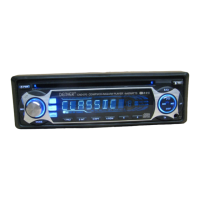
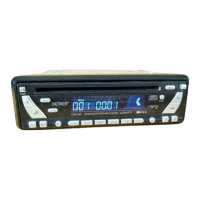
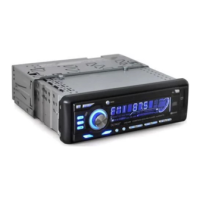
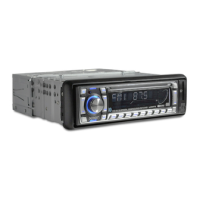
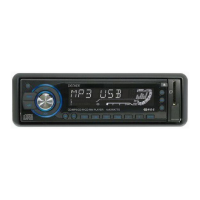
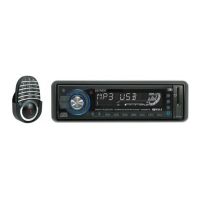
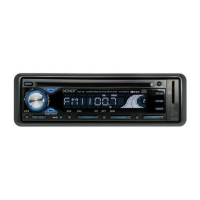
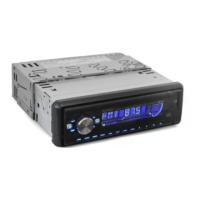
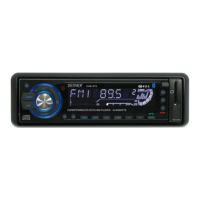
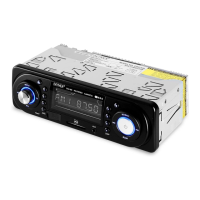
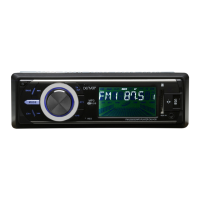
The DENVER CAD-375 is a car stereo CD/CDR/CDRW/MP3/WMA player with PLL FM stereo radio, RDS, and a detachable front panel. This unit is designed to provide a comprehensive audio experience in your vehicle, offering various playback options and radio functionalities.
The core function of the CAD-375 is to play audio from multiple sources. It supports traditional CD formats (CD, CDR, CDRW) as well as modern digital audio files (MP3, WMA) from discs. The integrated PLL FM stereo radio allows you to tune into your favorite FM stations, enhanced by RDS (Radio Data System) features for additional information and functionalities. The detachable front panel serves as a security feature to deter theft.
Power On/Off: The unit can be turned on or off by pressing the power button. It also powers on by pressing any key, offering convenience.
Volume and Audio Controls: A central VOL knob allows for adjusting the volume. Pressing this knob briefly cycles through various audio functions, including BASS, TREBLE, BALANCE, and FADER. Once a function is selected, turning the VOL knob (right or left) adjusts its level.
DSP Controls: The unit offers Digital Signal Processing (DSP) controls, which can be accessed by pressing the VOL knob for more than 2 seconds. This allows you to select different sound presets like POP M, ROCK M, CLASS M, FLAT M, or turn DSP OFF.
Loudness Control: By pressing the VOL knob for more than 2 seconds, you can activate the LOUDNESS ON/OFF mode. When Loudness is ON, the bass and treble response will be boosted, enhancing the audio experience, especially at lower volumes.
ESP Mode: The Electronic Skip Protection (ESP) mode helps prevent audio interruptions caused by road bumps. You can select between 12-second or 45-second ESP modes by pressing the VOL knob for more than 2 seconds.
Beep Mode: The BEEP mode, activated by pressing the VOL knob for more than 2 seconds, allows you to turn the button beep sound ON or OFF. When BEEP ON is selected, a sound will be heard from the speaker whenever a button is pressed.
Display: The LCD display shows various information depending on the mode, such as radio frequencies, clock, track number, and other relevant details.
AUX IN: The front AUX IN jack allows you to connect external audio devices like portable media players or MP3 players, expanding your audio source options.
Panel Release: The PANEL RELEASE button allows you to detach the front panel for security.
Reset Button: A small RESET button is located on the housing. Pressing it will reset the unit to its factory default settings. This is useful for troubleshooting or after initial installation.
Power Indicator LED: An LED indicates when the unit is powered on.
Fuse Replacement: The unit is equipped with a fuse for protection. If the fuse blows, it should be replaced with a fuse of the same amperage. Using a higher amperage fuse can cause serious damage.
Detachable Front Panel: The front panel can be detached to prevent theft. When detaching, ensure the unit is OFF first. When attaching, make sure the panel is oriented correctly and press it lightly until it clicks into place. It is recommended to store the detached panel in the supplied case to protect it.
Environment Protection: The manual includes instructions for environmentally responsible disposal of the product at the end of its lifecycle, emphasizing recycling of electrical and electronic appliances.
 CD/MP3/WMA Player Specifications
| signal to noise ratio | > 60 dB |
|---|---|
| channel separation | > 50 dB (1 kHz) |
| frequency response | 20 Hz - 20 kHz |
Tuner Specifications| frequency range | 87.5-108 MHz |
|---|---|
| intermediate frequency | 10.7 MHz |
| sensitivity | 2.8 µV |
| stereo separation | 30 dB |
| signal to noise ratio | 50 dB |
| channel step | 50 kHz |
Line Out Specifications| output | 350 mV |
|---|---|
| impedance | 10 kOhm |
Line In Specifications| frequency response | 20 Hz - 20 kHz |
|---|---|
| sensitivity | 775 mV |
| impedance | 20 kOhm |
General Specifications| power supply | 12 V DC (10.8-15.6 V allowable) |
|---|---|
| speaker impedance | 4 or 8 ohm |
| output power | 40 W x 4 CH |
| fuse | 10 A |

 To Next Page