EasyManua.ls Logo

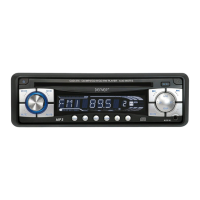
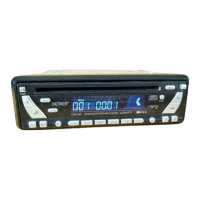
Denver CAD-470 - User Manual

Denver CAD-470
10 pages
Print Icon
To Next Page IconTo Next Page
Loading...
INSTRUCTION MANUAL
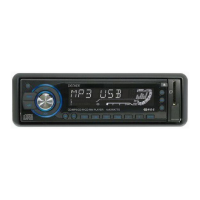
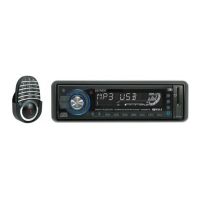
CAR STEREO CD/CDR/CDRW/MP3 PLAYER
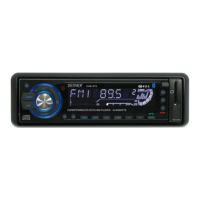
WITH PLL FM STEREO RADIO
RDS
USB / SD / MMC CARD INPUT
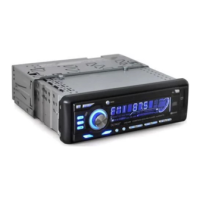
FLIP DOWN/DETACHABLE FRONT PANEL
CAD-470
DISP
BAND
A/PS
SCN
1 PAU 2 INT 3 RPT 4 RDM 5 6 MUTE
PTY
AF
TA
MD
1718
14 6 2524232221201913 912 11
15 16751 8 2 310
4
(1-6)
26
DISP
BAND
A/PS
SCN
1 PAU 2 INT 3 RPT 4 RDM 5 6 MUTE
PTY
AF
TA
MD
CAD470(eng).indd 1 1.3.2007 14:25:05
Question and Answer IconNeed help?

Do you have a question about the Denver CAD-470 and is the answer not in the manual?

Summary

Location of Parts and Controls

Front Panel Control Overview

Details the primary controls on the front panel including power, function selection, volume, mode, band, tuning, scan, mute, and eject.

Installation and Connections

ISO Connector Wiring

Details the RCA line out/in and speaker connections using the ISO connector.

Installation Precautions

Offers guidance on selecting a mounting location and avoiding adverse conditions.

Unit Mounting and Front Panel Management

Detaching and Attaching Front Panel

Explains the procedure for removing and reattaching the detachable front panel.

Function Select Button Operations

TA, Mask DPI, and Retune Controls

Details TA SEEK/ALARM, MASK DPI, and RETUNE L/S modes selectable via the SEL button.

Radio and Media Player Functions

AF;REG and TA Functions

Details the Alternative Frequencies (AF/REG) and Traffic Announcement (TA) features.

Advanced Media and Tuning Controls

CD Control Operations

Explains CD track search, skip, pause, intro preview, and repeat functions.

MP3 File Selection and Connectivity

MP3 File Searching

Guides on how to search for MP3 files by track, file name, or character.

USB and SD;MMC Card Connectivity

Explains how to connect portable MP3 players via USB and use SD/MMC cards.

Summary

Location of Parts and Controls

Front Panel Control Overview

Details the primary controls on the front panel including power, function selection, volume, mode, band, tuning, scan, mute, and eject.

Installation and Connections

ISO Connector Wiring

Details the RCA line out/in and speaker connections using the ISO connector.

Installation Precautions

Offers guidance on selecting a mounting location and avoiding adverse conditions.

Unit Mounting and Front Panel Management

Detaching and Attaching Front Panel

Explains the procedure for removing and reattaching the detachable front panel.

Function Select Button Operations

TA, Mask DPI, and Retune Controls

Details TA SEEK/ALARM, MASK DPI, and RETUNE L/S modes selectable via the SEL button.

Radio and Media Player Functions

AF;REG and TA Functions

Details the Alternative Frequencies (AF/REG) and Traffic Announcement (TA) features.

Advanced Media and Tuning Controls

CD Control Operations

Explains CD track search, skip, pause, intro preview, and repeat functions.

MP3 File Selection and Connectivity

MP3 File Searching

Guides on how to search for MP3 files by track, file name, or character.

USB and SD;MMC Card Connectivity

Explains how to connect portable MP3 players via USB and use SD/MMC cards.

Denver CAD-470 Specifications

CD/MP3 Player Section IconCD/MP3 Player Section
Signal to Noise Ratio> 60 dB
Channel Separation> 50 dB (1kHz)
Frequency Response20Hz - 20 kHz
Tuner (FM) IconTuner (FM)
Frequency range87.5-108 MHz
Intermediate frequency10.7 MHz
Sensitivity2.8 µV
Stereo separation30 dB
Signal to noise ratio50 dB
Channel step50 kHz
Line-Out IconLine-Out
Output350mV
Impedance10k Ohm
General IconGeneral
Power Supply13.8V DC (10.8-15.6V allowable)
Speaker impedance4 or 8 ohm
Output power40W x 4CH

Related product manuals