position.
It is recommended to format the SD-card by the camera when used at the first time.
The camera will be in USB mode when connected to a USB port of a computer. In this
case, the SD-card functions as a removable disk.
Please ensure sufficient power when having firmware upgrade, otherwise the upgrade
process could be interrupted incorrectly. If any fault occurs after improper upgrading
process, the camera may stop function properly.
3.Easy Operation
3.1 Power Supply
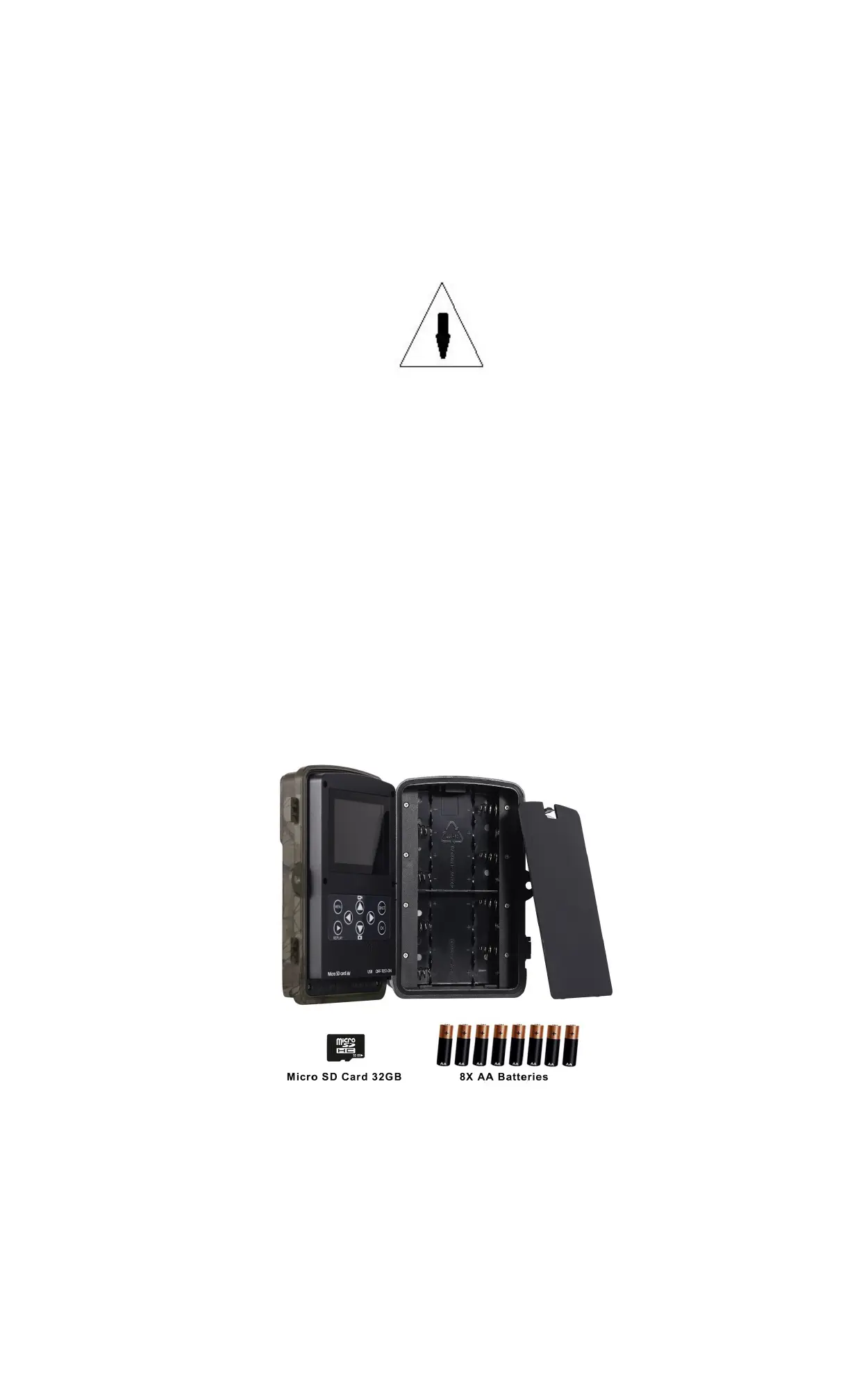
To supply power for the camera, 4 or 8 AA size batteries are needed.
Confirm that the power switch is at the OFF (Right) position, take out the battery depot.
Load the fully charged batteries into the depot according the polarities sign shown
below. Push back the battery compartment to the battery chamber.
The following batteries with 1.5V output can be used:
1. High-density and high-performance alkaline batteries (Recommended)
2. Rechargeable NiMH batteries
There are four battery slots. When in Test Mode, camera will be automatically shut
down to save power if without any operation within 3 minutes; it could be waked up by
any movement detection.
When in low-battery state, camera will be also automatically shut down. Please change
the batteries in time.
3.2
Insert the Micro SD-card
Insert Micro SD-card into the card slot with marked side upwards.
Please note that the Micro SD-card can only be plugged in one direction. Power on and
3.2.1 Enter into the ON Mode
Before switching on, please pay attention to the following:
1. Avoid temperature and motion disturbances that could be construed as animals
or humans such as trees that are exposed to direct sunlight for much of the day
ENG-5


 To Next Page