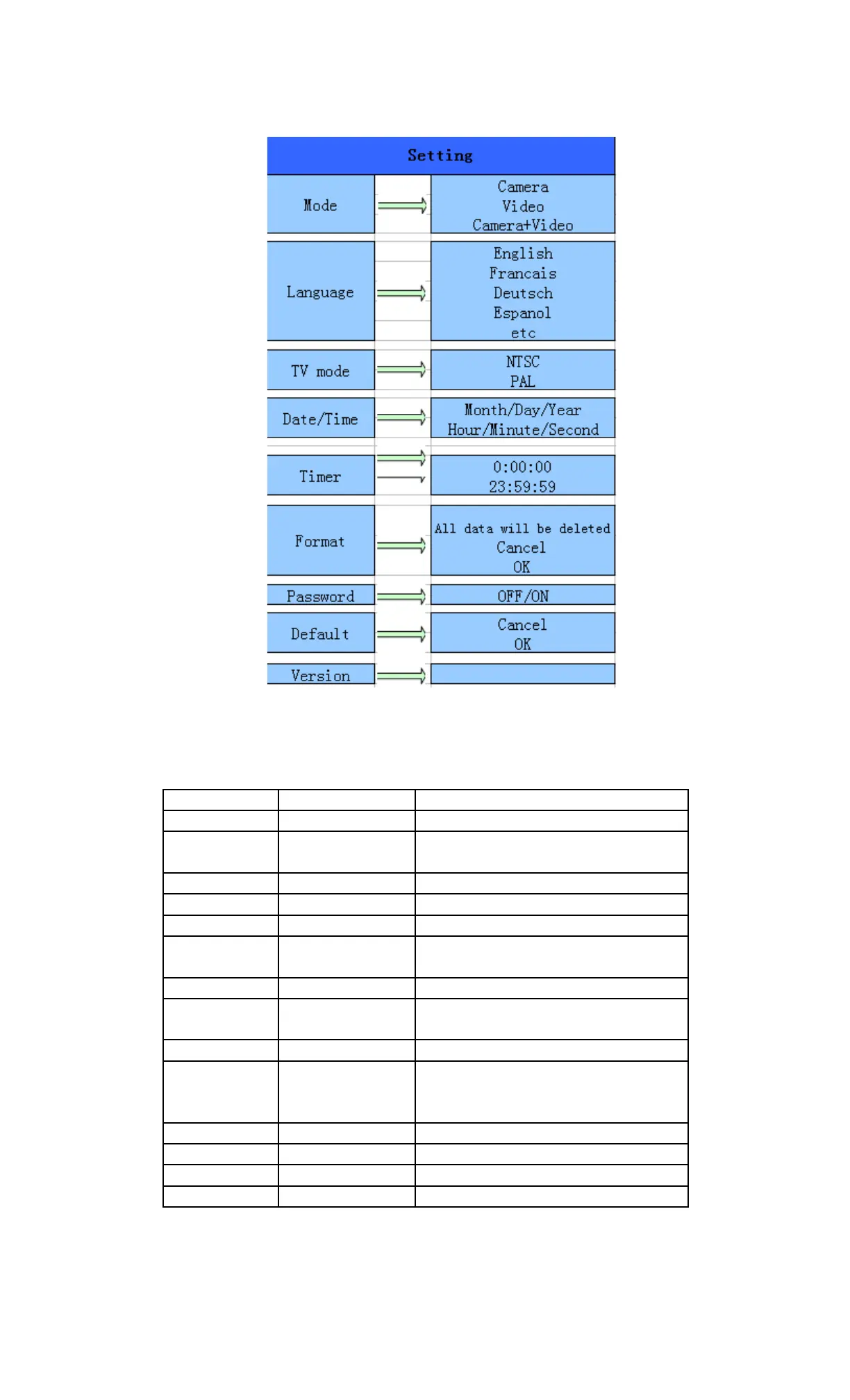
4.1.3 System Setting
4.1.4 Default
Default Settings are listed as below:
Setting Default Items
Mode Camera Camera, Video, Camera&Video
Resolution
(Camera)
12MP, 8MP ,5MP Interpolated
Interval 1 Seconds 1-30 Seconds,1-30 Minutes
Multi Single Single,3,6,9 Pictures
ISO 200 100,200,400
Resolution
(Video)
1080P 1080P, 720P, WVGA
Video Length 10s 10s,30s,60s,90s
Date/Time Same as last time YY/MM/DD,MM/DD/YY,DD/MM/YY
Adjust
Distance High High, Normal, Low
Language English English, French, Germany, Spanish ,
Russian, Danish, Dutch, Poland,
Portuguese, Swedish, Italian, Finnish
Timer 0 0 0 to 23 59 59 Adjust
Format Internal Memory Internal Memory, SD Card
TV Mode NTSC NTSC,PAL
Password Off Off, On
4.1.5 General Settings
The operating steps are suitable for following menu items: Camera Mode, Photo Size,
ENG-8


 To Next Page