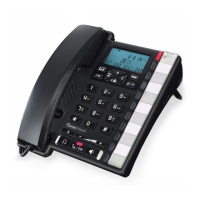
HD2000 IP User Manual
Copyright © 2015 SAS HENRI DEPAEPE Page 2 of 52
Table of Content
1. WELCOME ................................................................................................................... 4
2. WHAT IS IN THE PACKAGE ....................................................................................... 4
3. Key Features ............................................................................................................... 5
4. Hardware specification. ............................................................................................. 6
5. INSTALLATIONS ......................................................................................................... 6
5.1. Power and LAN connection ........................................................................... 6
5.2. Walls mount installation: ................................................................................ 8
6. Get Familiar with the telephone .............................................................................. 10
7. BASIC OPERATIONS ................................................................................................ 12
7.1. Get Familiar with Voice menu (keypad models only) .................................. 12
7.2. Make a Phone call (keypad models only) .................................................... 14
7.2.1. Completing Calls ................................................................................. 14
7.2.2. Quick IP Call Mode .............................................................................. 14
7.3. ANSWERING PHONE CALLS .................................................................... 15
7.3.1. Receiving Calls .................................................................................... 15
7.4. PHONE FUNCTIONS DURING A PHONE CALL (keypad models only) .... 15
7.4.1. Call Hold .............................................................................................. 15
7.4.2. Call Waiting and Call Flashing ............................................................ 15
7.4.3. Call Transfer ........................................................................................ 15
7.4.3.1 Blind Transfer ................................................................................ 15
7.4.3.2 Attended Transfer ........................................................................... 15
7.4.4. Conference Call ................................................................................... 16
7.4.5. Mute incoming calls ............................................................................. 16
7.4.6. Voice Messages (Message Waiting Indicator) .................................... 16
7.5. CALL FEATURES (keypad models only) ..................................................... 17
7.5.1. Call Features Tables ............................................................................ 17
8. CONFIGURATION GUIDE ......................................................................................... 18
8.1. Configuring HD2000IP using Web Browser ................................................ 18
8.1.1. Get the IP address of the HD200IP: ................................................... 18
8.1.2. Accessing the Web Configuration ....................................................... 18
8.1.3. User Programming and Configuration ................................................ 19
8.1.4. Login, Passwords ................................................................................ 19
8.1.5. Configuration Options and Explanations............................................. 20
8.1.5.1 Device Status ................................................................................. 20



 To Next Page