Rev 07/04/2015
24
4 Service and Repair
WARNING: Before performing any service that involves electrical connection or
disconnection and/or exposure to electrical components, always follow the
Electrical LOCKOUT/TAGOUT Procedure. Disconnect all circuits. Failure to comply
can cause property damage, injury or death.This chapter deals with
repairing/replacing instruction, of both mechanical and electrical components.
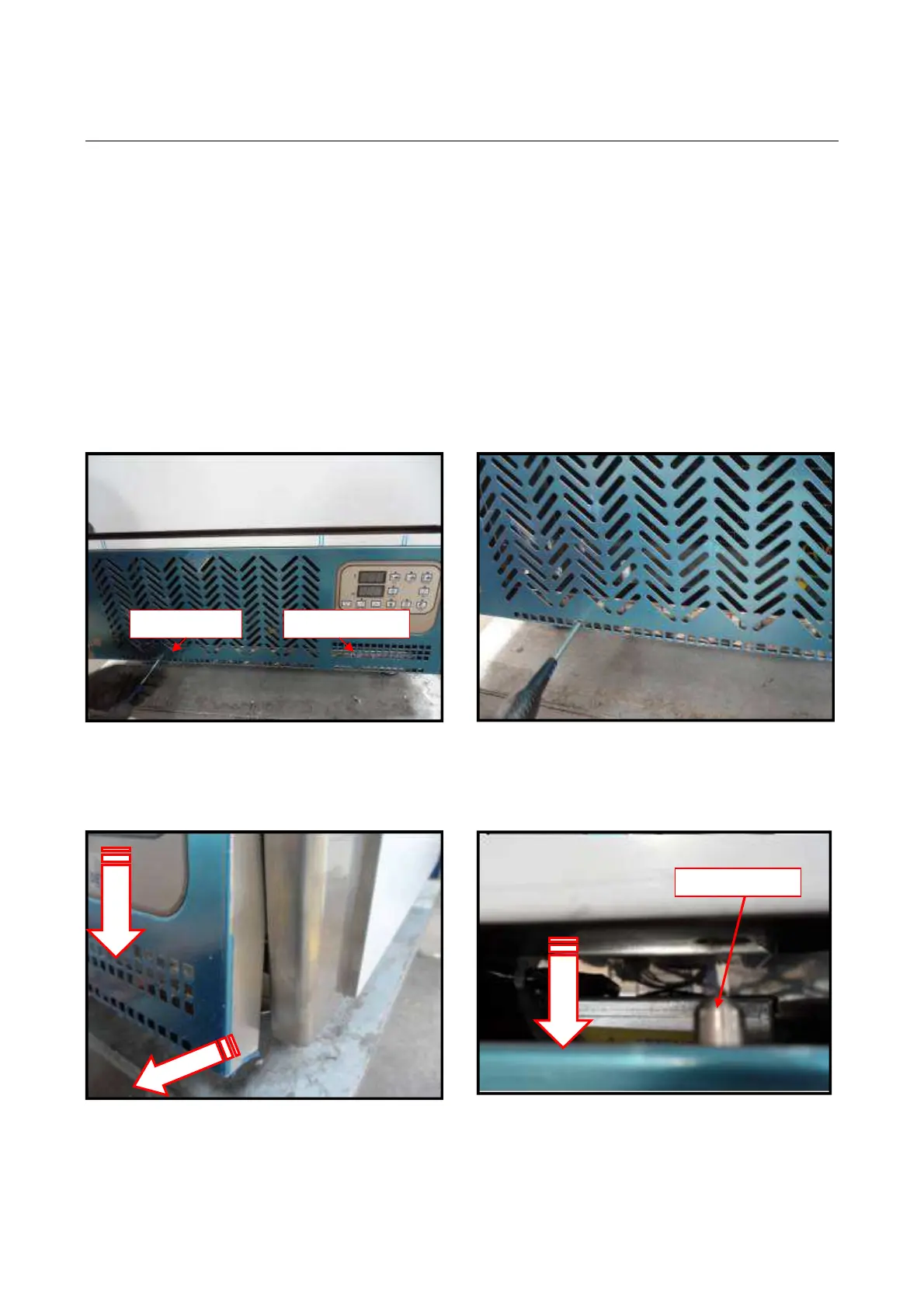
4.1 REMOVE THE FRONT PANEL
4.1.1. Units from 5 to 18 shelves
a) Insert a screwdriver through the square access holes at the bottom of the panel and
remove the two screws.
b) The panel is attached at the top by two pins on the left and right.
Pull the panel out from the bottom and pull it down so the pins are clear of the
holes.
2



 To Next Page