EasyManua.ls Logo

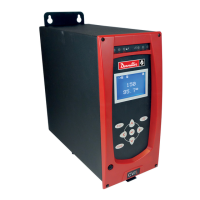
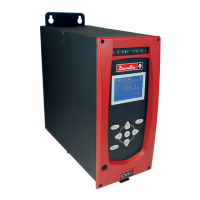
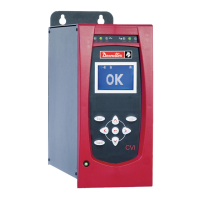
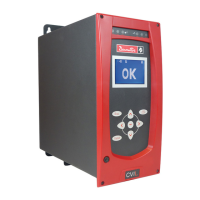
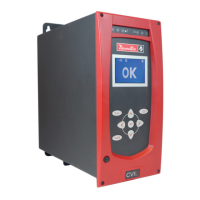
Desoutter CVIL II - User Manual

Desoutter CVIL II
80 pages
Print Icon
To Next Page IconTo Next Page
Loading...
www.desouttertools.com
Part no 6159933780
Issue no 09
Date 01/2018
Page 1 / 80
© Copyright 2018, Ets Georges Renault 44818 St Herblain, FR
All rights reserved. Any unauthorized use or copying of the contents or part thereof is
prohibited. This applies in particular to trademarks, model denominations, part numbers
and drawings. Use only authorized parts. Any damage or malfunction caused by the use of
unauthorised parts is not covered by Warranty or Product Liability.
CVIL II Controllers
V 5.1.X
Operators manual
Original instructions.
Model Part number
CVIL II 6159326800

Table of Contents

Other manuals for Desoutter CVIL II

Questions and Answers

  • J
    Jessica PowellAug 20, 2025
    What to do if Desoutter Controller tool does not start in tightening or run reverse mode?
    • D
      Dawn ThomasAug 20, 2025
      If your Desoutter Controller tool doesn't start in either tightening or run reverse mode, check the condition of the On/Off switch of the controller, ensure the mains voltage on the input side of the controller is present, and verify the condition of the controller fuses, as the controller might be switched off.
  • K
    Kelly AlvarezAug 22, 2025
    Why Desoutter Controller tool doesn't reach programmed torque and motor overheats?
    • J
      James LarsonAug 22, 2025
      If the Desoutter Controller tool struggles to reach the programmed torque, the motor overheats, and the tool stops due to the 'maximum current' instruction, it could be due to a deterioration in the angle-head efficiency. If the wear of the angle head is low, a dynamic calibration could compensate the drift.
  • N
    Nicholas RosalesAug 23, 2025
    How to troubleshoot a Desoutter CVIL II Controller tool that doesn't always start?
    • M
      Michael BonillaAug 23, 2025
      If your Desoutter Controller tool doesn't always start, the issue might be a faulty contact in the trigger switch. To resolve this, go to the 'Maintenance - Inputs/Outputs' menu and check the switching of the concerned input.
  • A
    Alicia BakerAug 26, 2025
    Why is there dispersion in tightening results with Desoutter CVIL II?
    • M
      meyersaraAug 26, 2025
      If you're experiencing dispersion or abnormal deviation in the tightening results with your Desoutter Controller, the angle head may be faulty. Confirm this by checking the torque ripple of the 'torque versus time' curve saved in the unit.
  • S
    Shannon MorrisAug 27, 2025
    What to do if speed isn't constant when torque is reached on Desoutter CVIL II Controller?
    • S
      Steven HallAug 28, 2025
      If the speed isn't constant when the torque is reached, especially in hard joints, try the following: 1. Reduce the final speed to increase the phase time (remain > 3%). 2. Reduce the final speed phase acceleration time to a minimum (0.01 s) to reach the tightening speed as quickly as possible. 3. Reduce the run down speed phase to avoid high over torque when clamping and to limit the speed gap between the run down and final speed phase. 4. Program a new strategy: Angle run down + Final speed phase.
  • J
    Jeffrey BarrAug 30, 2025
    What to check if Desoutter CVIL II Controller shows missing emergency stop?
    • J
      Jacob WilliamsonAug 30, 2025
      If the Desoutter Controller indicates a missing Emergency stop connector or the emergency stop button is engaged, check for links in the emergency stop connector and ensure that the emergency stop button is not engaged.
  • M
    Maria MaciasAug 31, 2025
    Why Desoutter Controller tool runs in reverse but not tightening mode?
    • P
      Patricia BakerSep 1, 2025
      If the Desoutter Controller tool runs in run reverse mode but not in tightening mode, it could be due to a loss of controller memory. Check for the presence of tightening cycles.
  • Z
    zedwardsSep 2, 2025
    How to fix 'Servo-drive not ready' error on Desoutter Controller?
    • V
      vfletcherSep 3, 2025
      If you encounter a 'Servo-drive not ready: Open thermal contact' error on your Desoutter Controller, which could also result from a resolver fault or a resolver link fault, check the condition of the 'thermal contact' LED on the front side of the servo-drive. If the LED is lit, check the motor temperature and the connections, addressing them if necessary.
  • F
    fsmithSep 5, 2025
    What causes transducer values above tolerances in Desoutter CVIL II Controller?
    • D
      davisrobertSep 5, 2025
      If the transducer values measured are above the tolerances in your Desoutter Controller, which can be caused either by a failure of the memory board, the transducer or the connections, make sure that the cable and its connections are OK.
  • M
    Mark TorresSep 6, 2025
    What to do if Desoutter CVIL II Controller cycle stops due to timeout?
    • C
      Christina MooreSep 7, 2025
      If a cycle was stopped because the time allocated for the phase or cycle elapsed (and not by the target parameter), the programmed time out has to be modified to fit the application.

Summary

Safety Instructions

Statement of Use

Defines the intended use and restrictions of the CVIL II controller.

Initial Start Up Procedures

Installation and Safety

Covers essential installation steps, including STOP signal wiring and safety checks.

Programming Features

Cycles and Parameters Menu Overview

Introduces the main menus for programming tightening cycles and parameters.

Cycle Selection and General Parameters

Covers selecting cycles, programming actions on NOK, and general cycle parameters.

Phase Programming Details

Details creating, inserting, deleting, and programming individual phases.

Specific Phase Programming

Details programming for Search Sequence, Run Down Speed, and Final Speed phases.

Input;Output Configuration

Details how to configure controller inputs and outputs for PLC or external signals.

Output Menu and PLC Wiring

Explains output functions and wiring configurations for PLC integration.

Peripheral Configuration

Covers serial port, Ethernet sockets, PLC modules, CVINET, and TOOLSNET settings.

Maintenance Procedures

Test Procedures Overview

Guides through testing controller functions, inputs/outputs, LEDs, and communication channels.

Connections and Wiring

Tightening Strategy Guide

Torque Control Strategies

Explains torque control in normal and pulse modes, including stop and accept criteria.

Trouble Shooting Help

Error Messages and Troubleshooting

Details specific error messages, their causes, and troubleshooting steps.

Problems Due to Adjustments

Addresses common issues related to incorrect settings and provides diagnostic checks.

Problems Due to Wear or Breakdown

Addresses common issues related to wear, breakdown, and provides diagnostic checks.

Desoutter CVIL II Specifications

General IconGeneral
Number of AxesUp to 6
Storage Temperature-20°C to 70°C
Protection ClassIP20
Power Supply100-240V AC
Communication InterfaceEthernet
Operating Temperature0°C to 45°C

Related product manuals