240 Operators Manual
Model 240 Operator Manual Rev. 1.8 Page 11 of 29
NOTE: While in Menu Mode there are no updates to gas readings and hence no alarms will take place.
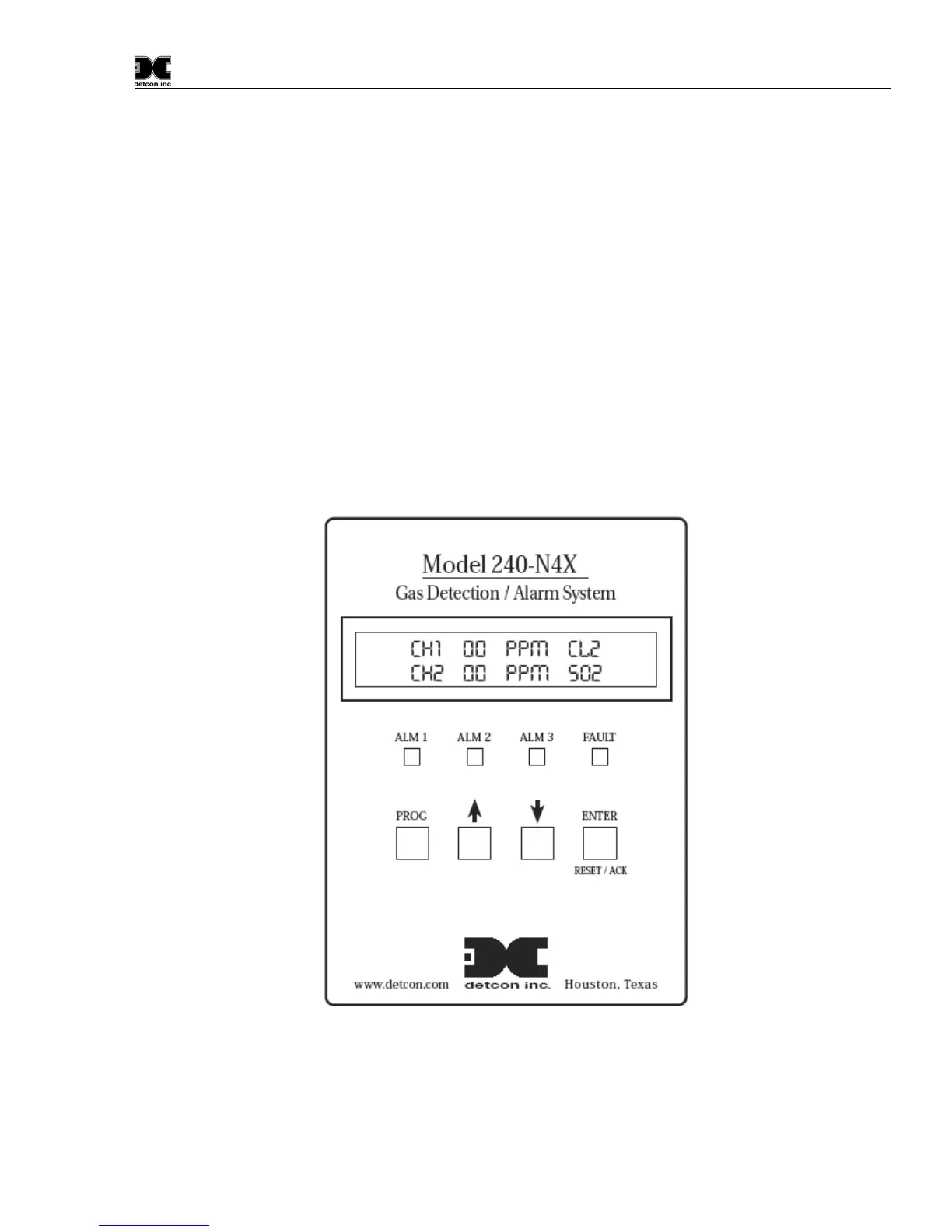
6.3.2 “Up Arrow” Key:
This key moves the user up the Main Menu flow chart. It is also used to change highlighted entries within
menu selections in the upward direction.
6.3.3 “Down Arrow” Key:
This key moves the user down the Main Menu flow chart. It is also used to change highlighted entries
within menu selections in the downward direction.
6.3.4 ENTER and Reset/Ack Key:
This key has a multiple-use purpose. The ENTER function is used to accept selections within all Menu
screens.
The Enter Key is also used to execute the Reset and Acknowledge functions. The Reset function releases
all latched relays if pressed after they have cleared the alarm/fault condition. The Acknowledge function
will disengage any silenceable relays that are in a currently active state. This is typically used to silence
alarm annunciators, once the end-user has assessed the alarm condition.
Figure 8 Front Panel User Interface
NOTE: The controller automatically times out of Menu Mode and returns to the Main Display after 1
minute of inactivity.


 To Next Page