240 Operators Manual
Model 240 Operator Manual Rev. 1.8 Page 24 of 29
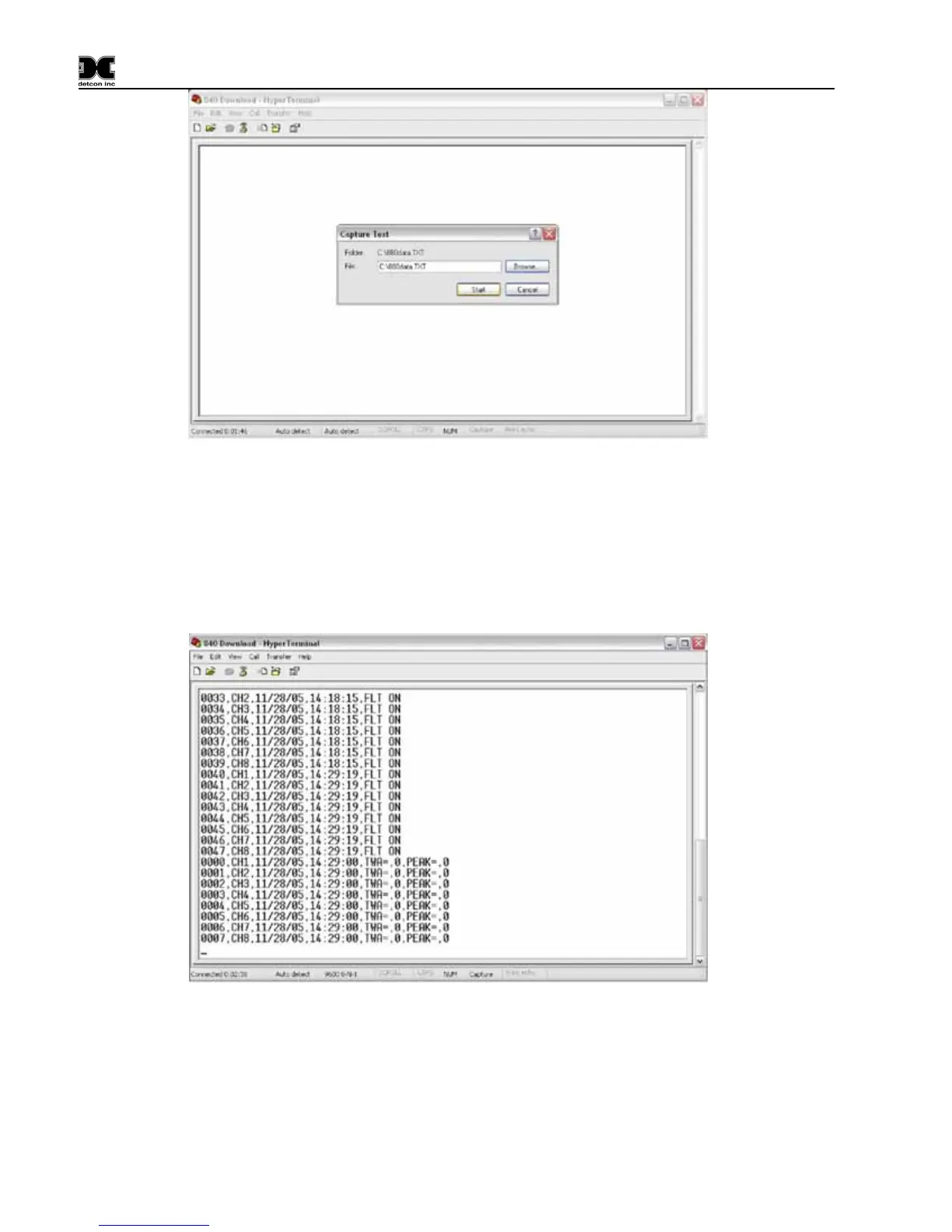
Figure 16 Naming Capture File
On the X40 controller, enter the main menu. Scroll down to “MAIN MENU:” “DOWNLOAD
HISTORY”. Press the Enter button. The display should read “STREAMING DATA…..” Once the
controller has finished sending data to the PC, it will return to the main menu. If no buttons are pressed,
the controller will return to normal operation.
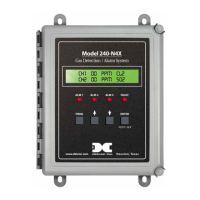
If the download was successful the display should look similar to figure 7 on the PC.
Figure 17 Downloading information
Once the data stream from the controller has been verified as stopped, select: Transfer> Capture Text> Stop
from the main menu.


 To Next Page