240 Operators Manual
Model 240 Operator Manual Rev. 1.8 Page 21 of 29
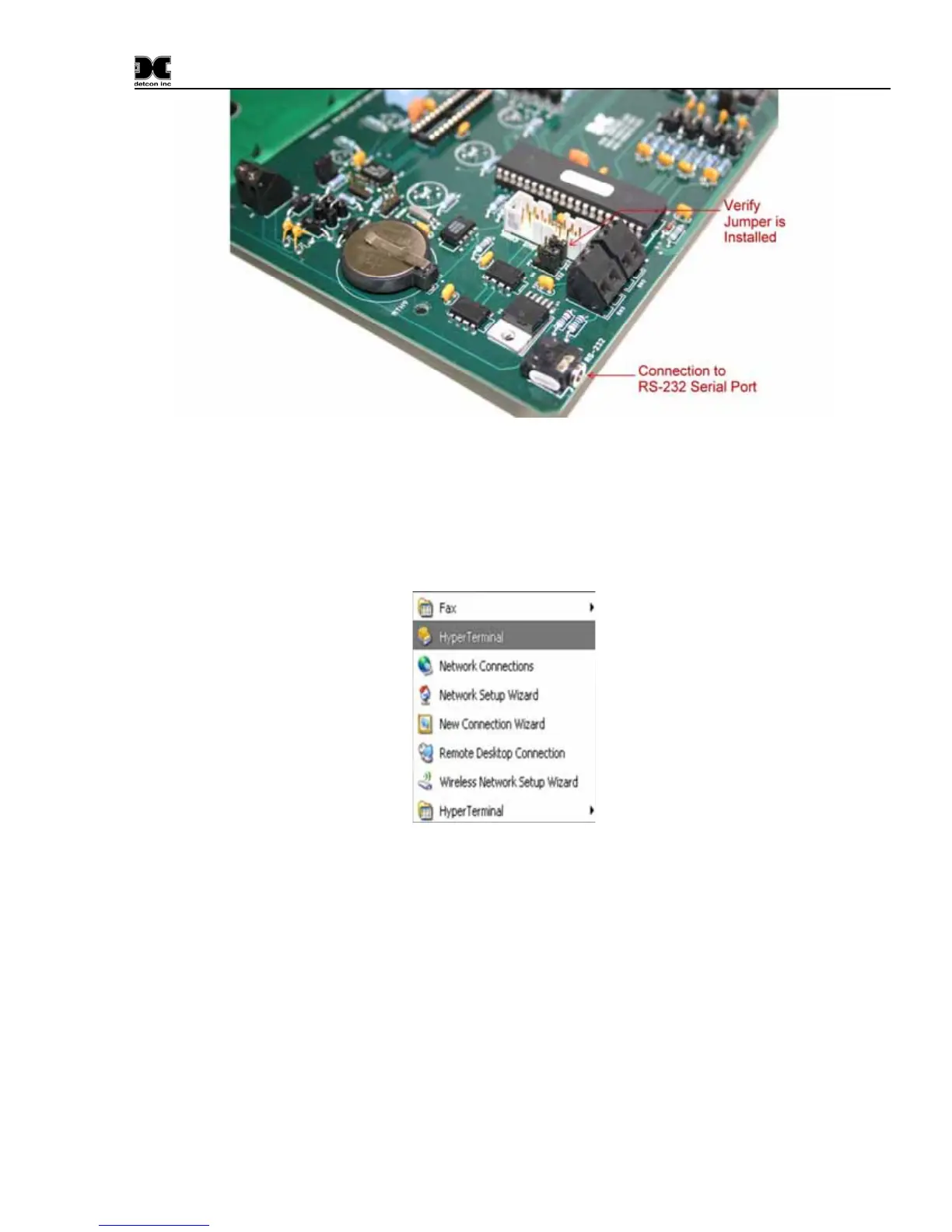
Figure 10 Serial connection and jumper locations
Make the connection from the Model X40 controller to your PC (COM1) using the supplied cable. The
controller’s 1/8” jack connection is located on the bottom of the PCB.
From the Start menu, select Programs> Accessories> Communications> Hyper Terminal.
Figure 11 Invoking Hyper Terminal
Hyper Terminal will open with the following Connection Description Dialog box. Type “X40 Download”
as the name for the connection and click ‘OK’.


 To Next Page