Using a document in a Bluetooth-compatible cellular phone or PDA
2
2-44 ineo 223/283/363/423
2.9
2.9 Using a document in a Bluetooth-compatible cellular phone or
PDA
The following procedures describe how to use a document saved in a cellular phone or PDA on this machine.
A document stored in a cellular phone or PDA can be saved in a User Box. The save function is available only
when a hard disk is installed.
A document stored in a cellular phone or PDA can be printed.
For details, refer to chapter 2 in the [User's Guide Box Operations], chapter 12 in the [User's Guide Print
Operations] or chapter 5 in the [User's Guide Network Administrator].
Reference
- To use a document saved in a cellular phone or PDA on this machine, the optional local interface kit
EK-605 is required. In this case, configure network setting in advance. For details, contact your service
representative.
- This function may not be available on this machine depending on the cellular phone or PDA model being
used or supported file formats.
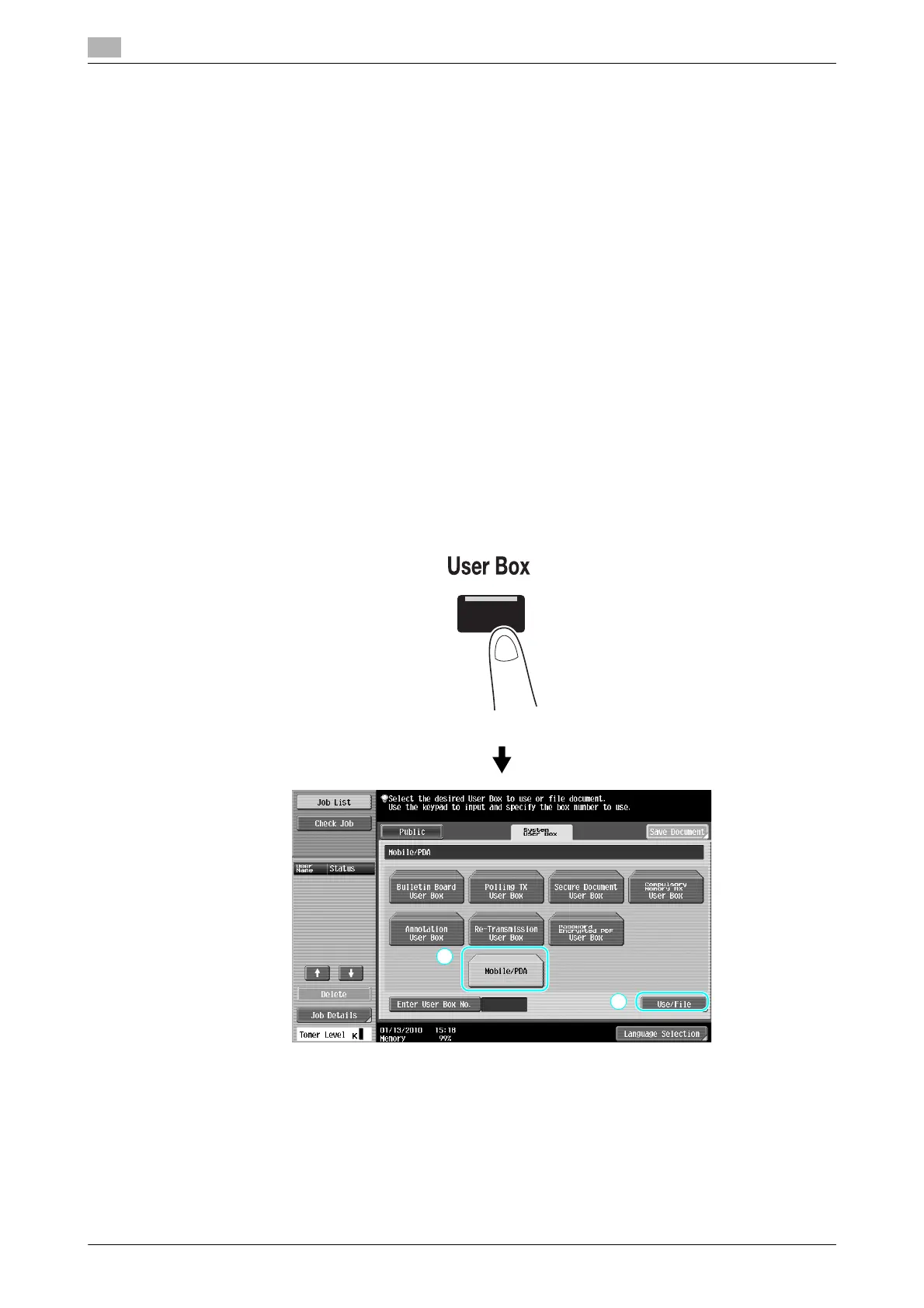
Saving a document stored in a mobile terminal to a User Box
Reference
- The save function is available only when a hard disk is installed.
1 Select [Mobile/PDA] and press [Use/File].



 To Next Page