Replacing consumables
1
1-66 ineo 223/283/363/423
1.19
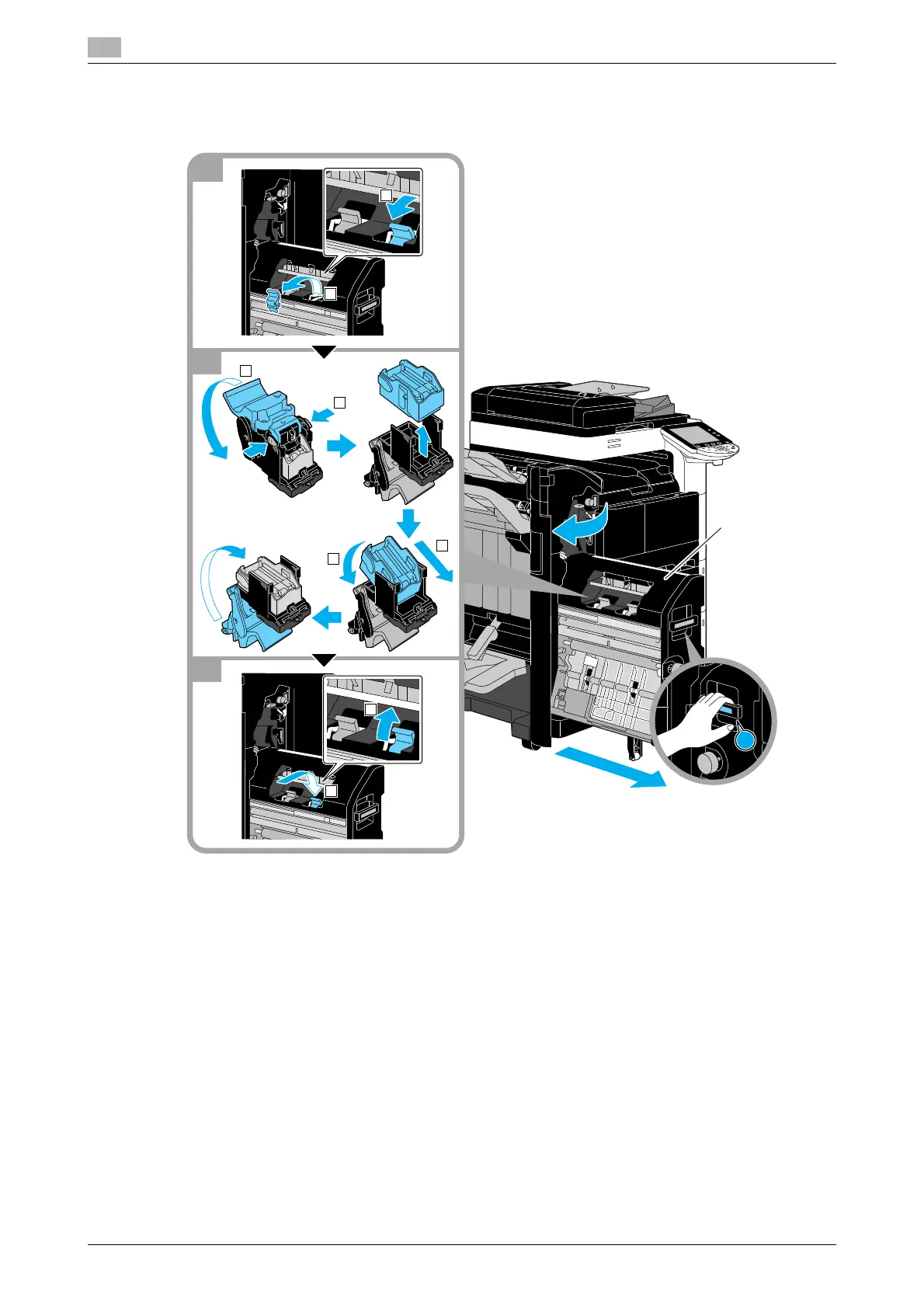
Replacing the staple cartridge (Saddle stitcher SD-509)
The following procedure describes how to replace the staple cartridge for saddle stitcher SD-509.
NOTICE
When moving the saddle stitcher, do not grab any part other than the handle, otherwise your hand or fingers
may be pinched.
When replacing the staple cartridge, be sure to check that the message is displayed. If the staple cartridge
is removed before the message is displayed, it will result in a failure.
Do not remove the remaining staples, otherwise the machine will not be able to staple after the cartridge is
replaced.



 To Next Page