ineo 223/283/363/423 1-69
1.20 Options
1
1.20 Options
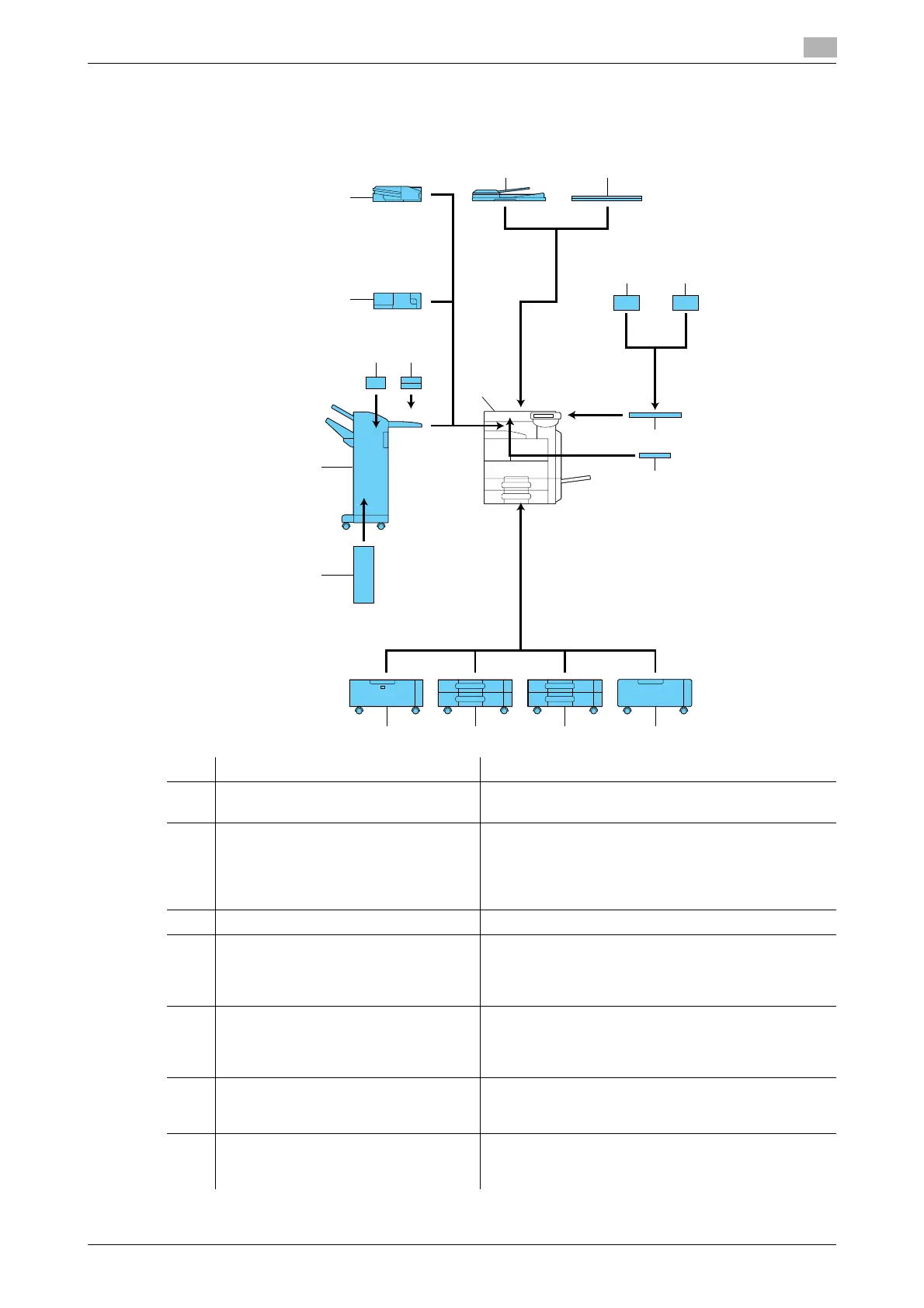
This section describes the configuration of the options installed on this machine.
By adding options, various office needs can be satisfied.
No. Name Description
1 Main unit The original is scanned by the scanner section, and the
scanned image is printed by the printer section.
2 Reverse automatic document feeder
DF-621
This is an option for ineo 283/223.
Automatically feeds and scans an original page by
page.
This unit automatically reverses and scans a 2-sided
original.
3 Original cover OC-509 Fixes the loaded original.
4 Authentication unit (biometric type)
AU-102
Performs user authentication by scanning vein pat-
terns in the finger.
Working table is required to install the authentication
unit.
5 Authentication unit (IC card type)
AU-201
Performs user authentication by scanning information
recorded on the IC card.
Working table is required to install the authentication
unit.
6 Working table WT-506 Provides an area to temporarily place an original or
other materials. This is also used when the authentica-
tion unit is installed.
7 Keyboard holder KH-101 Install this kit to use a compact keyboard.
For details on compact keyboards, contact your serv-
ice representative.
1
2 3
13
12
17
16
14 15
891011
6
4 5
7



 To Next Page