ineo 223/283/363/423 6-5
6.1 Registering frequently used destinations
6
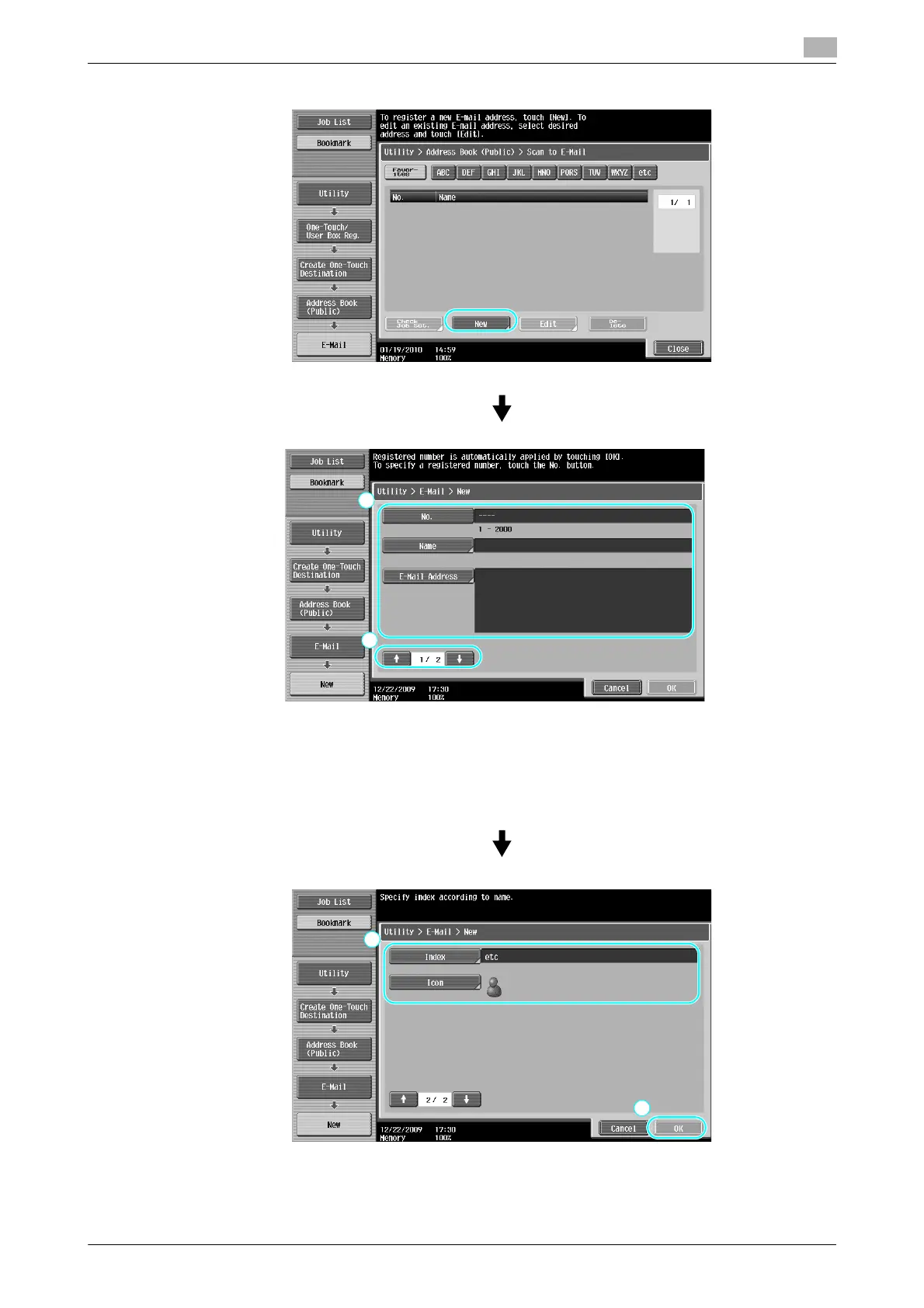
• No.: Using the keypad, type in the registration number.
• Name: Specify the name of the e-mail address to be registered.
• E-mail Address: Use the keyboard that appears in the touch panel to type in the e-mail address.
• Index: Select the index characters used for organizing the e-mail addresses. By selecting index char-
acters appropriate for the registered name, the e-mail address can easily be found.
• Icon: When i-Option LK-101 v2 is enabled on this machine, select an icon.



 To Next Page