Follow the steps below to mount the thermostat:
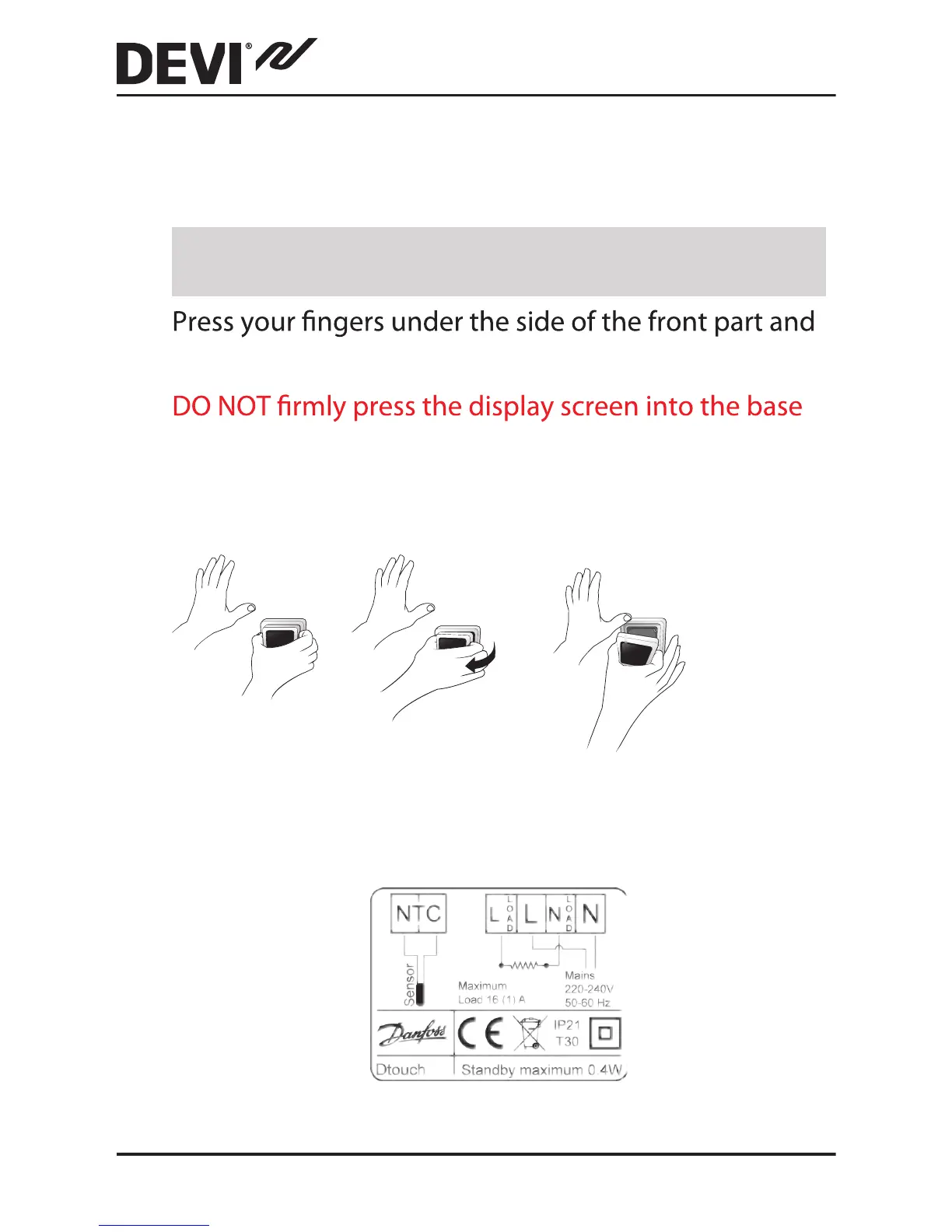
1. Open the thermostat:
Important: Do NOT press on the display screen when
removing the front part.
(bottom piece) until all wiring connections to terminals
are complete. The display screen is NOT EASY to
remove once it has been pressed into place!
pull toward you:
2. Connect the thermostat according to the connection
diagram.
DEVIreg™ Touch
10 Installation Guide



 To Next Page