17 Initial use
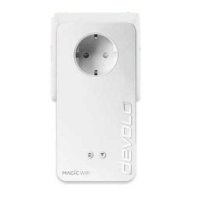
devolo Magic 1 LAN
1-1
3Initial use
This chapter tells you everything you need to know
to set up and use your devolo Magic 1 LAN. We de-
scribe how to connect the adapter and briefly des-
cribe the devolo software.
For more information, please visit our website
www.devolo.global
.
3.1 Package contents
Please ensure that the delivery is complete before
beginning with the installation of your
devolo Magic 1 LAN:
b Starter Kit:
a 2 devolo Magic 1 LAN
1-1
a 2 network cables
a Printed installation guide
a Printed flyer “Safety & Service“
a Printed simplified UKCA/CE declaration
a Online manual or
b Extension:
a 1 devolo Magic 1 LAN
1-1
a 1 Network cable
a Printed installation guide
a Printed flyer “Safety & Service“
a Printed simplified UKCA/CE declaration
a Online manual
devolo AG reserves the right to change the packa-
ge contents without prior notice.
3.2 System requirements
b Operating systems supported by
devolo Cockpit:
a from Windows 7 (32-bit/64-bit),
a from Ubuntu 13.10 (32-bit/64-bit),
a from Mac (OS X 10.9)
b Gigabit network connection
b Network connection
Please note that your computer or other de-
vice must have a network card or network
adapter with a network interface.
To set up a devolo network, you need at
least two devolo adapters.
3.3 Important notes
Use the devolo devices, the devolo software and
the provided accessories as described to prevent
damage and injury.












 To Next Page