11 Introduction
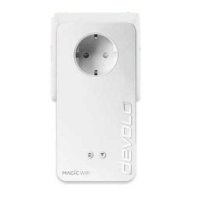
devolo Magic 1 LAN
1-1
b One integrated electrical socket
2.3 Pairing
devolo Magic adapters that are in factory default
condition, i.e. have been purchased or successfully
reset (see Chapter Resetting a devolo Magic ad-
apter or removing it from a devolo Magic net-
work), automatically start to attempt to pair with
another devolo Magic adapter when reconnected
to the mains supply.
Starting up a new devolo Magic network
After plugging the devolo Magic adapters into
available power sockets, a new devolo Magic net-
work is established automatically within 3 minutes.
Expanding an existing devolo Magic network
by adding another devolo Magic adapter
In order to use a new devolo Magic 1 LAN in your
devolo Magic- network, first you have to connect it
to your existing devolo Magic adapters devices as a
network. This is accomplished by using a shared
password, which can be assigned in various ways:
b Using devolo Cockpit or the
devolo Home Netwok App (see Chapter 3.5
Installation of devolo software)
b Using the web interface (see Chapter 4.3
Powerline)
b Using the PLC/reset button as described
below.
1 To do so, plug the new devolo Magic adapter
into an available power socket and, for appro-
ximately 1 second, press the PLC/reset button
on a devolo Magic adapter in your existing
devolo Magic network.
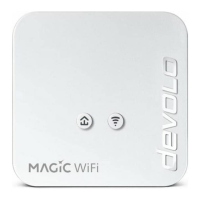
Fig. 2: devolo Magic 1 LAN with country-specific
connector and power socket











 To Next Page