20 Vianect AIR Manager
devolo Vianect AIR TV
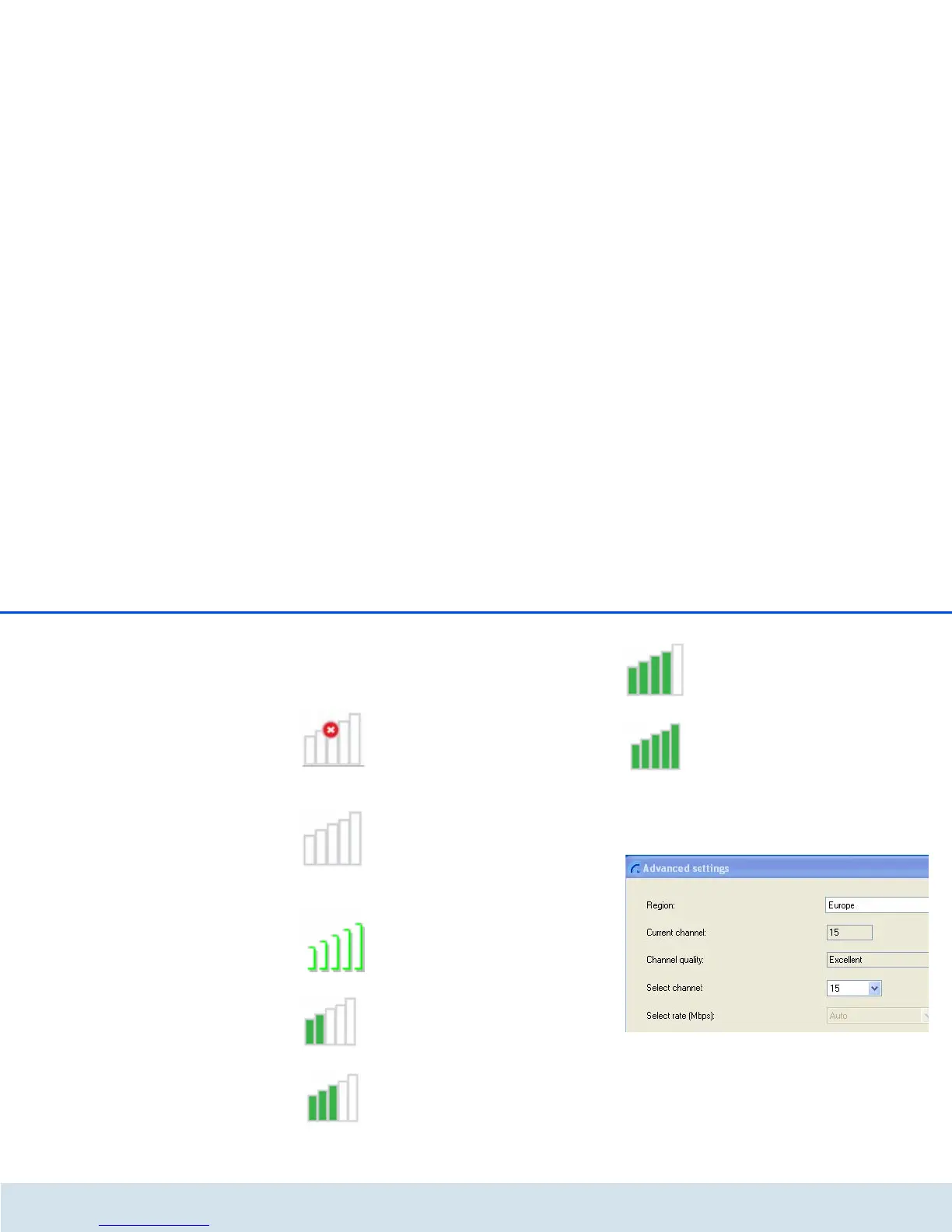
The corresponding bar graph provides information
about the current connection quality of the devices:
쎲 Disabled – The connection between the compu-
ter adapter and TV adapter is interrupted.
쎲 Not connected – The computer adapter is not
connected to the computer.
쎲 Connected – The wireless connection to the
Vianect AIR TV station exists.
쎲 Average connection quality
쎲 Good connection quality
쎲 Very good connection quality
쎲 Ideal connection quality
In Advanced settings... you can check the region,
channel quality, the current channel and the
speed. All values are configured optimally by default
and do not need to be changed.













 To Next Page