Vianect AIR Manager 21
devolo Vianect AIR TV
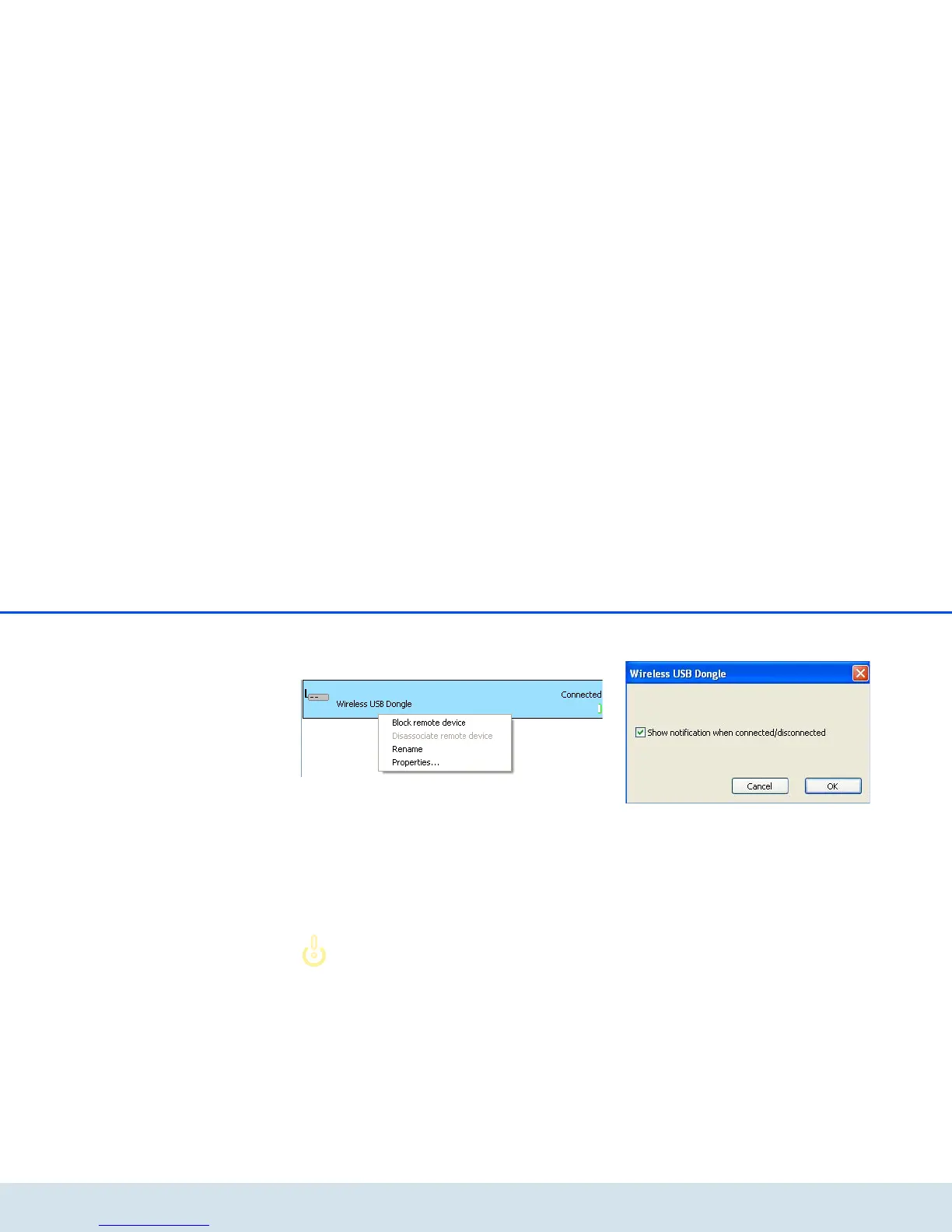
Using the context menu of a displayed Vianect AIR
TV station (accessed by right-clicking the respective TV
station), you can reach the following functions:
쎲 You can temporarily disable the station (Block
remote device), i.e. configure that the computer
adapter cannot establish a connection to the TV
station.
쎲 Disconnect the station (Disassociate reote
device), i.e. remove it from the network; this
device is then deleted from the list.
In the event of disconnection, the de-
vices lose the mutual preconfiguration
("pairing"), i.e. if used again, these
must be reconfigured first. For more
information, refer to Chapter 3.7 Re-
storing the pairing.
쎲 Renaming the Vianect AIR TV station.
쎲 Under Properties..., you can define whether you
want a status message.













 To Next Page