ENGLISH
10
OPERATING TIPS
• To extend battery life per charge, turn the laser off when it
is not inuse.
• To ensure the accuracy of your work, check the laser
calibration often. Refer to Checking LaserAccuracy.
• Before attempting to use the laser, make sure it is
positioned securely, on a smooth, flat stable surface that is
level in bothdirections.
• To increase beam visibility, use a Laser Target Card (Figure O).
CAUTION: To reduce the risk of serious injury,
never stare directly into the laser beam with or
without these glasses. Refer to Accessories for
importantinformation.
• Always mark the center of the beam created by thelaser.
• Extreme temperature changes can cause movement or
shifting of building structures, metal tripods, equipment,
etc., which can effect accuracy. Check your accuracy often
whileworking.
• If the laser has been dropped, check to make sure your laser
is still calibrated. Refer to Checking LaserAccuracy.
Turning the Laser On (Fig.E)
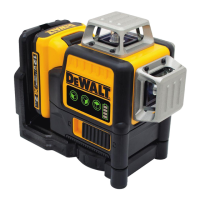
With the laser off, place it on a flat surface. This model has
a pendulum locking switch
5
and a keypad to activate the
laser beams with two ON/OFF buttons; one for a horizontal
laser line and one for a vertical laser line . Each laser line
is powered on by moving the pendulum lock switch to the
UNLOCKED/ON position and pressing the required ON/OFF
button on the keypad. The laser lines can be powered one
at a time or at the same time. Pressing the ON/OFF buttons
again turns the laser lines off. The pendulum locking switch
disables the lasers as well as locking the pendulum, and
should always be placed in the LOCKED/OFF position when
the laser is not inuse.
Checking Laser Accuracy
The laser tools are sealed and calibrated at the factory.
It is recommended that you perform an accuracy check
prior to using the laser for the first time (in case the laser
was exposed to extreme temperatures) and then regularly
to ensure the accuracy of your work. When performing
104°F (40°C). This is important and will prevent serious
damage to the batterypack.
2. The charger and battery pack may become warm to the
touch while charging. This is a normal condition, and
does not indicate a problem. To facilitate the cooling of
the battery pack after use, avoid placing the charger or
battery pack in a warm environment such as in a metal
shed or an uninsulatedtrailer.
3. If the battery pack does not charge properly:
a. Check operation of receptacle by plugging in a lamp
or other appliance;
b. Check to see if receptacle is connected to a light
switch which turns power off when you turn out
thelights;
c. If charging problems persist, take the tool, battery
pack and charger to your local servicecenter.
4. You may charge a partially used pack whenever you
desire with no adverse effect on the batterypack.
Charger Cleaning Instructions
WARNING:Shock hazard. Disconnectthe charger from
the AC outlet before cleaning. Dirt and grease may be
removed from the exterior of the charger using a cloth
or soft non‑metallic brush. Do not use water or any
cleaningsolutions.
Powering the Laser
This laser can be powered by either of these batterypacks:
• A DeWALT 20VMAX* Li-ion Battery Pack. *Maximum
initial battery voltage (measured without a workload) is
20volts. Nominal voltage is18.
Battery Type Battery Pack
20V DCB201, DCB203, DCB203BT,
DCB204, DCB204BT, DCB205,
DCB205BT, DCB207, DCB230,
DCB240, DCBP034
Use of any other batteries may create a risk offire.
Wall Mounting
Some DeWALT chargers are designed to be wall mountable
or to sit upright on a table or work surface. If wall mounting,
locate the charger within reach of an electrical outlet, and
away from a corner or other obstructions which may impede
air flow. Use the back of the charger as a template for the
location of the mounting screws on the wall. Mount the
charger securely using drywall screws (purchased separately)
at least 1” (25.4mm) long, with a screw head diameter of
0.28–0.35” (7–9mm), screwed into wood to an optimal
depth leaving approximately 7/32” (5.5 mm) of the screw
exposed. Align the slots on the back of the charger with the
exposed screws and fully engage them in theslots.
SAVE THESE INSTRUCTIONS FOR
FUTURE USE
Installing and Removing the Battery Pack
(Fig.D)
WARNING: Ensure the tool/appliance is in the off
position before inserting the batterypack.
NOTE: For best results, make sure your battery pack is
fullycharged.
1. To install the battery pack
1
into the tool handle, align
the battery pack with the rails inside the tool’s handle
and slide it into the handle until the battery pack is firmly
seated in the tool and ensure that it does notdisengage.
2. To remove the battery pack from the tool, press the
release button
2
and firmly pull the battery pack out of
the tool handle. Insert it into the charger as described in
the charger section of thismanual.



 To Next Page